

TL;DR: Cookie Banner → Configuration → US State Laws / CCPA (Opt-out Model) toggle → Save. Consently displays a notice with a "Do Not Sell or Share My Personal Information" link, allowing visitors to opt out of data sales and advertising cookies.
Overview
California Consumer Privacy Act (CCPA) and similar US state privacy laws require businesses to disclose data collection practices and provide an opt-out mechanism for data sales. Consently US State Laws template implements notice-and-opt-out consent, meeting requirements for California, Virginia, Colorado, Connecticut, and Utah.
Before You Begin
Make sure you have:
Time required: About 5 minutes
Understanding US State Privacy Laws
What US State Laws Cover
Five US states have comprehensive privacy laws that affect website operators:
CCPA/CPRA — California Consumer Privacy Act and California Privacy Rights Act
VCDPA — Virginia Consumer Data Protection Act
CPA — Colorado Privacy Act
CTDPA — Connecticut Data Privacy Act
UCPA — Utah Consumer Privacy Act
These laws apply when your business:
Operates in or targets residents of these states
Meets revenue or data processing thresholds (varies by state)
Sells personal information or shares it for advertising purposes
Opt-Out Model vs. GDPR Opt-In
US state laws differ fundamentally from GDPR in their consent approach:
GDPR (Opt-In)
Blocks cookies by default
Requires active consent before any non-essential cookies load
"Ask permission first" model
US State Laws (Opt-Out)
Allows cookies to load initially
Requires clear notice of data practices
Provides an easy opt-out mechanism
"Notice and choice" model
Under the opt-out model, cookies can function immediately, but visitors must have a clear, conspicuous way to stop data sales and advertising-related data sharing.
How to Enable US State Laws Compliance
Step 1: Select the US State Laws template
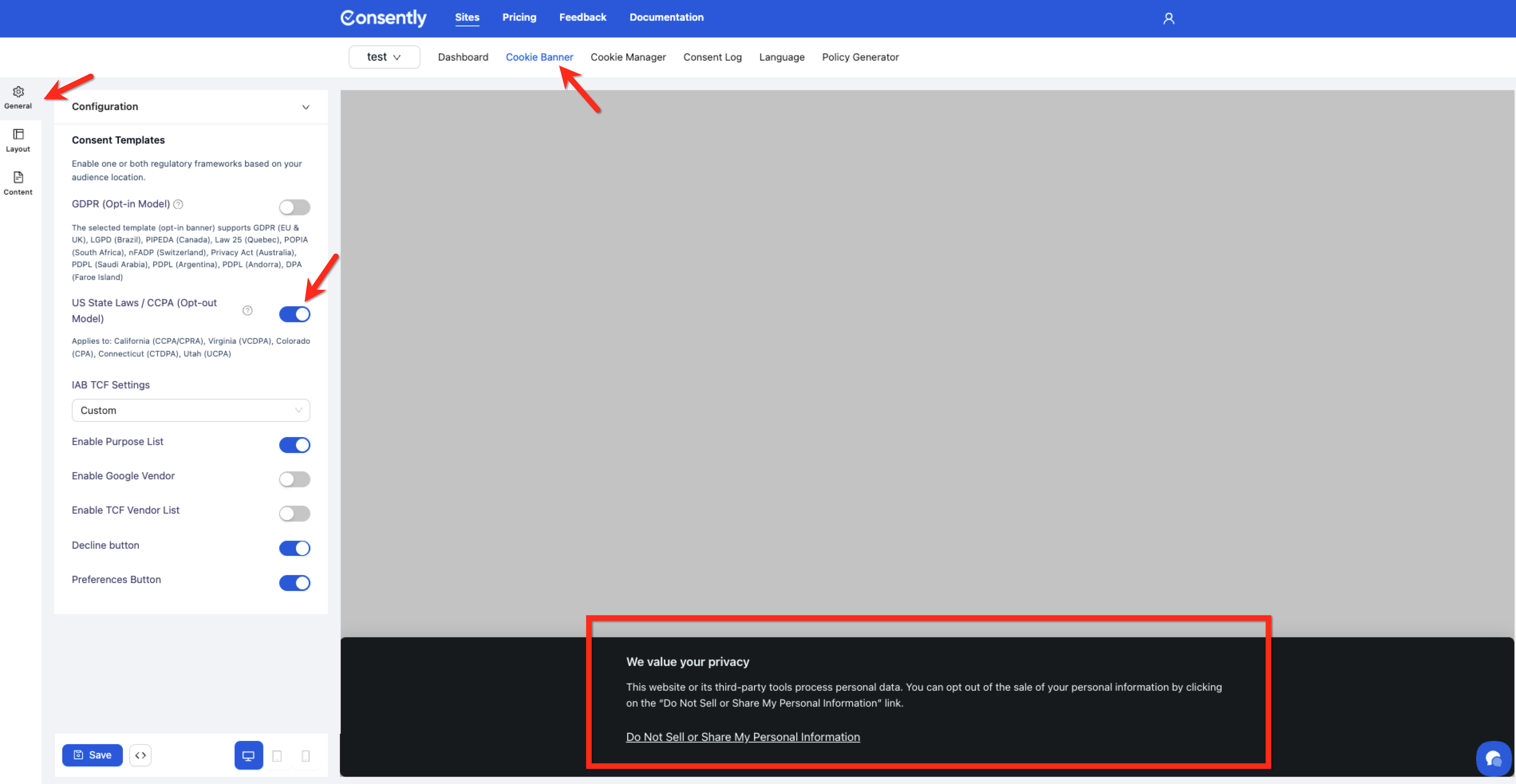
Navigate to Cookie Banner → Configuration → Consent Templates.
Step 2: Enable US State Laws / CCPA (Opt-out Model)
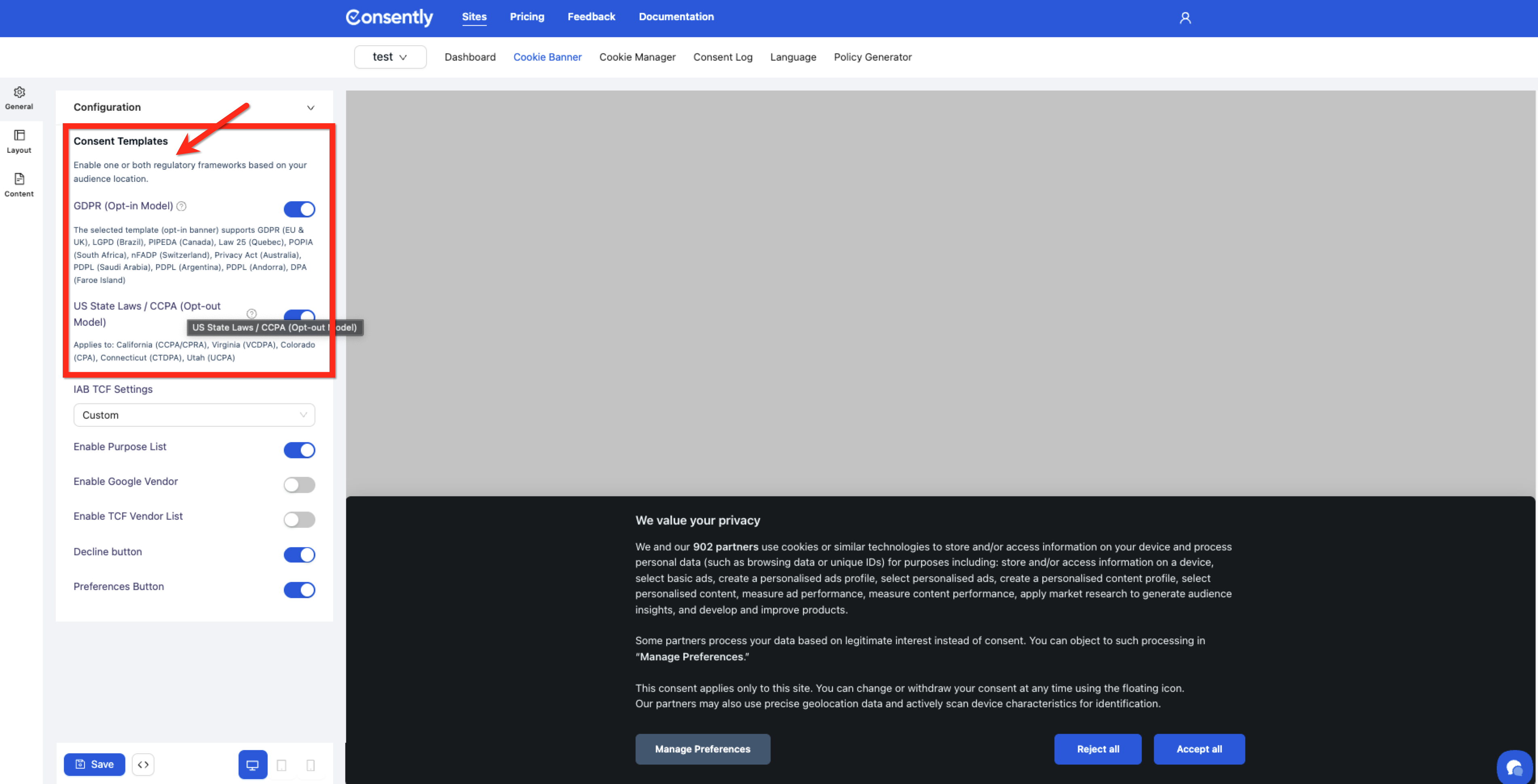
Toggle US State Laws / CCPA (Opt-out Model) to the ON position.
💡 Tip: Enable both GDPR and US State Laws templates if you serve both European and American audiences. Consently automatically displays the correct template based on visitor location.
Step 3: Verify cookie categories
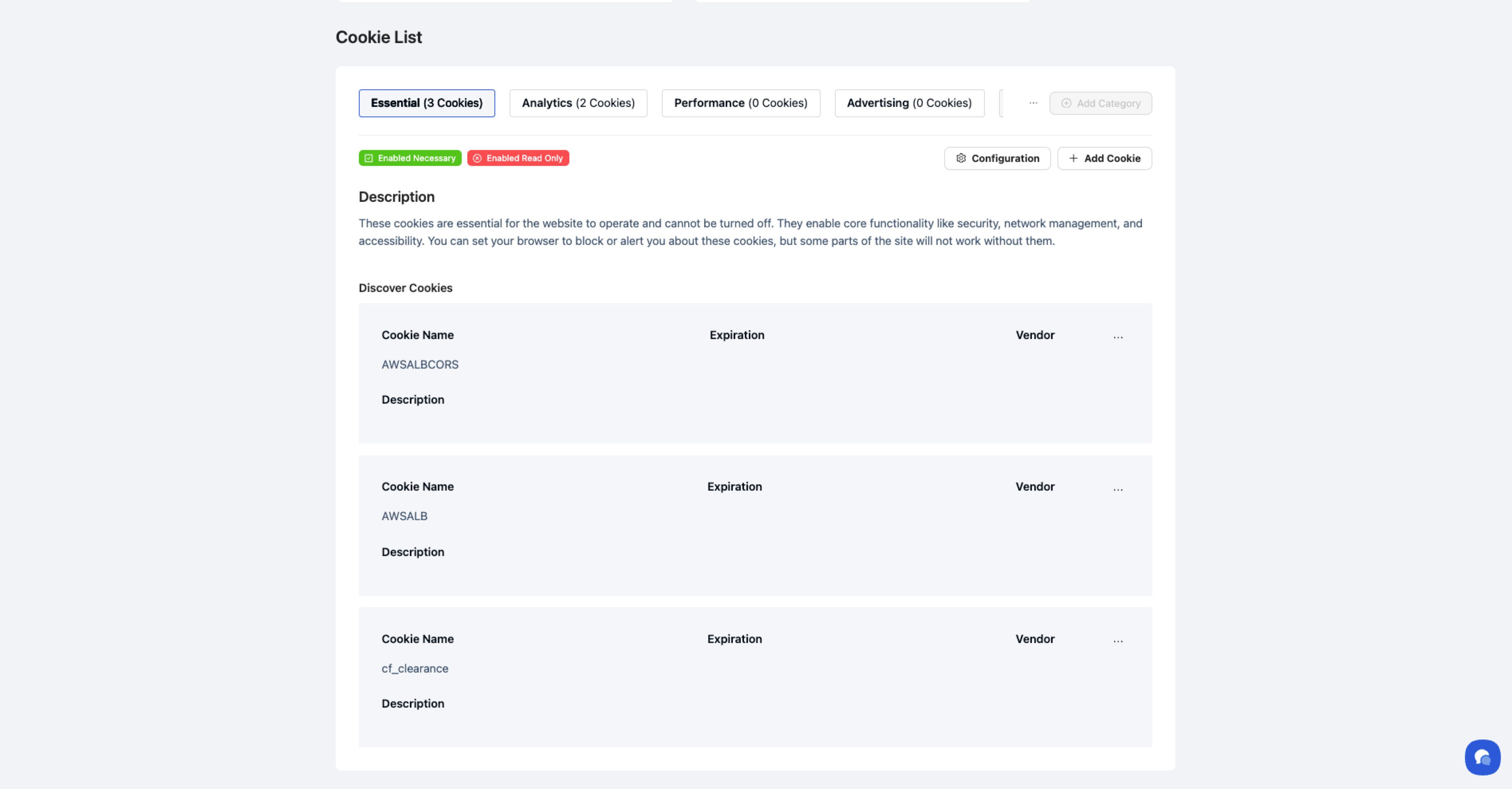
Go to Cookie Manager and ensure advertising and marketing cookies are properly categorized so visitors can effectively opt out of data sharing.
Step 4: Customize the notice text
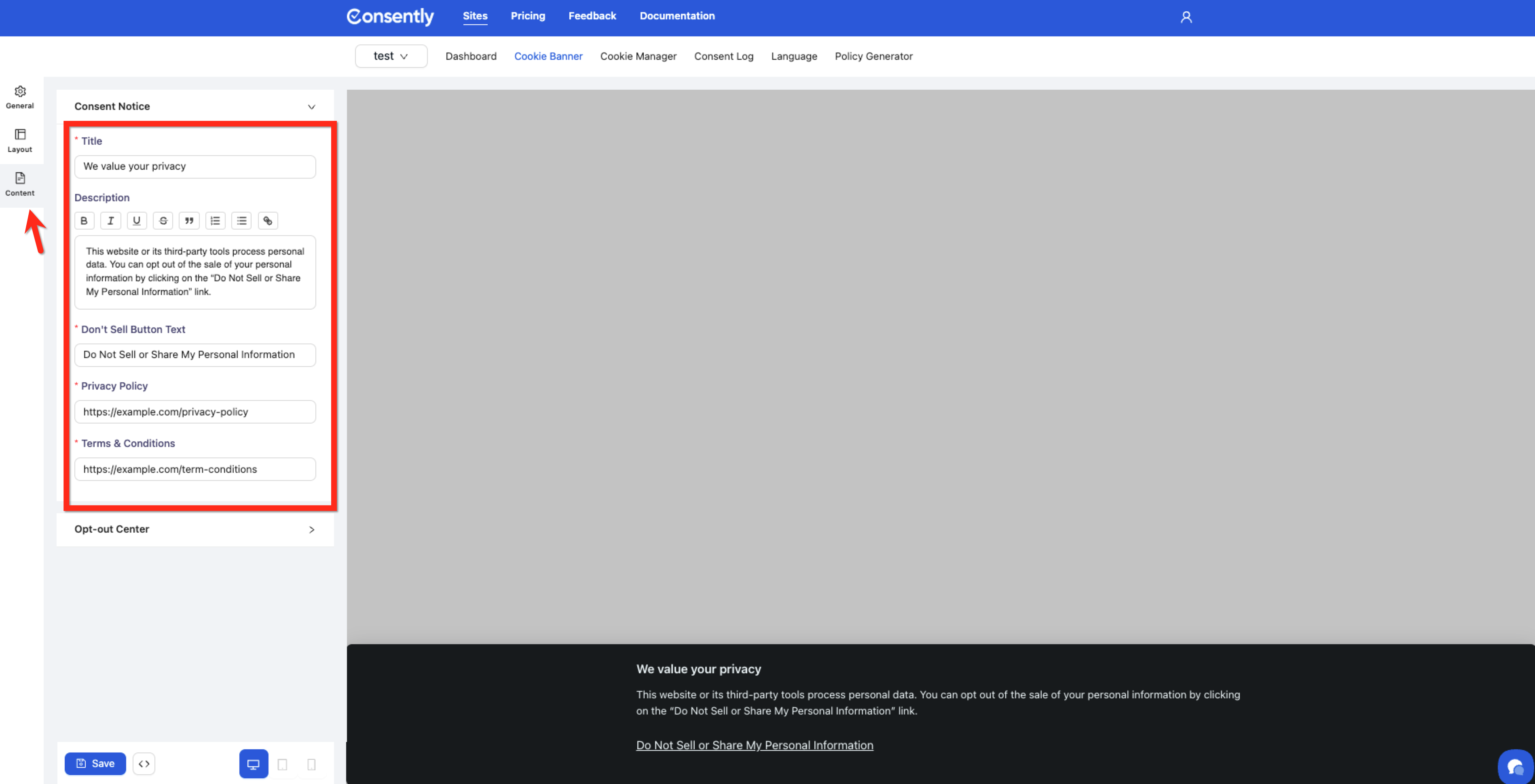
Navigate to Cookie Banner → Content and select US State Laws from the regulation dropdown to edit the consent notice title and "Do Not Sell" button text.
Step 5: Save and test
Click Save, then use Preview Modes to verify the notice appears correctly with the opt-out link.
Done!
Your banner now meets the requirements of US state privacy laws.
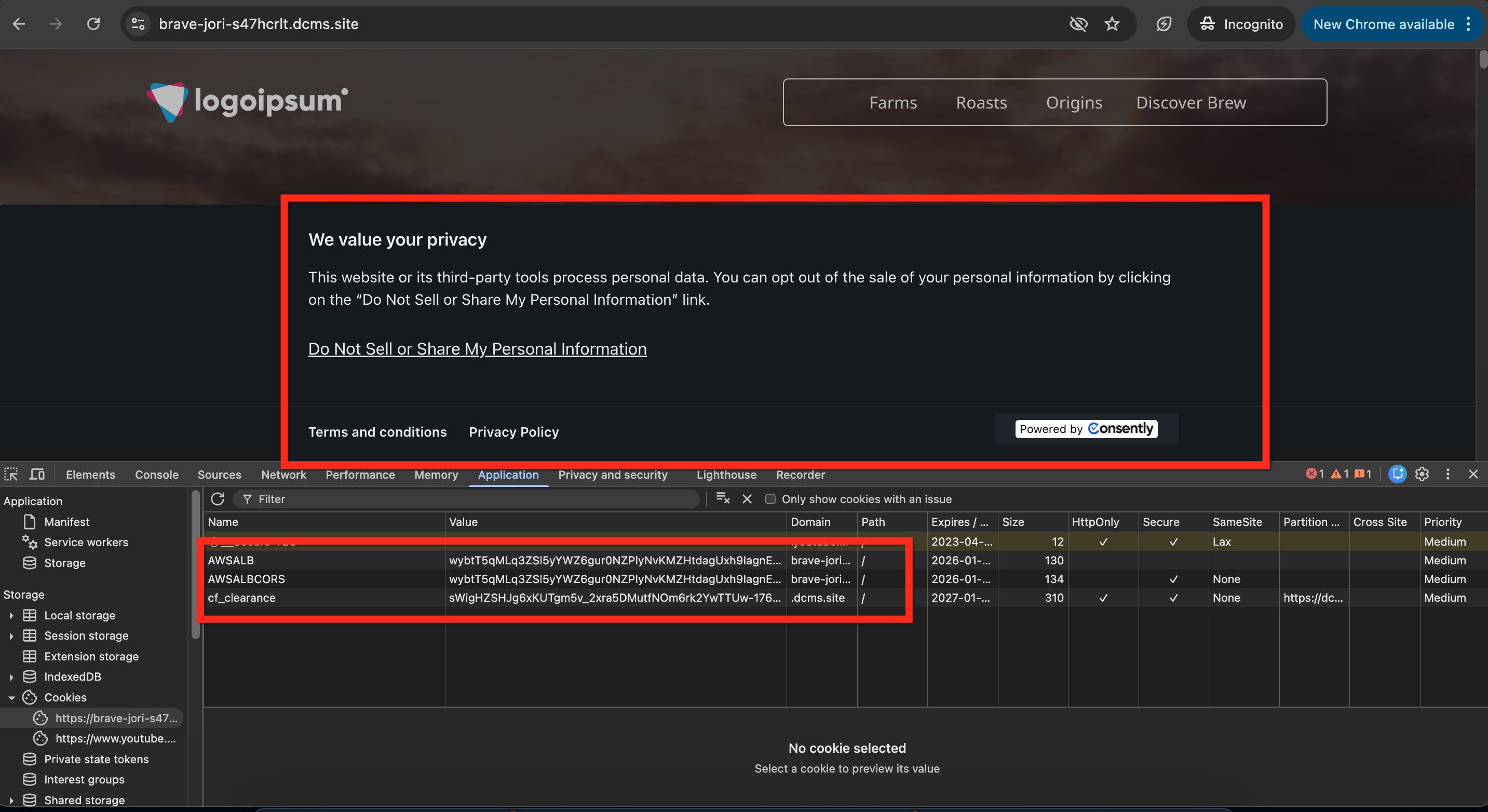
✅ Success indicator: The banner displays a notice message with a "Do Not Sell or Share My Personal Information" link that opens the preference center.
What Consently Does for US State Laws Compliance
Notice Display
The US State Laws template displays a brief privacy notice informing visitors about cookie usage. Unlike GDPR's blocking approach, this notice doesn't prevent cookies from loading—it provides transparency and choice.
"Do Not Sell" Opt-Out Link
The banner includes a mandatory "Do Not Sell or Share My Personal Information" link. When clicked, this opens the Preference Center, where visitors can disable advertising and marketing cookies.
Opt-Out Enforcement
When a visitor opts out:
Advertising and social media cookies stop loading on subsequent pages
The opt-out preference persists across visits through a stored consent cookie
Google Consent Mode v2 signals automatically update to reflect the opt-out
Consent Logging
Every opt-out action is recorded in the Consent Log, including a timestamp, a unique identifier, and the visitor's location. This documentation proves you honored opt-out requests.
Easy Access to Preferences
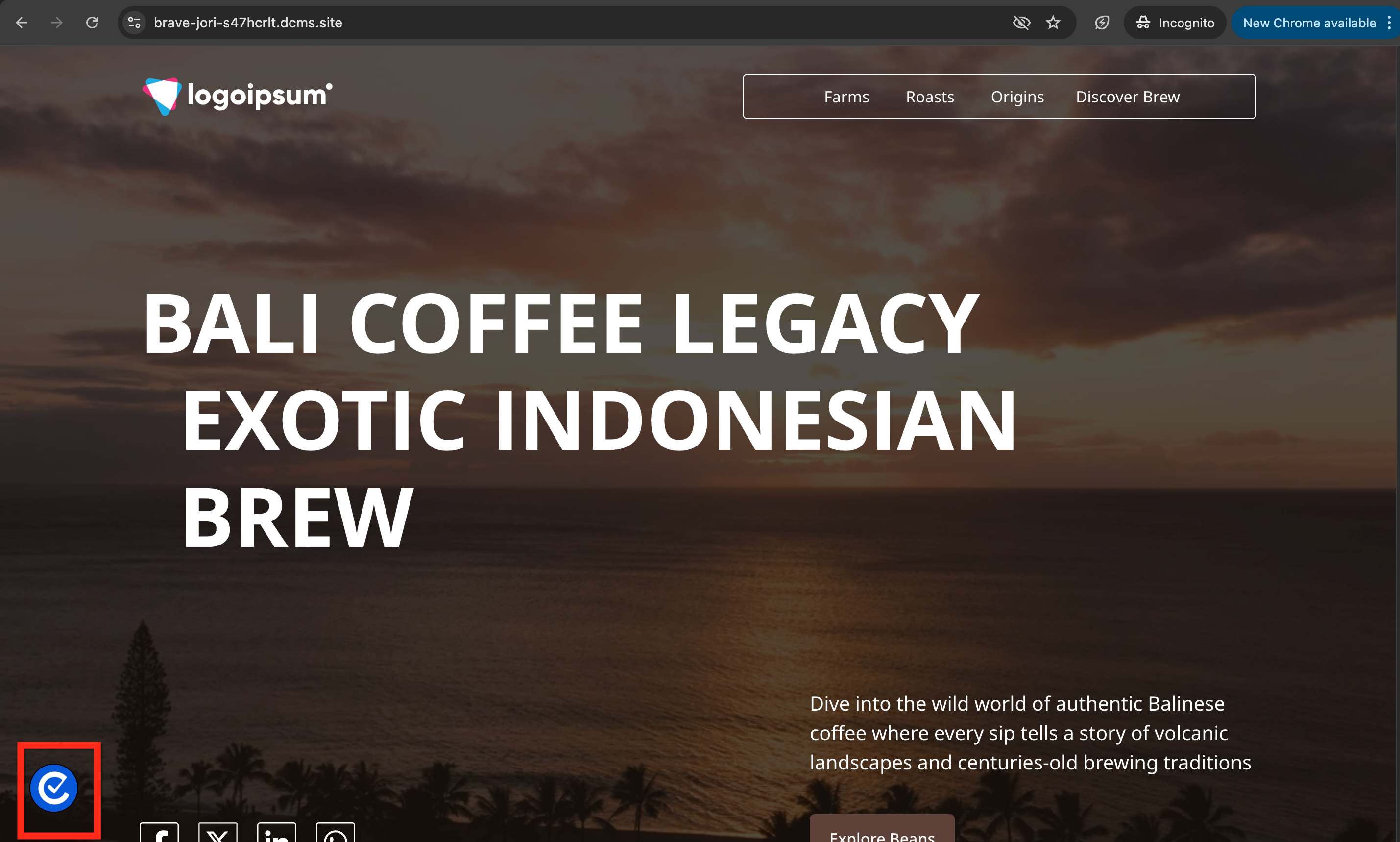
The floating consent icon remains available so visitors can modify their opt-out choices at any time, meeting the "easy as opting in" requirement.
State-Specific Requirements
California (CCPA/CPRA)
Applies to businesses that:
Have $25 million+ annual revenue, OR
Buy/sell personal information of 100,000+ California residents, OR
Derive 50%+ of revenue from selling personal information
Key requirements:
"Do Not Sell or Share My Personal Information" link must be conspicuous
Opt-out must be processed within 15 days
Cannot discriminate against users who opt out
Virginia (VCDPA)
Applies to businesses that:
Control or process data of 100,000+ Virginia residents, OR
Control or process data of 25,000+ Virginia residents AND derive 50%+ revenue from data sales
Key requirements:
Clear opt-out mechanism for targeted advertising
Opt-out must be as easy as opting in
Colorado (CPA)
Applies to businesses that:
Control or process data of 100,000+ Colorado residents, OR
Control or process data of 25,000+ Colorado residents AND derive revenue from data sales
Key requirements:
Opt out of targeted advertising and data sales
Universal opt-out mechanism support (e.g., Global Privacy Control)
Connecticut (CTDPA)
Applies to businesses that:
Control or process data of 100,000+ Connecticut residents, OR
Control or process data of 25,000+ Connecticut residents AND derive 25%+ revenue from data sales
Key requirements:
Opt-out for targeted advertising and data sales
Honor universal opt-out signals
Utah (UCPA)
Applies to businesses that:
Have $25 million+ annual revenue, AND
Control or process data of 100,000+ Utah residents, OR
Derive 50%+ revenue from data sales
Key requirements:
Opt out of targeted advertising and data sales
Clear and conspicuous opt-out mechanism
What You Still Need to Do
Consently automates the notice and opt-out mechanism, but you remain responsible for:
1. Privacy Policy Disclosure: Generate a Privacy Policy that accurately discloses:
What personal information do you collect
How you use it
Whether you sell or share it for advertising
Consumer rights under state laws
2. Honoring Data Rights: US state laws grant residents rights beyond opt-out:
Right to access their data
Right to delete their data
Right to correct inaccurate data
Right to data portability
You must respond to these requests outside of Consently's banner system, typically within 45 days.
3. Threshold Assessment: Determine whether your business meets the thresholds that trigger these laws. If you're below the thresholds, compliance may be voluntary but still recommended.
4. Non-Discrimination You cannot charge different prices, provide different service levels, or suggest that opt-out users will receive inferior service. The experience must be equal regardless of opt-out status.
What's Next
Now that US State Laws compliance is enabled, you should:
Generate your Privacy Policy with accurate data sale disclosures
Test your installation to verify the opt-out mechanism works
Troubleshooting
The "Do Not Sell" link isn't appearing
Why this happens: The US State Laws template isn't enabled, or the banner content wasn't saved.
Solution:
Go to Cookie Banner → Configuration and verify US State Laws / CCPA (Opt-out Model) is toggled ON
Navigate to Cookie Banner → Content, select US State Laws from the regulation dropdown, and verify the "Don't Sell Button Text" field contains text
Click Save and refresh your website
Cookies aren't being blocked after opting out
Why this happens: The opt-out only affects future page loads, not the cookies already loaded in the current session.
Solution:
After clicking "Do Not Sell," navigate to a new page or refresh the browser
Check browser developer tools (F12 → Application → Cookies) to verify advertising cookies aren't present
Confirm advertising cookies are properly categorized in Cookie Manager under Advertising or Social categories
European visitors are seeing the US template
Why this happens: The GDPR template isn't enabled, so the US template displays as the default.
Solution: Go to Cookie Banner → Configuration and enable the GDPR (Opt-in Model) template. With both templates active, Consently automatically detects visitor location and displays the appropriate banner.
The notice appears, but doesn't mention "selling" data
Solution: Navigate to Cookie Banner → Content, select US State Laws from the regulation dropdown, and edit the notice description to explicitly mention data sales or sharing. Use language like "We share information with advertising partners" to meet disclosure requirements.
Related Topics
Understanding Consent Frameworks — Opt-in vs. opt-out models explained
Choosing Consent Templates — When to use GDPR vs. US State Laws templates