

TL;DR: Consently is Google-certified and automatically integrates with Google Consent Mode v2. No additional setup required—consent signals are passed to Google Analytics and Google Ads automatically when visitors interact with your banner.
Overview
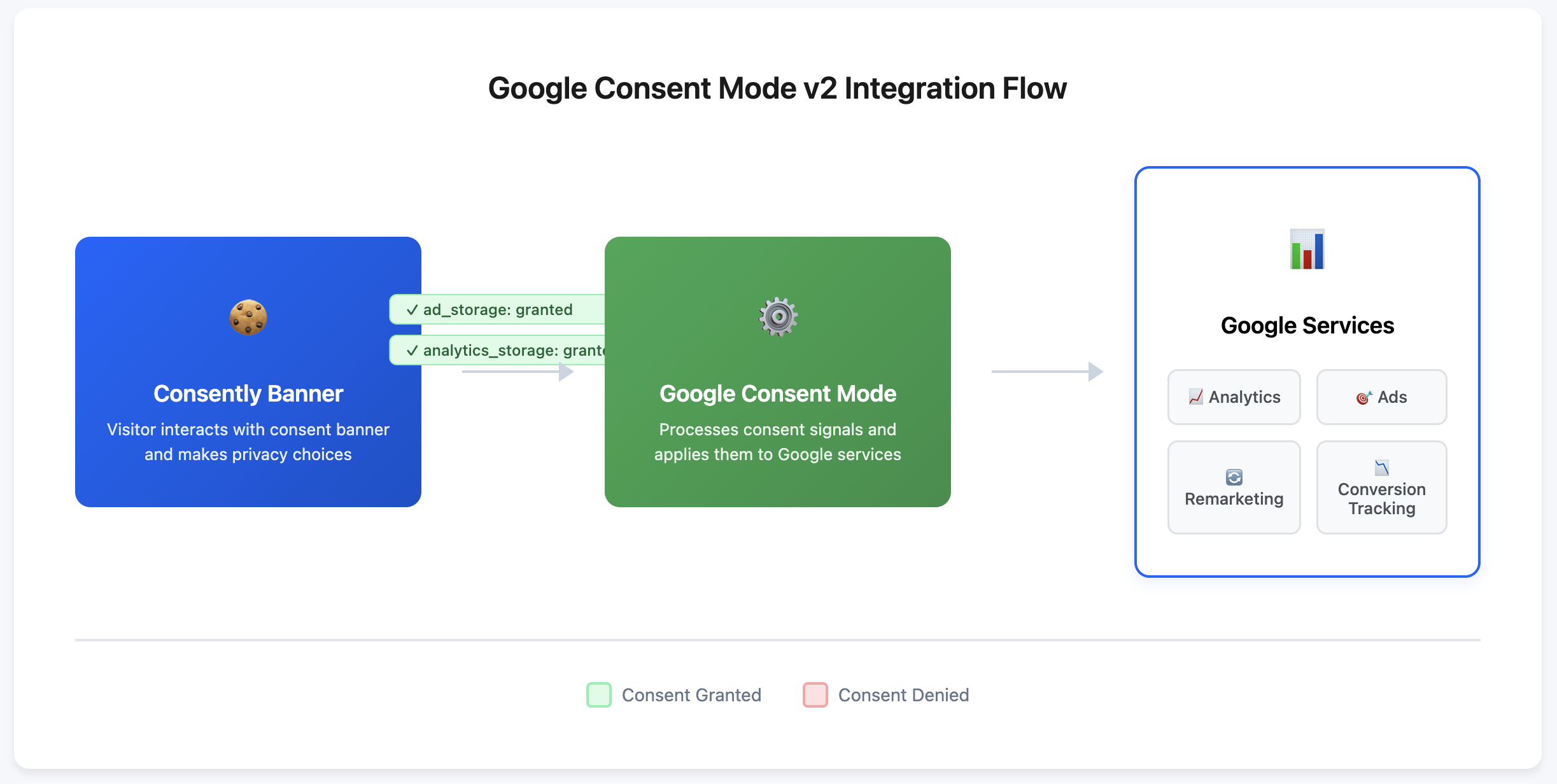
Google Consent Mode v2 is Google's framework for passing user consent preferences to Google services like Analytics and Ads. Consently is a certified CMP that automatically communicates visitor consent choices to Google, ensuring your analytics and advertising tools respect user privacy while maintaining measurement accuracy.
How the Integration Works
Automatic Signal Passing
When visitors interact with your Consently banner, consent signals are automatically sent to Google without any manual configuration. The integration handles:
Initial consent state — Signals sent when the banner first appears
Updated consent state — Signals sent when visitors change their preferences
Persistent consent — Signals maintained across page loads for returning visitors
Certification Benefits
Consently is a Google-certified CMP for Additional Consent (AC v2) and supports Google Consent Mode v2 alongside IAB TCF v2.3.
Our implementation follows Google’s documented requirements for consent signaling, ensuring Google tags receive accurate consent states only after user choice.
This helps publishers maintain measurement accuracy and regulatory compliance while keeping full control over their consent experience.
Google CMP Partner listing is pending approval. Current certification applies to Additional Consent (AC v2).
Consent Signals Explained
ad_storage
Controls whether Google can store data for advertising purposes:
Granted — When visitors accept Advertising cookies in the preference center
Denied — When visitors reject Advertising cookies or close the banner without accepting
Google uses this signal to determine if remarketing, conversion tracking, and personalized ads are permitted.
analytics_storage
Controls whether Google can store data for analytics purposes:
Granted — When visitors accept Analytics cookies in the preference center
Denied — When visitors reject Analytics cookies or close the banner without accepting
Google uses this signal to determine if Analytics cookies and measurement features are permitted.
ad_user_data
Controls whether Google can use personal data for advertising purposes:
Granted: When visitors accept Advertising cookies in the preference center
Denied: When visitors reject Advertising cookies or close the banner without accepting
Google uses this signal to determine whether personal data collected on your site can be sent to Google for advertising, including Customer Match and audience list creation.
ad_personalization
Controls whether Google can use data for personalized advertising:
Granted: When visitors accept Advertising cookies in the preference center
Denied: When visitors reject Advertising cookies or close the banner without accepting
Google uses this signal to determine whether data can be used for remarketing and personalized ad targeting.
⚠️ Important: In Consently, accepting the Advertising category grants all three ad-related parameters (ad_storage, ad_user_data, and ad_personalization) simultaneously. Rejecting the Advertising category denies all three at once.
💡 Tip: Essential cookies are not controlled by Consent Mode since they're necessary for site functionality and don't require consent.
Conversion Modeling
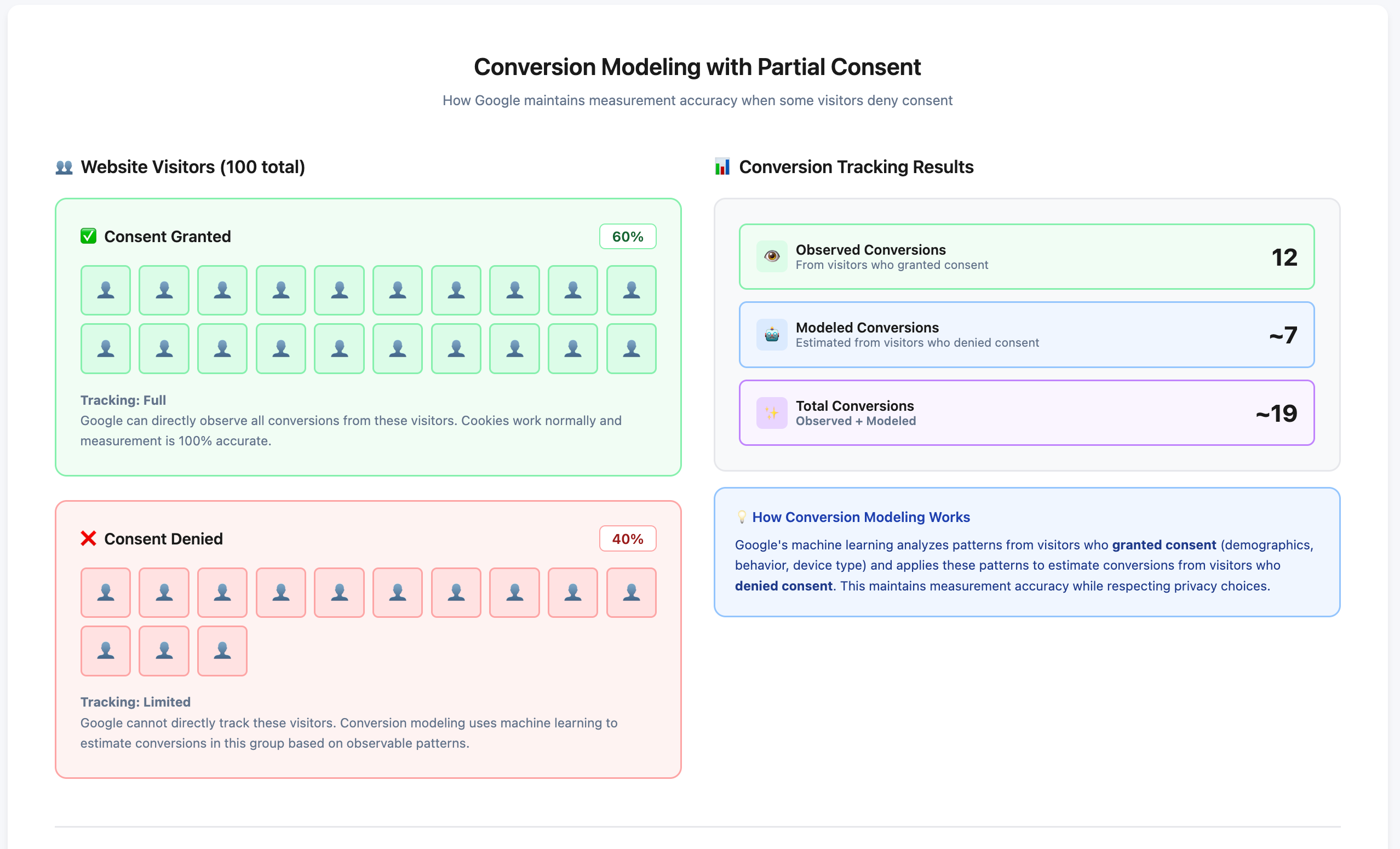
When visitors deny consent, Google uses conversion modeling to estimate conversions that cannot be directly observed. This allows you to:
Maintain measurement accuracy even with reduced data
Make informed marketing decisions
Understand campaign performance across consent states
Consently's certified integration ensures conversion modeling works correctly by passing properly formatted consent signals.
Verifying Your Implementation
Check Consent Signals in Google Tag Manager
Open your website with Google Tag Manager Preview mode active
Interact with your Consently banner
Check the
dataLayerfor consent eventsconsent_updateorconsent_default)Verify
ad_storageandanalytics_storagevalues match visitor choices
Check in Google Analytics
Navigate to Admin → Data Settings → Data Collection
Look for "Google signals" status
Verify consent mode is active and receiving signals
⚠️ Important: If you don't see consent signals in the dataLayer, verify your Consently script is installed correctly and placed in the <head> section before Google tags.💡 Tip : For any issue with consent signals on your site, start with Consently support at support@consently.net . We can inspect your banner configuration directly — Google Support cannot.
What's Next
Now that you understand Google Consent Mode v2 integration:
Review certification details to see all Google benefits
Learn about cookie auto-blocking to understand how consent controls cookie behavior
Related Pages
IAB TCF Consent Tracking — How Consently handles programmatic advertising consent
Consent Analytics — Track consent trends and acceptance rates