

TL;DR: Use the in-app chat widget for instant help, or email support@consently.net for ticket-based assistance. Premium and Enterprise plans receive priority responses.
Overview
Consently offers multiple support channels to help you resolve issues quickly. Access live chat for real-time assistance during business hours, or submit a detailed email for ticket-based support.
How to Use Live Chat
Step 1: Open the chat widget
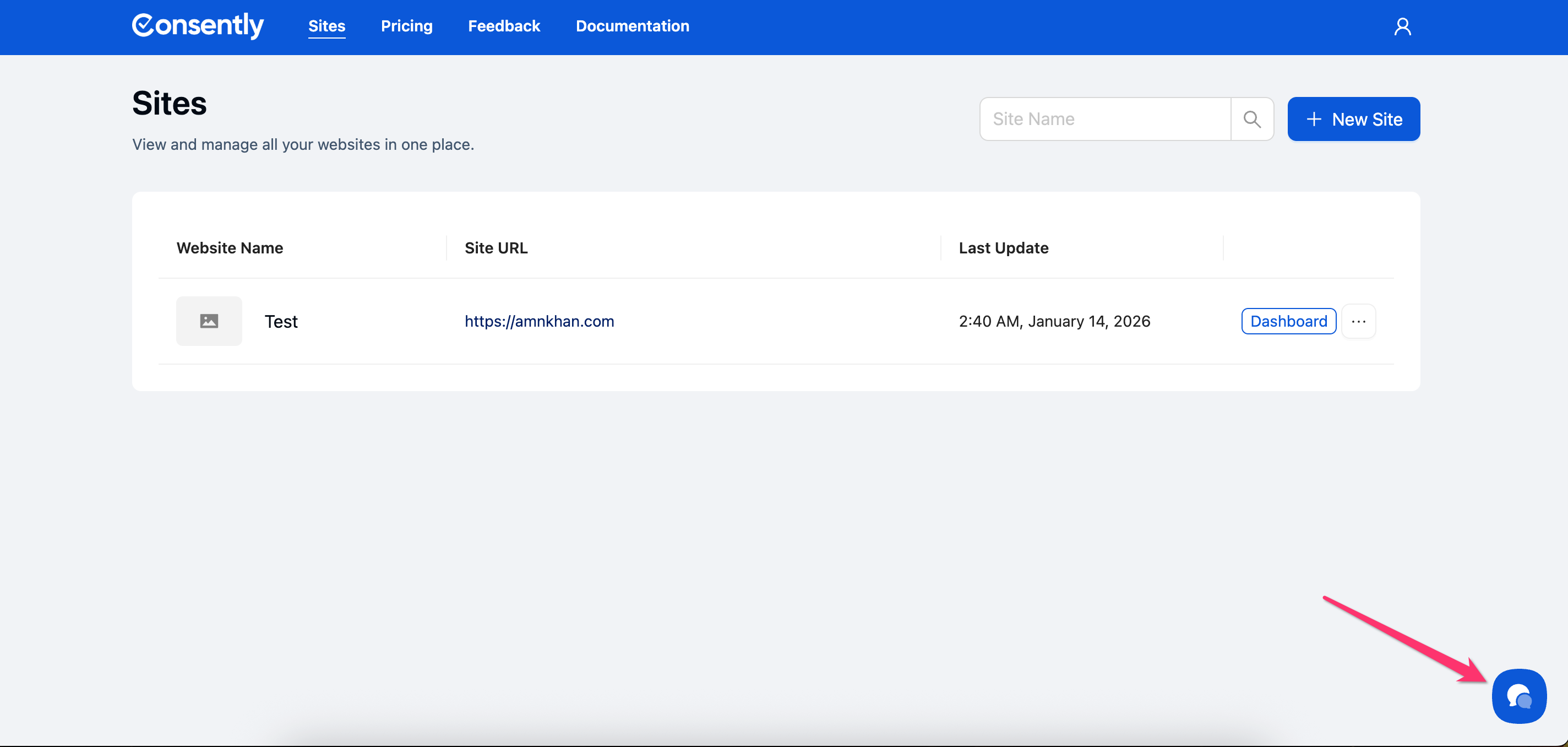
Look for the blue chat icon in the bottom-right corner of your Consently dashboard.
Step 2: Start a conversation
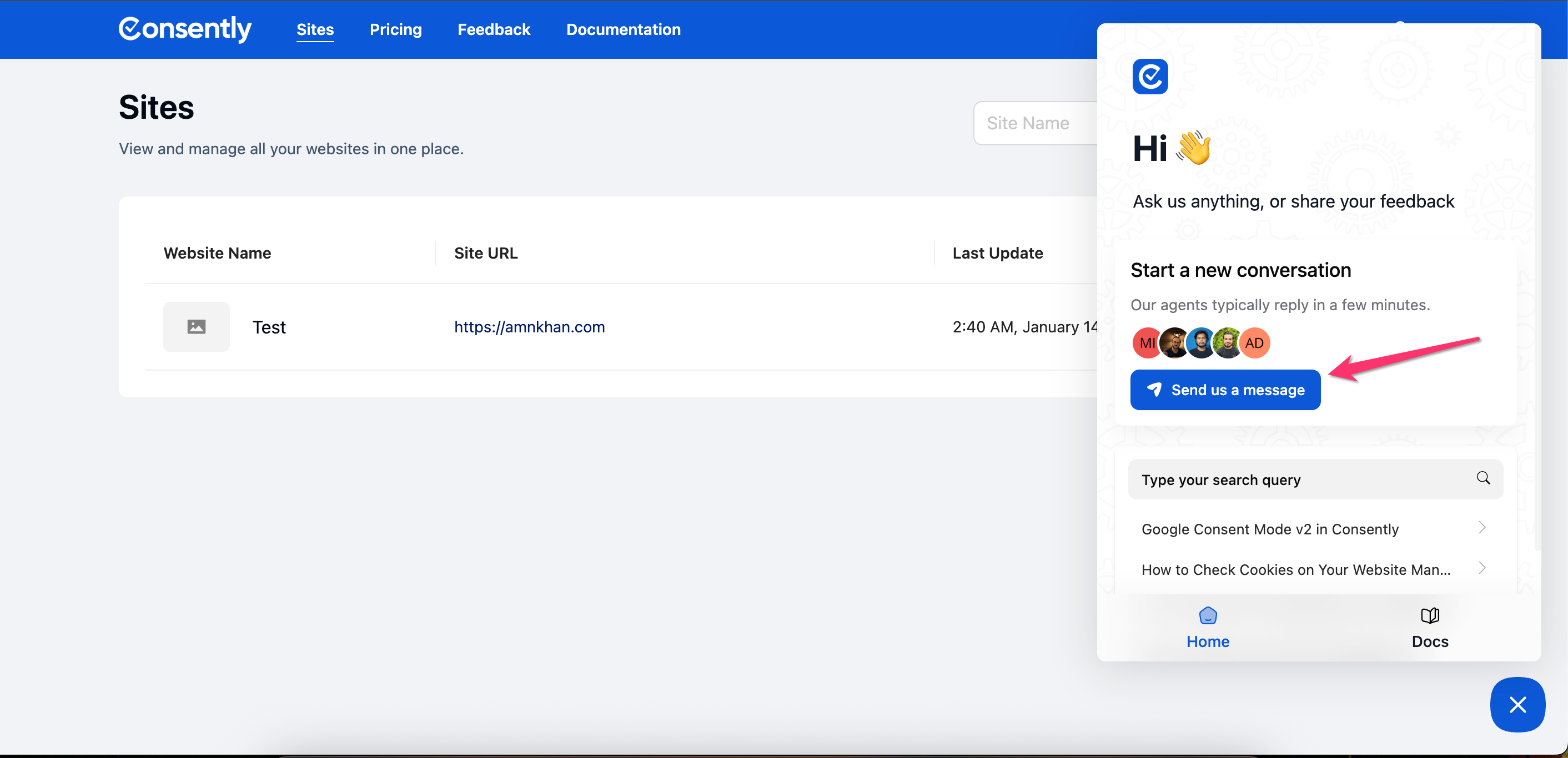
Click the chat icon to open the chat window and type your question.
💡 Tip: Live chat is available during business hours for real-time assistance.
Done!
A support agent will respond to your message. Chat conversations remain in your history for future reference.
How to Email Support
Step 1: Compose your email
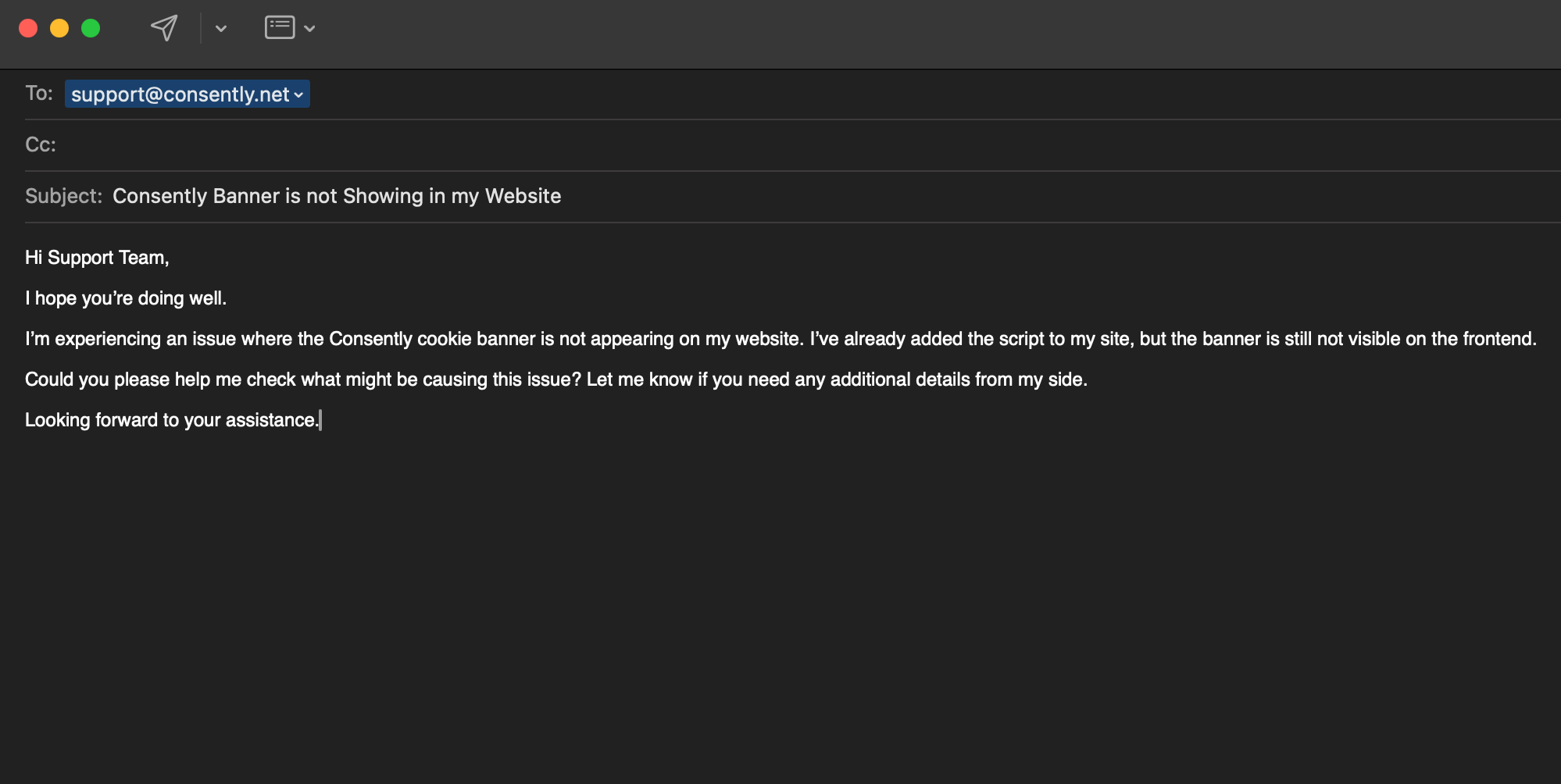
Send an email support@consently.net with a clear subject line describing your issue.
Step 2: Include relevant details
In your email body, provide the information listed in the section below to help support resolve your issue faster.
Done!
You'll receive a ticket confirmation email. Response times vary by plan—Premium and Enterprise users receive priority support.
What to Include in Your Support Request
To help us resolve your issue quickly, include:
Your website URL where Consently is installed
Your account email is associated with Consently
Specific issue description with what you expected vs. what happened
Browser and device information (Chrome, Firefox, mobile, etc.)
Screenshots or error messages, if applicable
Screen recording, if applicable (You can use loom.com to share screen recording)
Steps to reproduce the issue if it's not consistent
⚠️ Important: Never share your password or payment details in support requests.
Support Response Times
Response times depend on your plan:
Basic Plan: Standard support via live chat and email
Premium Plan: Priority support with faster response times
Enterprise Plan: Priority support with dedicated assistance
For details on plan features, see Pricing Plans.
What's Next
If you haven't found an answer yet, explore:
Getting Help for self-service resources and documentation
Related Pages
Frequently Asked Questions — Quick answers to common questions