

TL;DR: Dashboard → Policy Generator → Cookie Policy → Generate. Answer questions about your cookie usage and preferences, then generate a comprehensive, legally-structured cookie policy in minutes.
Overview
The Cookie Policy generator creates a comprehensive, regulation-compliant document explaining how your website uses cookies. It covers cookie types, consent management, user rights, and third-party tracking—all tailored to your business needs and available in multiple languages.
Before You Begin
Make sure you have:
Set up your company information in the Policy Generator
A clear understanding of which cookies your website uses
Knowledge of your target user regions (EU, US, Canada, etc.)
Time required: 10-15 minutes
How to Generate Your Cookie Policy
Step 1: Access the Cookie Policy generator
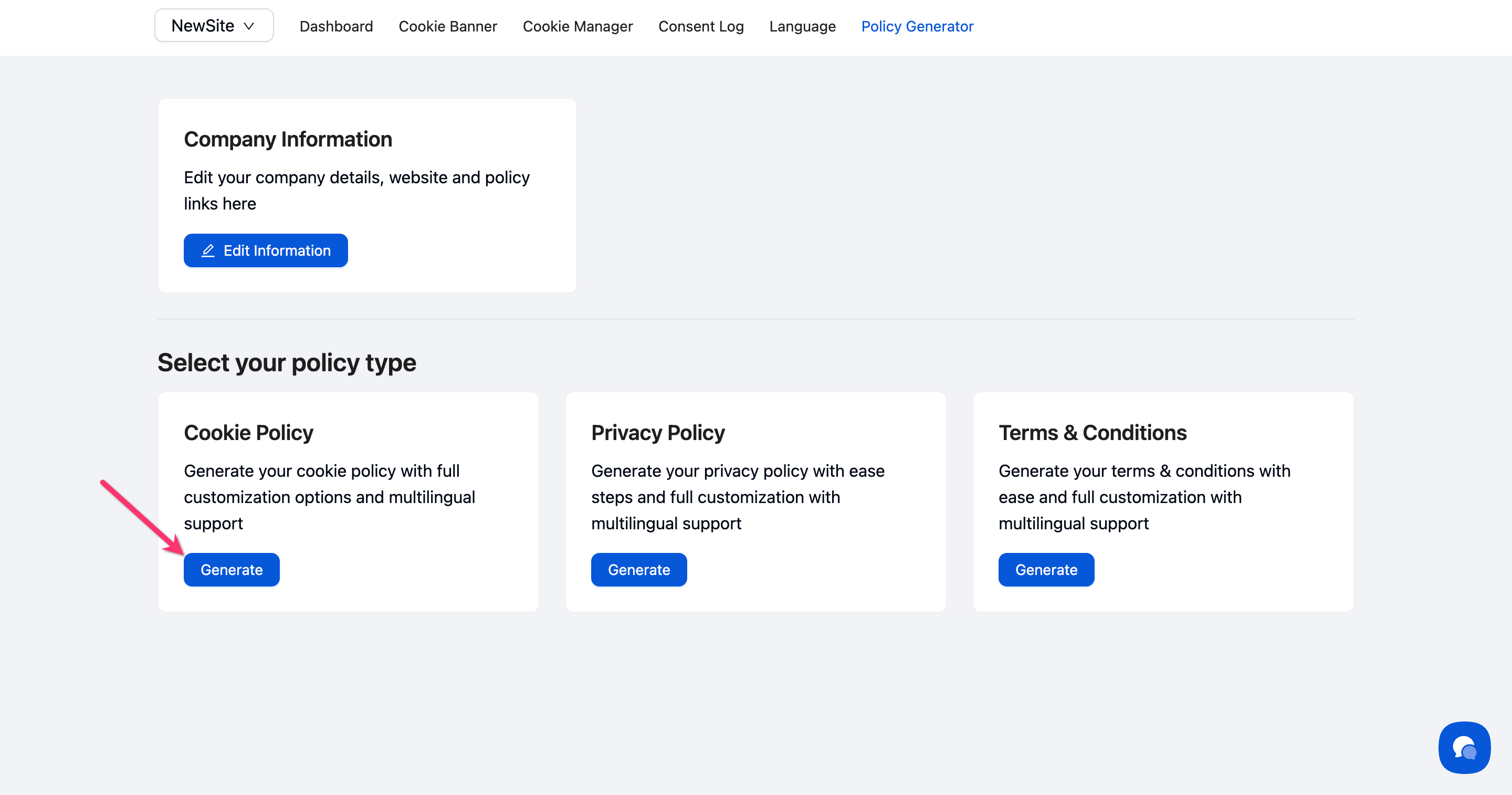
Navigate to Policy Generator in the top menu, then click Generate on the Cookie Policy card.
Step 2: Choose your language settings
Select your primary language (English, French, German, Spanish, Polish, or Dutch) from the dropdown. Toggle Generate policy in multiple languages if you need versions in additional languages.
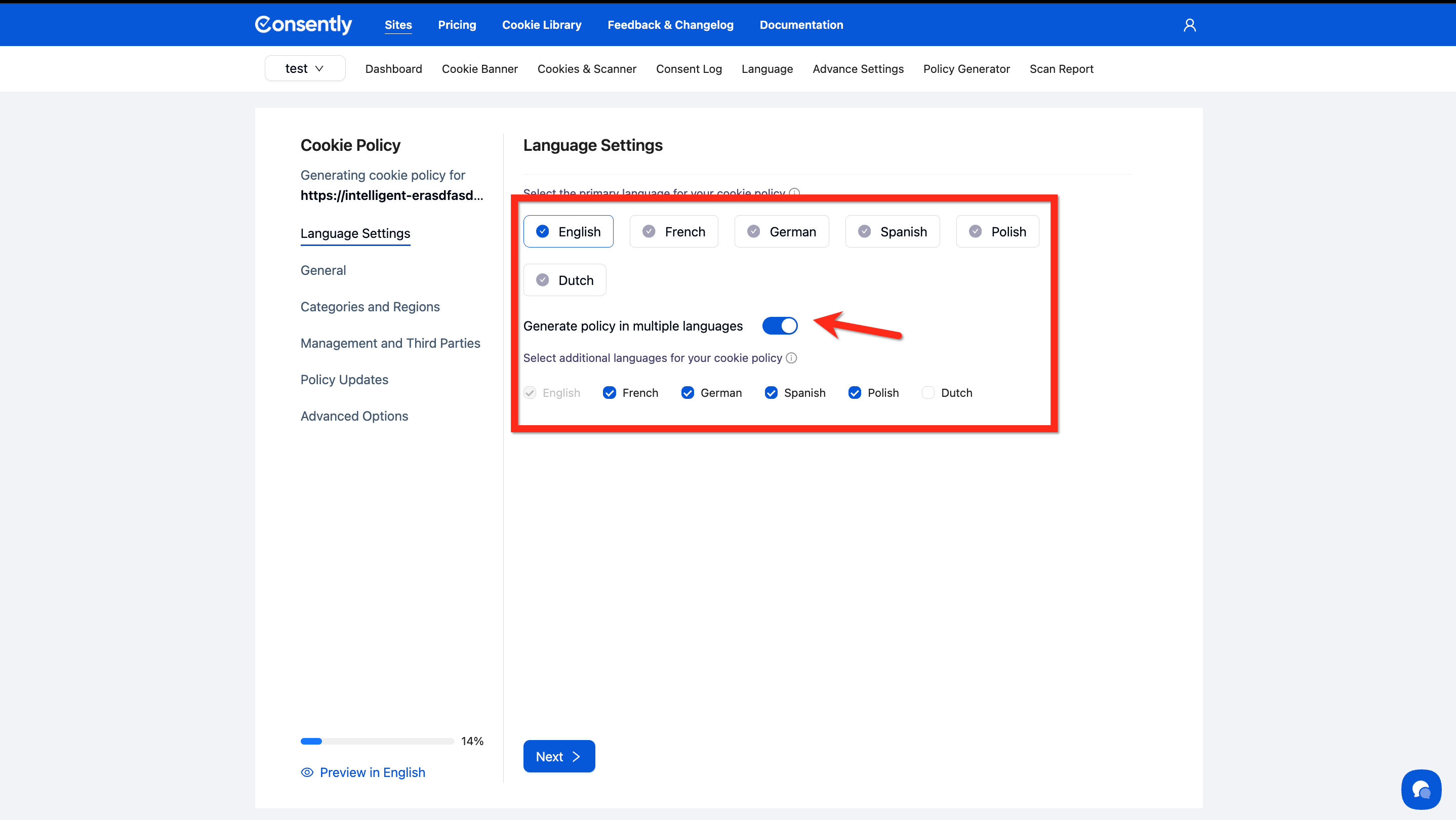
💡 Tip: Multi-language generation creates separate policy files for each selected language—learn more in Multi-Language Policy Generation.
Step 3: Answer cookie usage questions
In the General Settings section, answer questions about your cookie practices:
Do you use cookies or similar tracking technologies?
Select the option that best describes your usage (essential only, analytics, marketing, or all types)
Do you use a consent banner or cookie management tool?
Choose whether cookies load automatically, you have a consent banner, or you use a full consent management platform

Step 4: Select cookie categories and regions
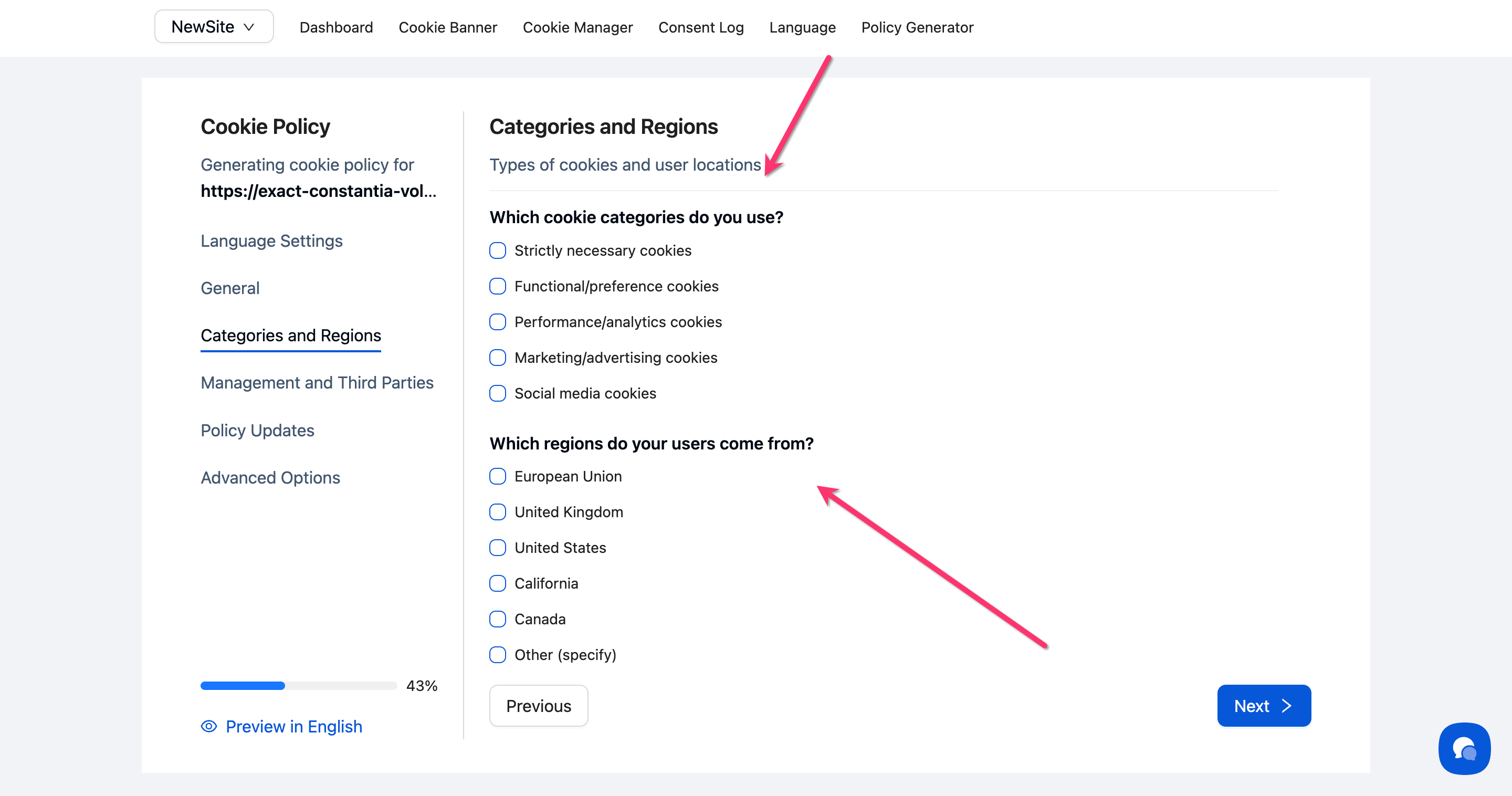
Under Categories and Regions, indicate which cookie types you use and where your users are located.
Cookie Categories Used:
Check all that apply: Strictly necessary, Functional/preference, Performance/analytics, Marketing/advertising, Social media
User Regions:
Select the regions where your users are located (European Union, United Kingdom, United States, California, Canada, or Other)
Step 5: Configure third-party and management settings
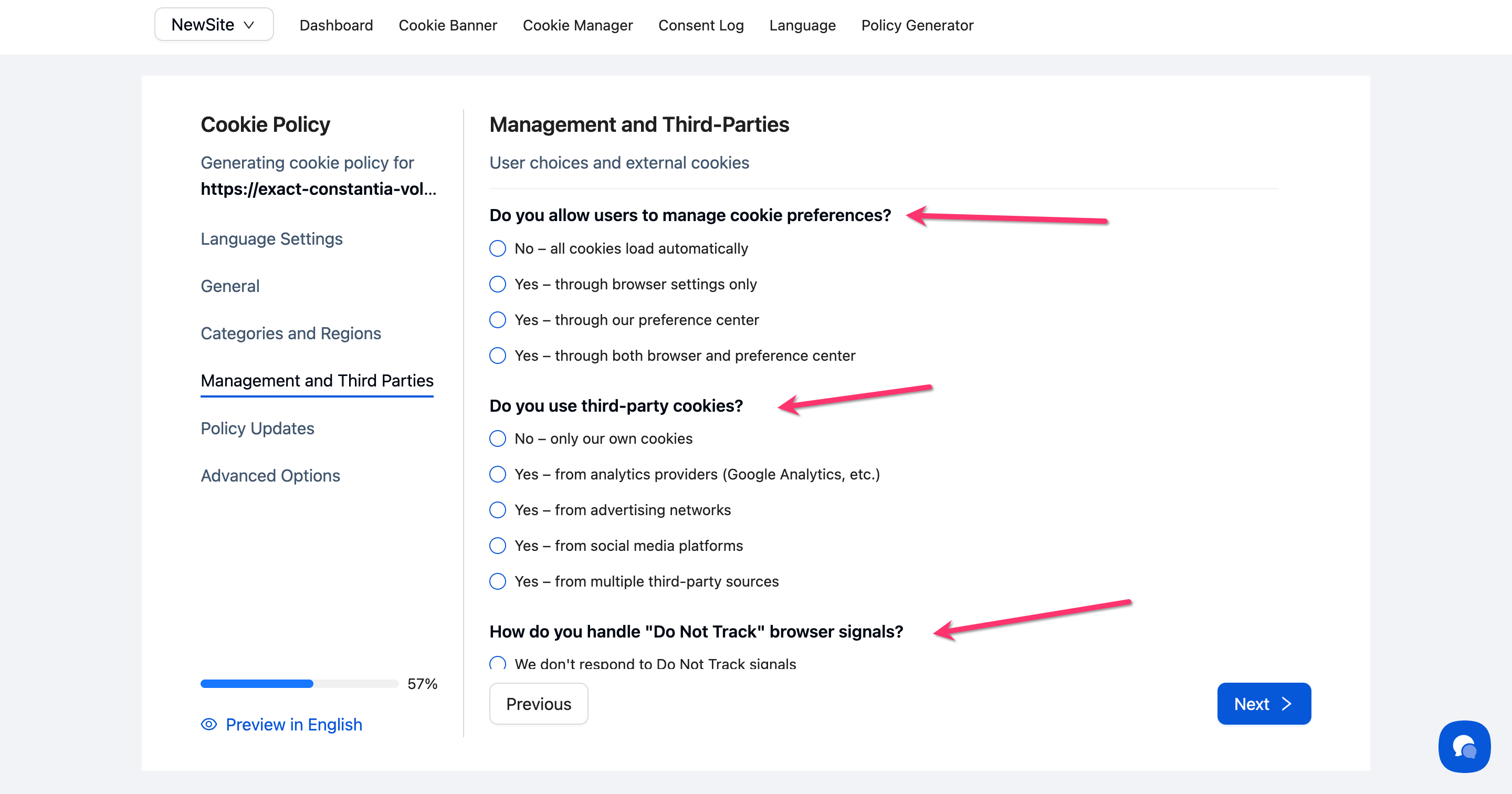
Answer questions about how users manage cookies and whether you use third-party tracking:
Indicate how users can manage preferences (browser settings, preference center, or both)
Specify which third-party cookies you use (analytics, advertising, social media)
Choose how you handle "Do Not Track" signals
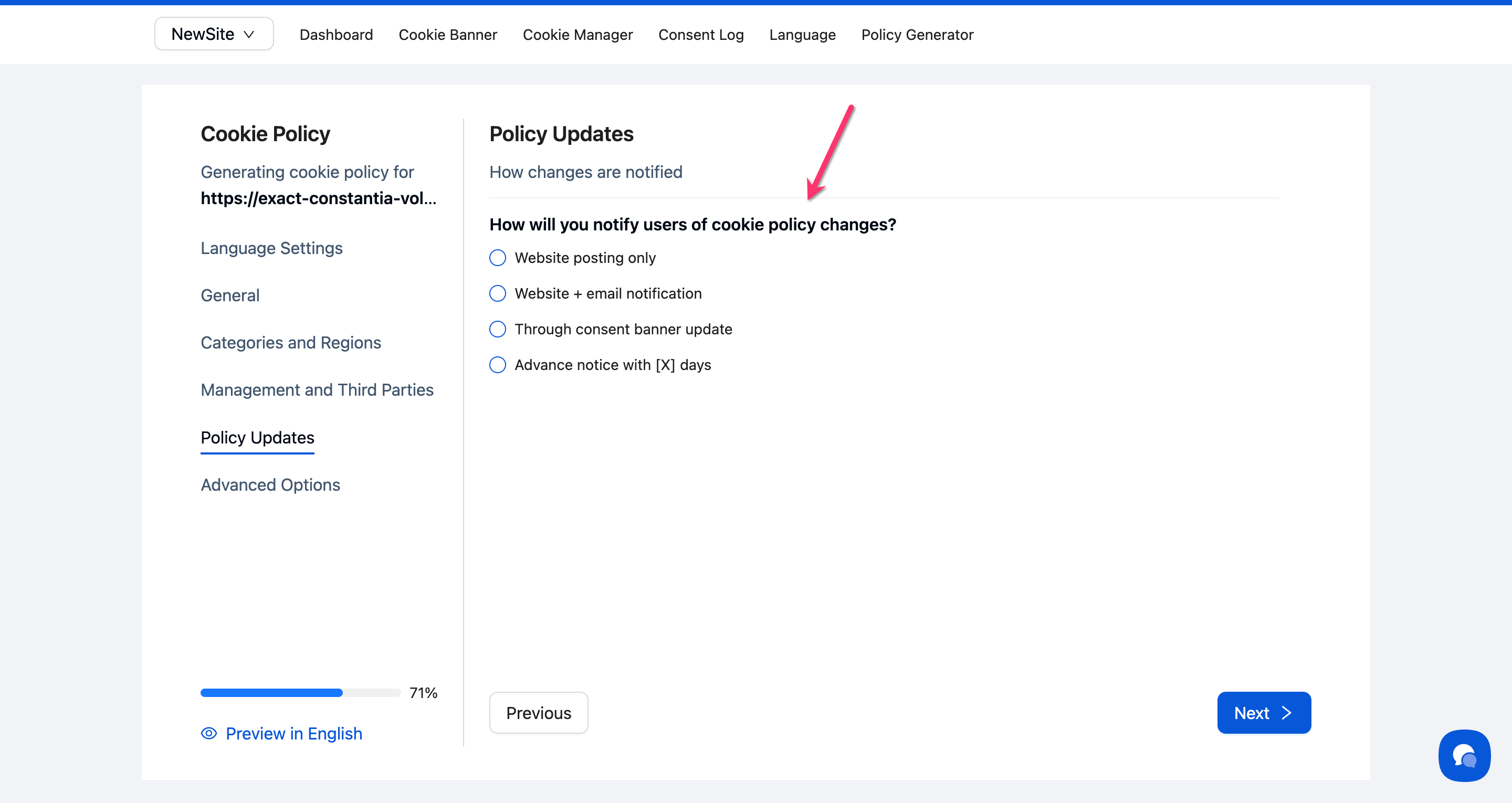
Step 6: Set policy update notifications
Select how you'll notify users of cookie policy changes:
Website posting only
Website + email notification
Through consent banner update
Advance notice with specified days
Step 7: Review advanced options (optional)
Expand the Advanced Options section to customize additional compliance details such as jurisdiction-specific compliance, cookie descriptions level, granular controls, consent management platform integration, and more.
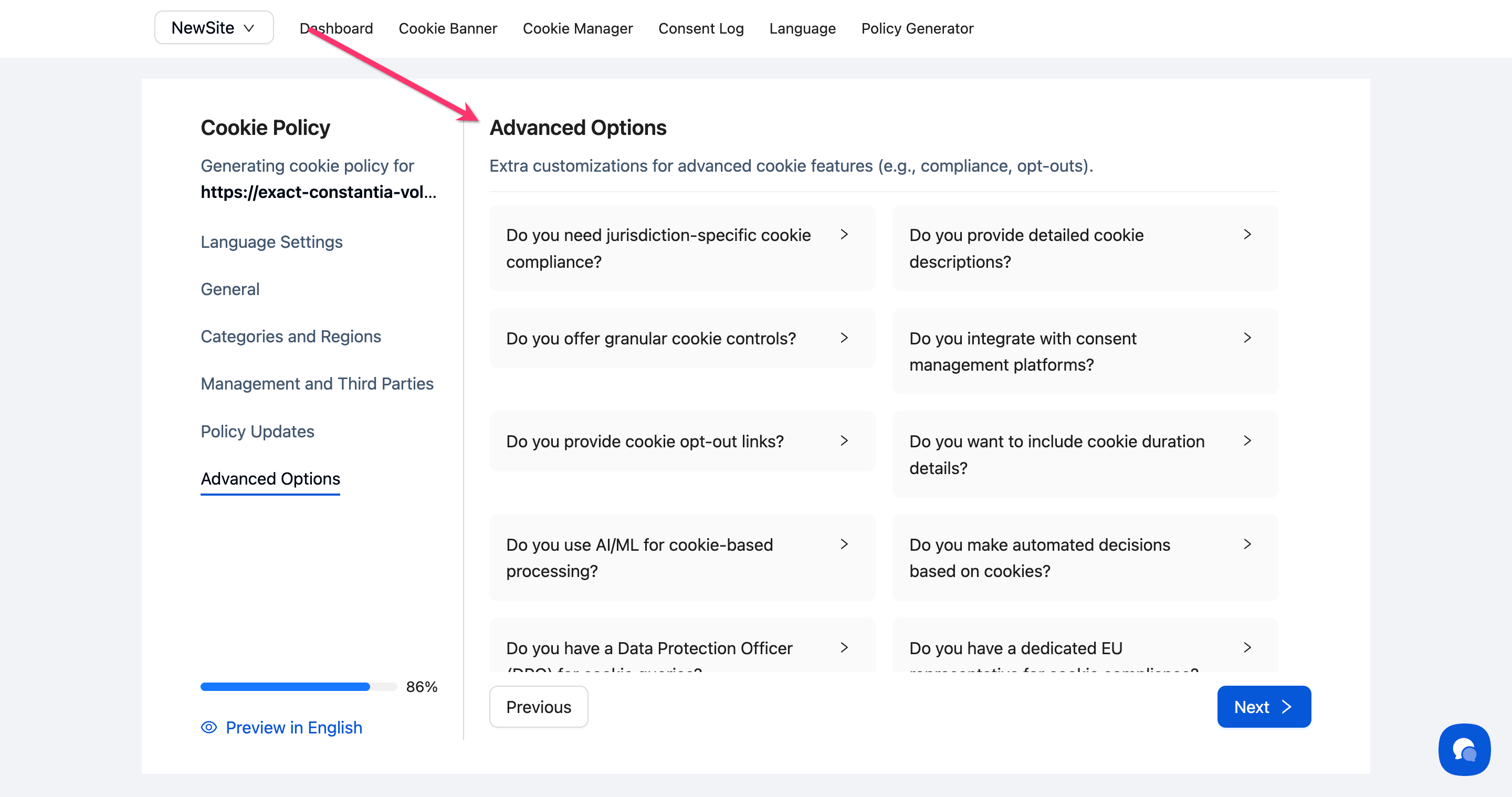
💡 Tip: Most users can skip Advanced Options—the generator applies best practices by default based on your earlier selections.
Step 8: Generate your policy
Click Next at the bottom of the page. The generator creates your cookie policy with 10 structured sections:
What Are Cookies
How We Use Cookies
Types of Cookies We Use
Cookies on Our Website (includes [CMP_DETECTED_COOKIES_TABLE] placeholder)
Third-Party Cookies
Your Cookie Choices
Cookie Consent Management
International Considerations
Changes to This Policy
Contact Information
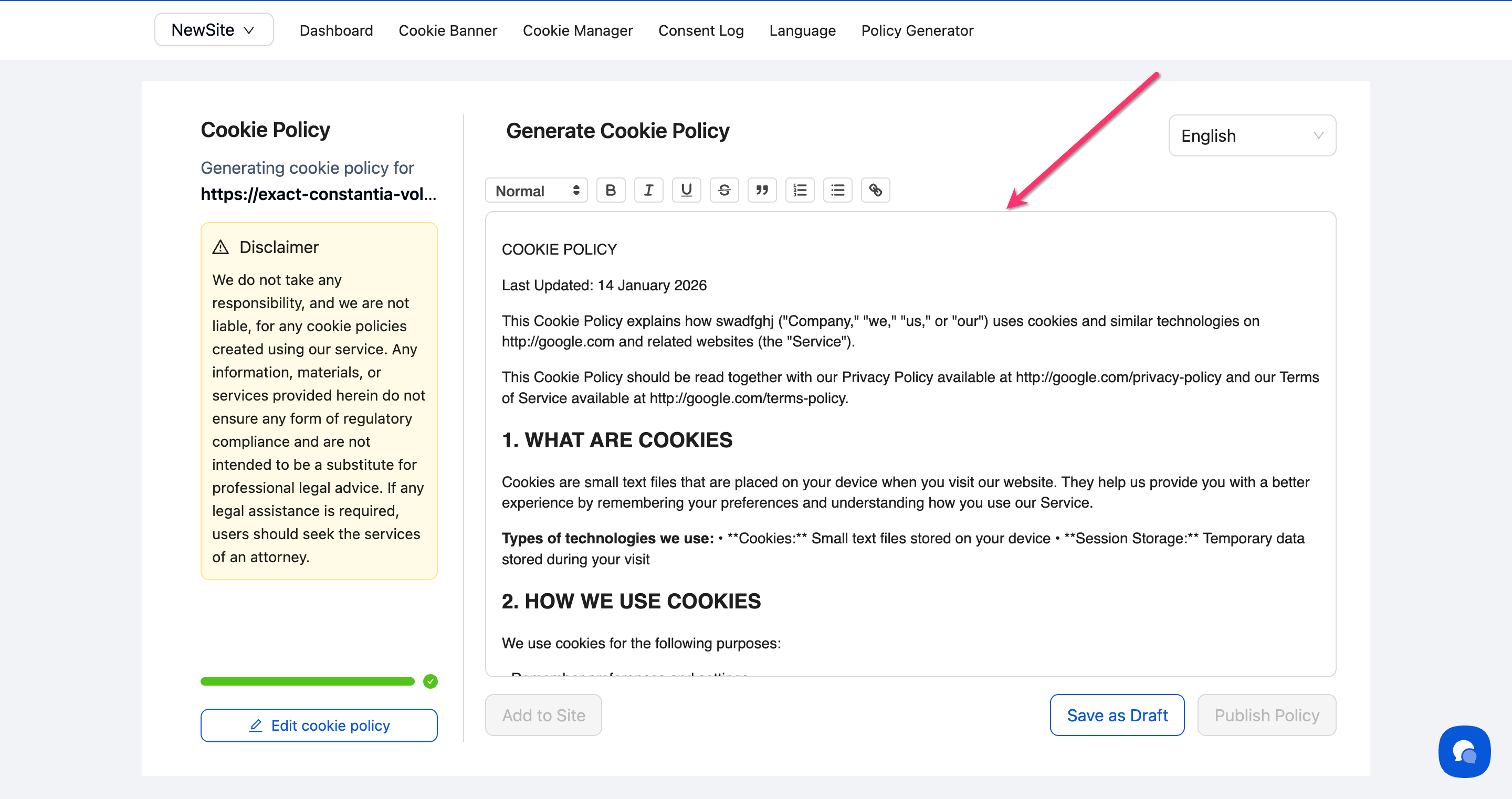
Step 9: Save and Publish Your Cookie Policy
Click Save as Draft to save your policy.
To make the policy live on your website, click Publish Policy.
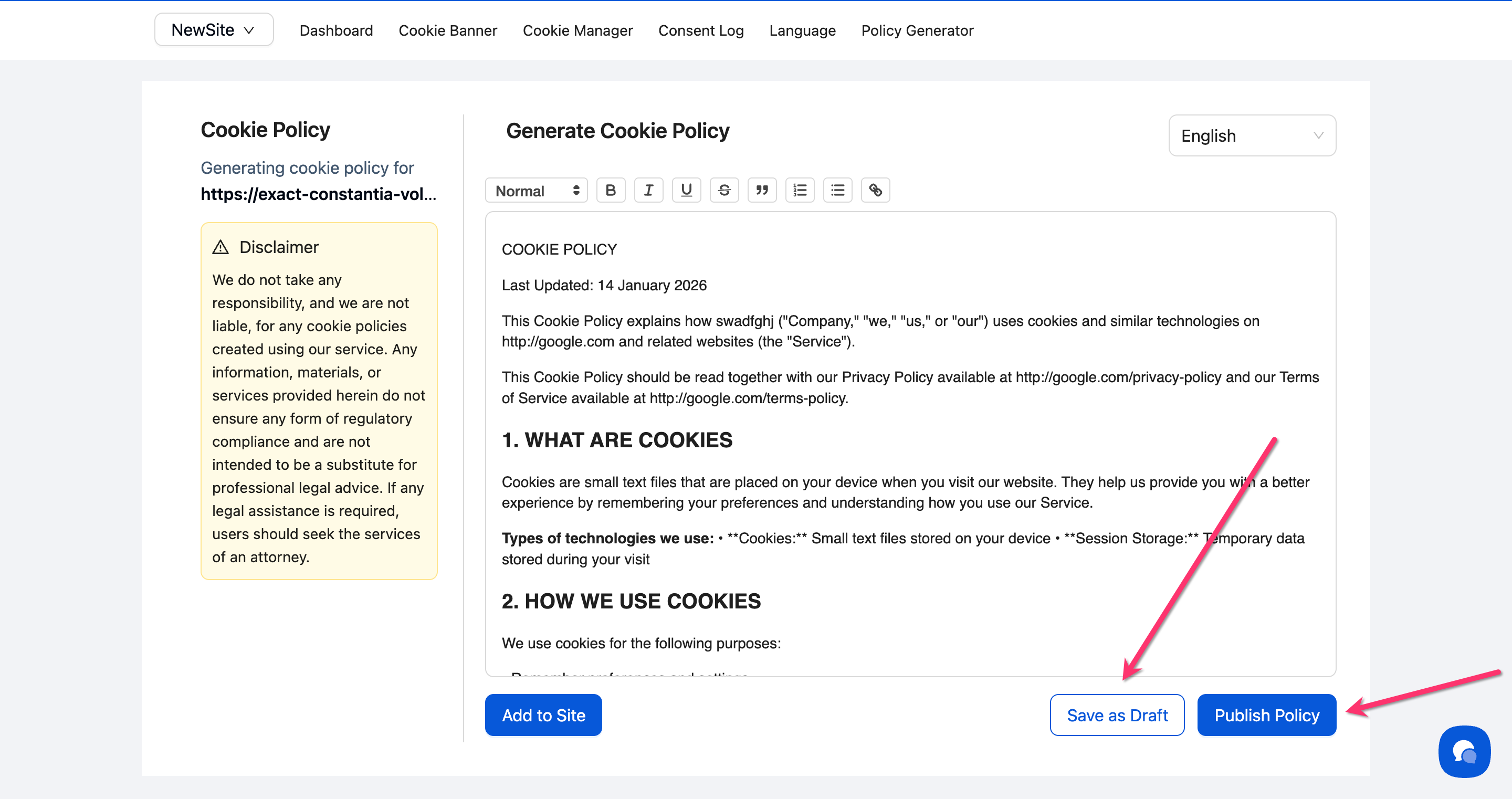
Done!
Your cookie policy is now generated and ready for editing.
⚠️ Important: The generated policy includes a [CMP_DETECTED_COOKIES_TABLE] placeholder. When you publish the policy, this automatically populates with cookies detected from your Cookie Manager.
Understanding the Legal Disclaimer
The Policy Generator includes a disclaimer stating that generated policies are not a substitute for professional legal advice. While the generator creates comprehensive, regulation-aware policies, you should have an attorney review your final policy to ensure it meets your specific legal requirements.
What's Next
Now that you've generated your cookie policy, you should:
Related Pages
Policy Generator Overview — Understanding all policy types and the generation workflow
Cookie Categories — Detailed explanation of cookie category classifications