

TL;DR: Consently supports two consent models—GDPR (opt-in) for EU/UK audiences and US State Laws (opt-out) for California and other US states. Choose the right template based on where your visitors are located.
Overview
Consent frameworks are legal requirements that determine how you must collect visitor consent for cookies and data processing. Understanding the difference between GDPR and US State Laws helps you configure your banner correctly and stay compliant.
Two Consent Models
Consently provides templates for the two primary consent frameworks used worldwide:
GDPR (Opt-in Model) — Visitors must actively consent before non-essential cookies load. Used in the EU, UK, and several other regions.
US State Laws (Opt-out Model) — Cookies load by default, but visitors can opt out of data sales and sharing. Used in California, Virginia, Colorado, Connecticut, and Utah.
You can enable one template or both, depending on your audience location.
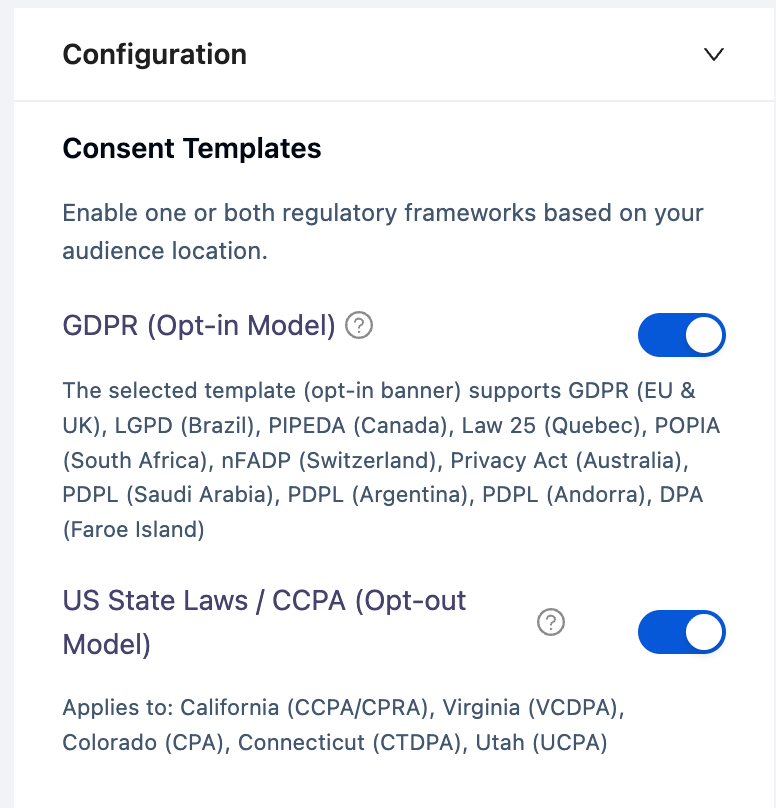
GDPR (Opt-in Model)
GDPR requires explicit consent before placing non-essential cookies on a visitor's device. This applies to visitors from the European Union, the United Kingdom, and the European Economic Area. The selected template (opt-in banner) supports the following privacy laws:
GDPR – EU & UK
LGPD – Brazil
PIPEDA – Canada
Law 25 – Quebec
POPIA – South Africa
nFADP – Switzerland
Privacy Act – Australia
PDPL – Saudi Arabia, Argentina, Andorra
DPA – Faroe Islands
How it works:
The banner appears when a visitor first lands on your site
Non-essential cookies remain blocked until the visitor clicks Accept All or selects specific categories
Essential cookies load immediately to maintain basic site functionality
Visitors can withdraw consent at any time via the floating icon
When to use GDPR:
Your website serves visitors from EU/UK/EEA countries
You're targeting users in Brazil (LGPD), Canada (PIPEDA), or other opt-in jurisdictions
The GDPR template is configured in Choosing Consent Templates.
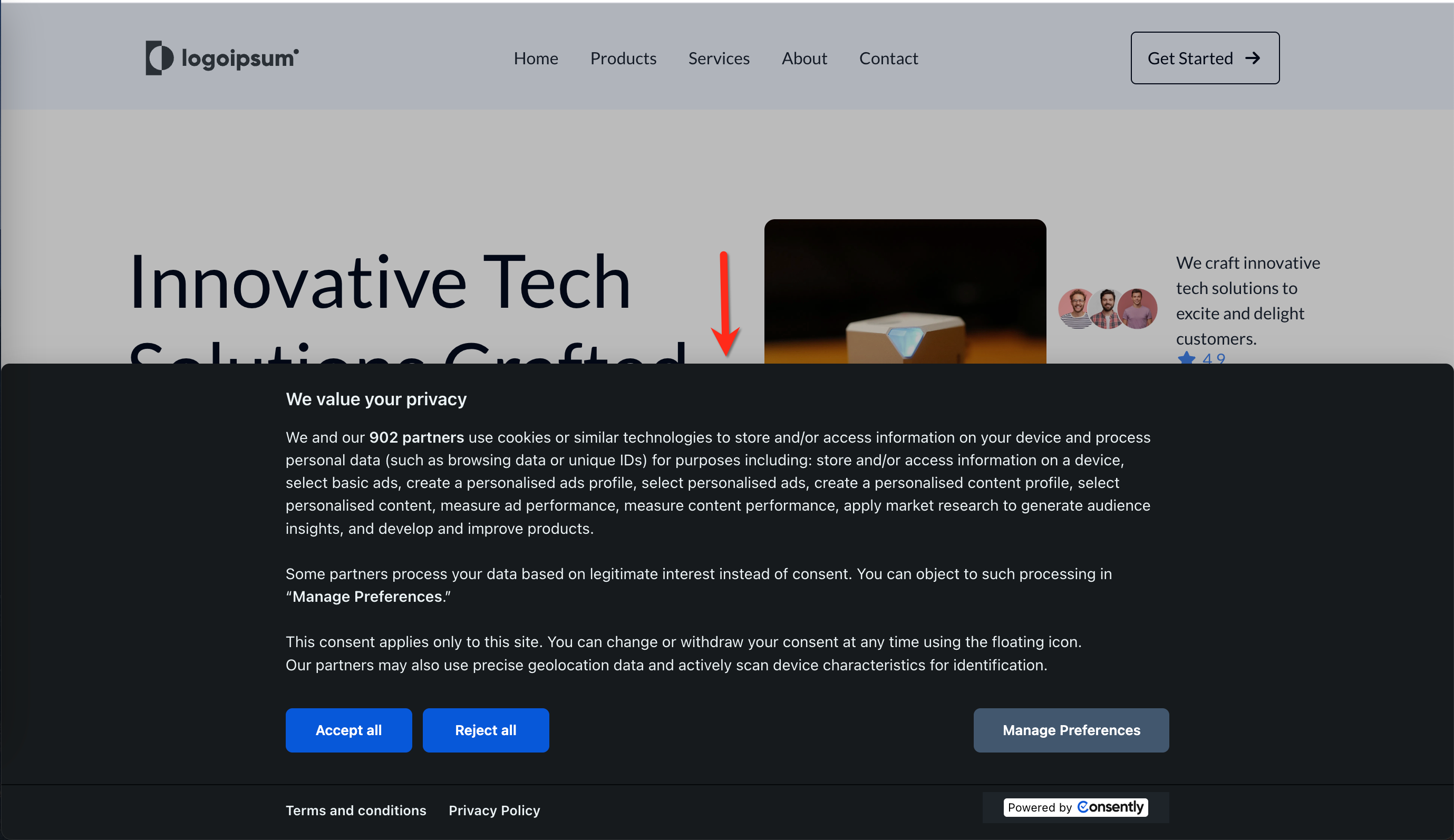
US State Laws (Opt-out Model)
US state privacy laws, such as CCPA/CPRA (California) and VCDPA (Virginia), follow an opt-out approach. Non-essential cookies load automatically, but visitors must have a clear way to opt out of data sales and targeted advertising.
Applies to:
California – CCPA/CPRA
Virginia – VCDPA
Colorado – CPA
Connecticut – CTDPA
Utah – UCPA
How it works:
Cookies load immediately when a visitor lands on your site
The banner displays a Do Not Sell or Share My Personal Information link
Visitors who click the link can opt out of data sales and advertising cookies
Essential and analytics cookies continue to function
When to use US State Laws:
Your website serves visitors from California, Virginia, Colorado, Connecticut, or Utah
You want to provide opt-out rights to all US visitors
Configure the US State Laws template in Choosing Consent Templates.
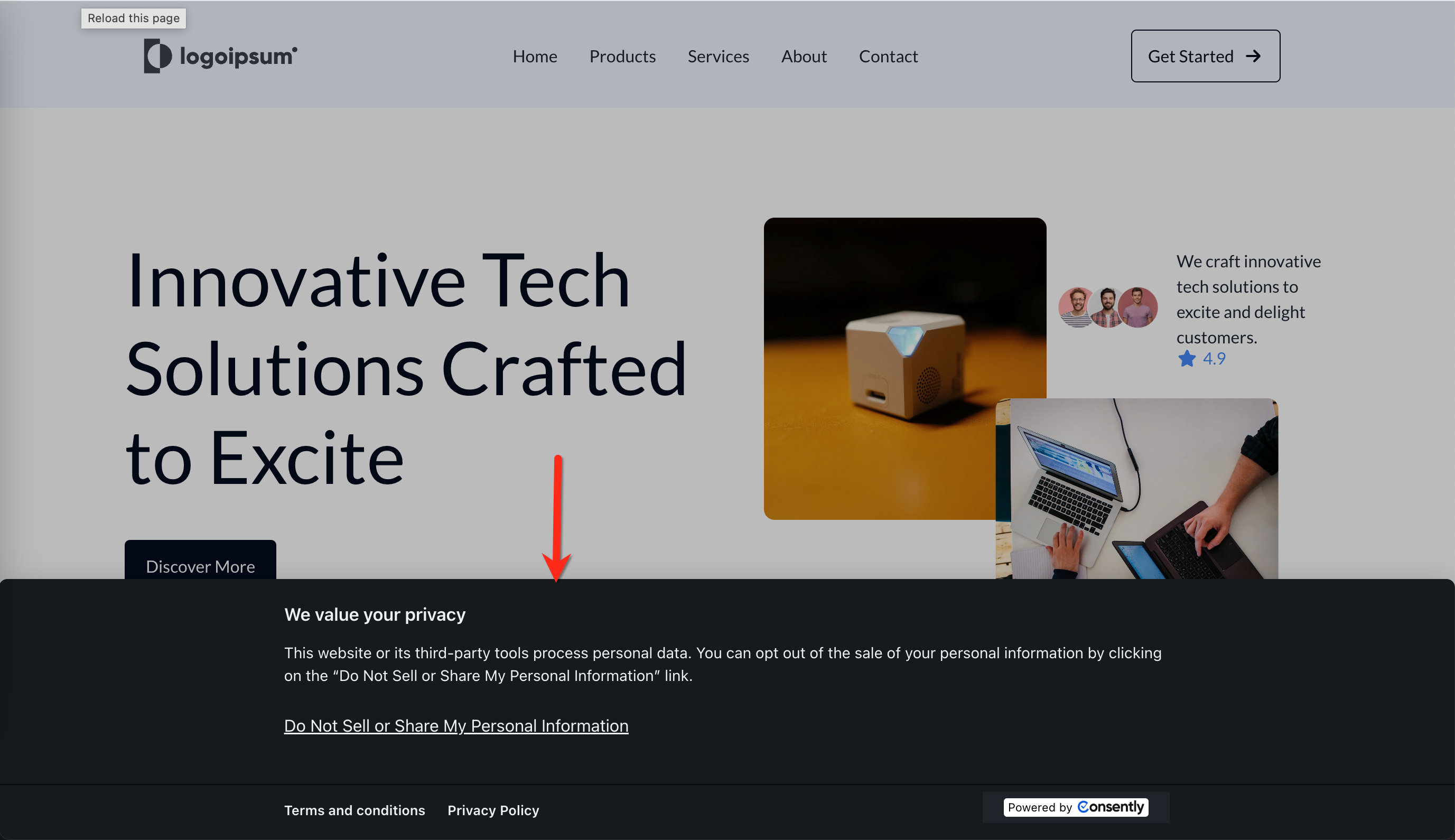
Using Both Templates Together
Enable both templates if your website serves international audiences. Consently automatically displays the correct template based on the visitor's location:
Visitors from the EU/UK/EEA/other areas worldwide see the GDPR (opt-in) banner
Visitors from California and other US states with privacy laws see the US State Laws (opt-out) banner
This ensures compliance across all jurisdictions without requiring separate website configurations.
Cookie Categories
Both consent frameworks organize cookies into six categories. Visitors can grant or deny consent by category in the preference center:
Essential — Required for basic site functionality (login, cart, security). Always allowed and cannot be disabled.
Analytics — Track site usage and performance (Google Analytics, heatmaps). Help you understand visitor behavior.
Performance — Enhance site speed and user experience (CDNs, caching). Improve technical performance.
Advertising — Deliver targeted ads and measure ad effectiveness (Google Ads, Facebook Pixel). Support marketing campaigns.
Social — Enable social media integrations (share buttons, embedded content). Connect your site to social platforms.
Unclassified — Cookies not yet categorized by scanning. Require manual review and categorization.
💡 Tip: Categorizing cookies correctly is essential for compliance. Miscategorized cookies can lead to violations.
Consent Lifecycle
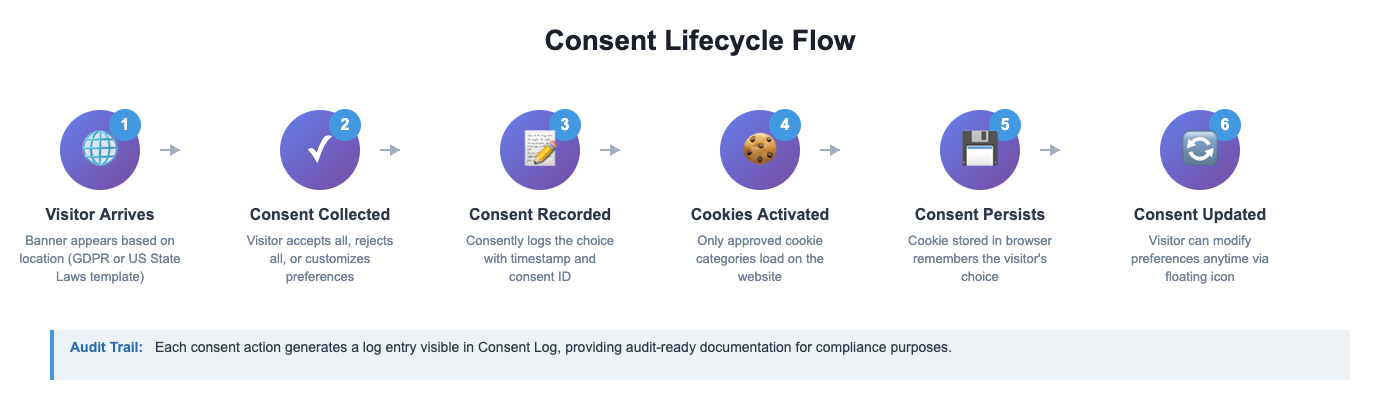
Understanding how consent flows through your website helps you configure Consently correctly:
Visitor arrives — Banner appears based on location (GDPR or US State Laws template)
Consent collected — Visitor accepts all, rejects all, or customizes preferences
Consent recorded — Consently logs the choice with timestamp, consent ID, and region
Cookies activated — Only approved cookie categories load on the website
Consent persists — Cookie stored in browser remembers the visitor's choice
Consent updated — Visitor can modify preferences anytime via the floating icon
Each consent action generates a log entry visible in Consent Log, providing audit-ready documentation for compliance.
What's Next
Now that you understand consent frameworks, configure your banner template:
Related Pages
GDPR Compliance — Full details on EU/UK compliance
CCPA & US State Laws Compliance — Full details on US compliance