

TL;DR: Policy Generator → Language Settings → Enable "Generate policy in multiple languages" toggle → Select languages → Generate.
Your policy will be created in all selected languages simultaneously.
Overview
Multi-language policy generation creates your Cookie Policy, Privacy Policy, or Terms & Conditions in multiple languages at once. This feature is essential for websites serving international audiences, allowing visitors to read legal policies in their preferred language.
Before You Begin
Make sure you have:
Started creating a Cookie Policy, Privacy Policy, or Terms & Conditions
Time required: About 2 minutes
How to Enable Multi-Language Generation
Step 1: Navigate to Language Settings
While creating any policy (Cookie, Privacy, or Terms), locate the Language Settings section from the sidebar.
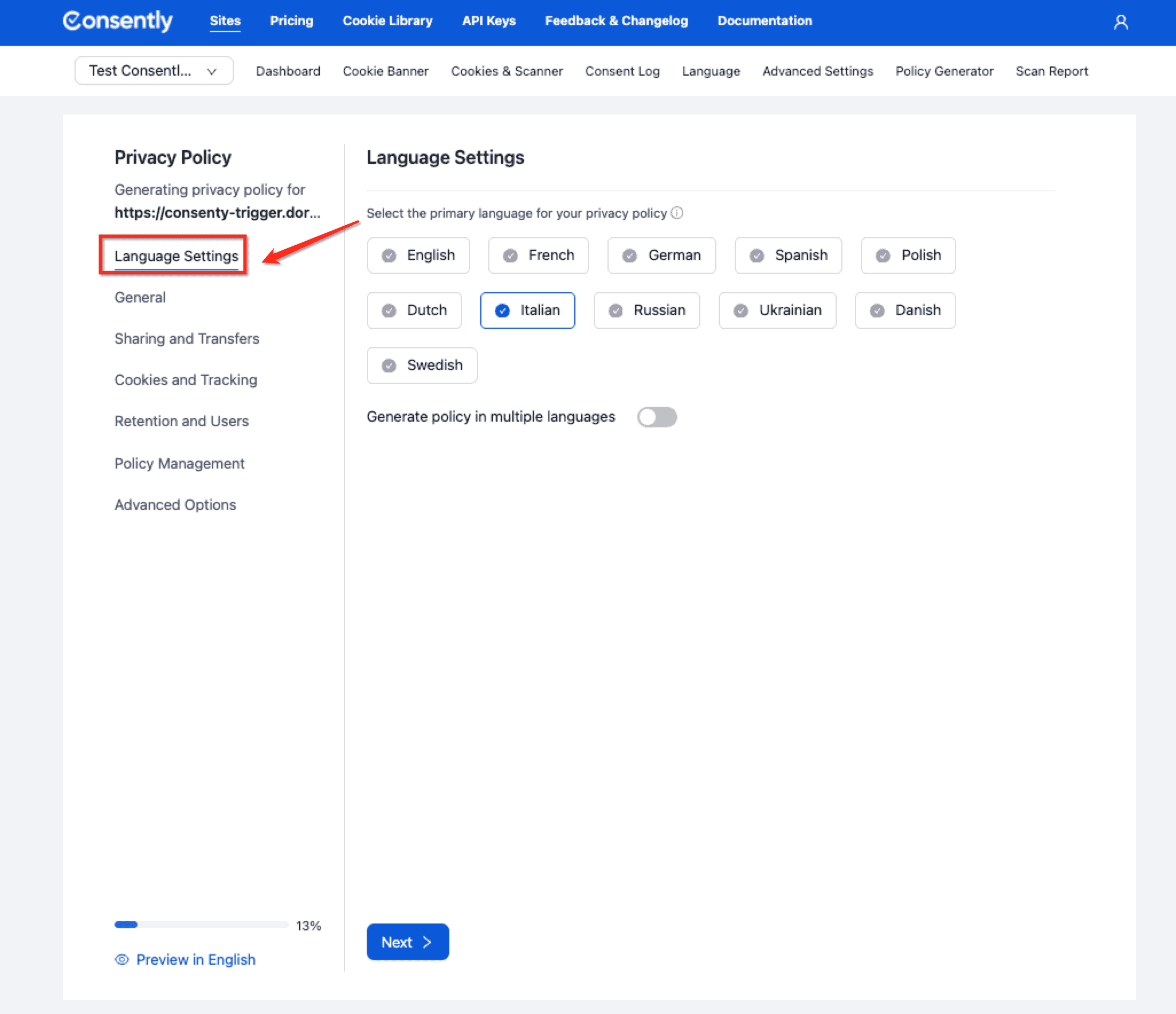
Step 2: Select your primary language
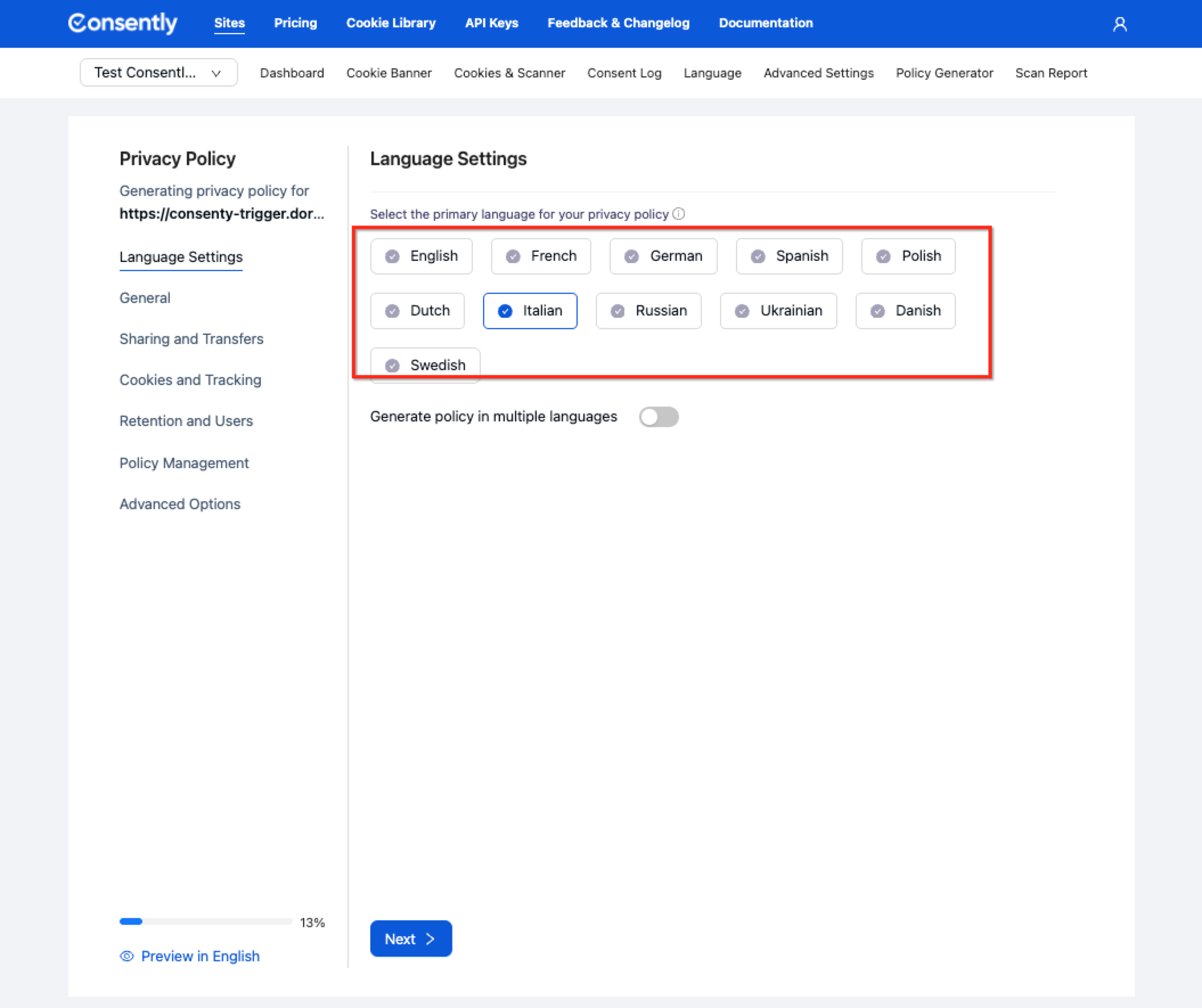
Click the primary language selector and choose from:
English
French
German
Spanish
Polish
Dutch
Itilian
Russian
Ukrainian
Danish
Swedish
The primary language becomes the default version of your policy.
Step 3: Enable multi-language generation
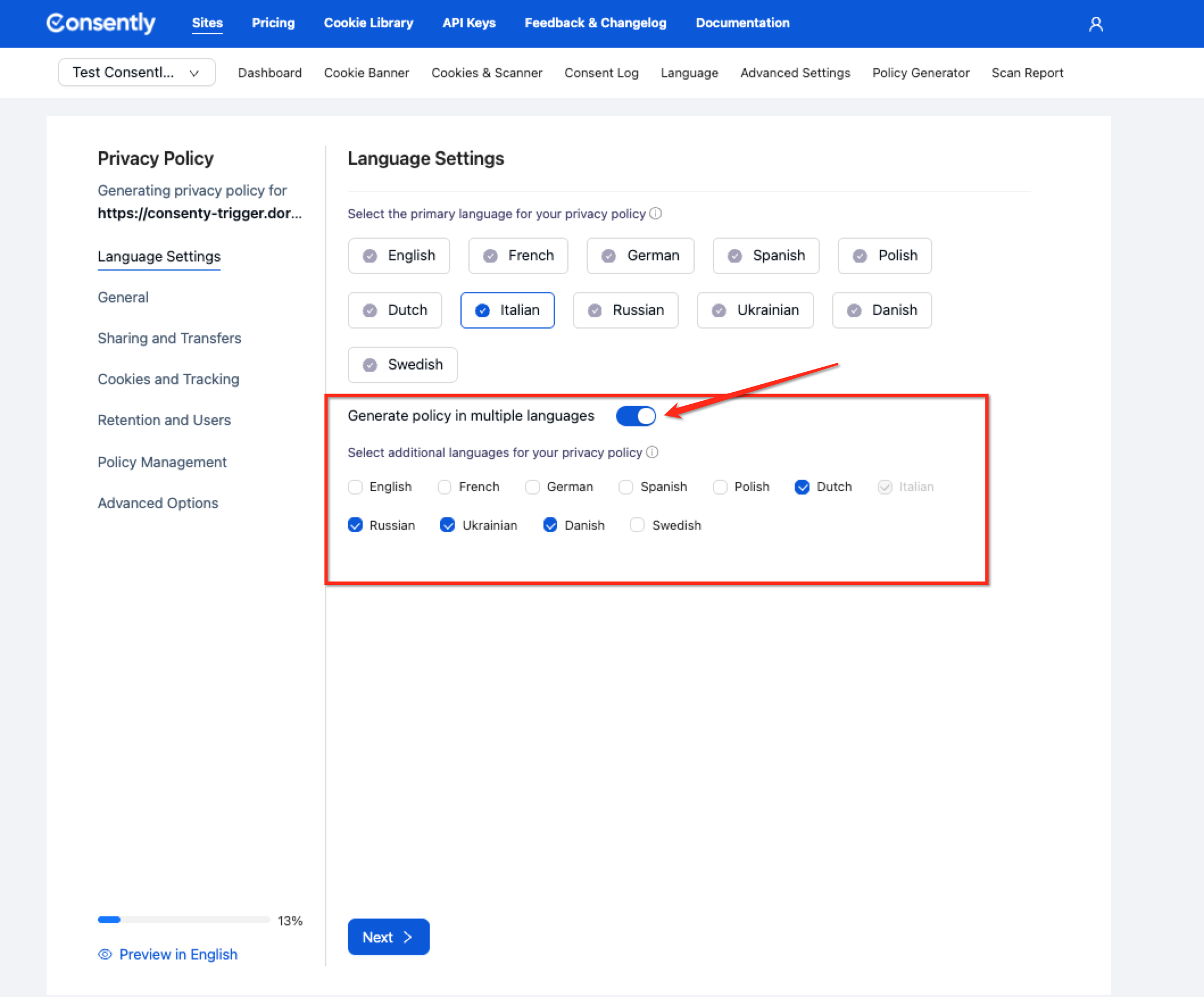
Toggle on Generate policy in multiple languages.
Step 4: Complete the policy questions
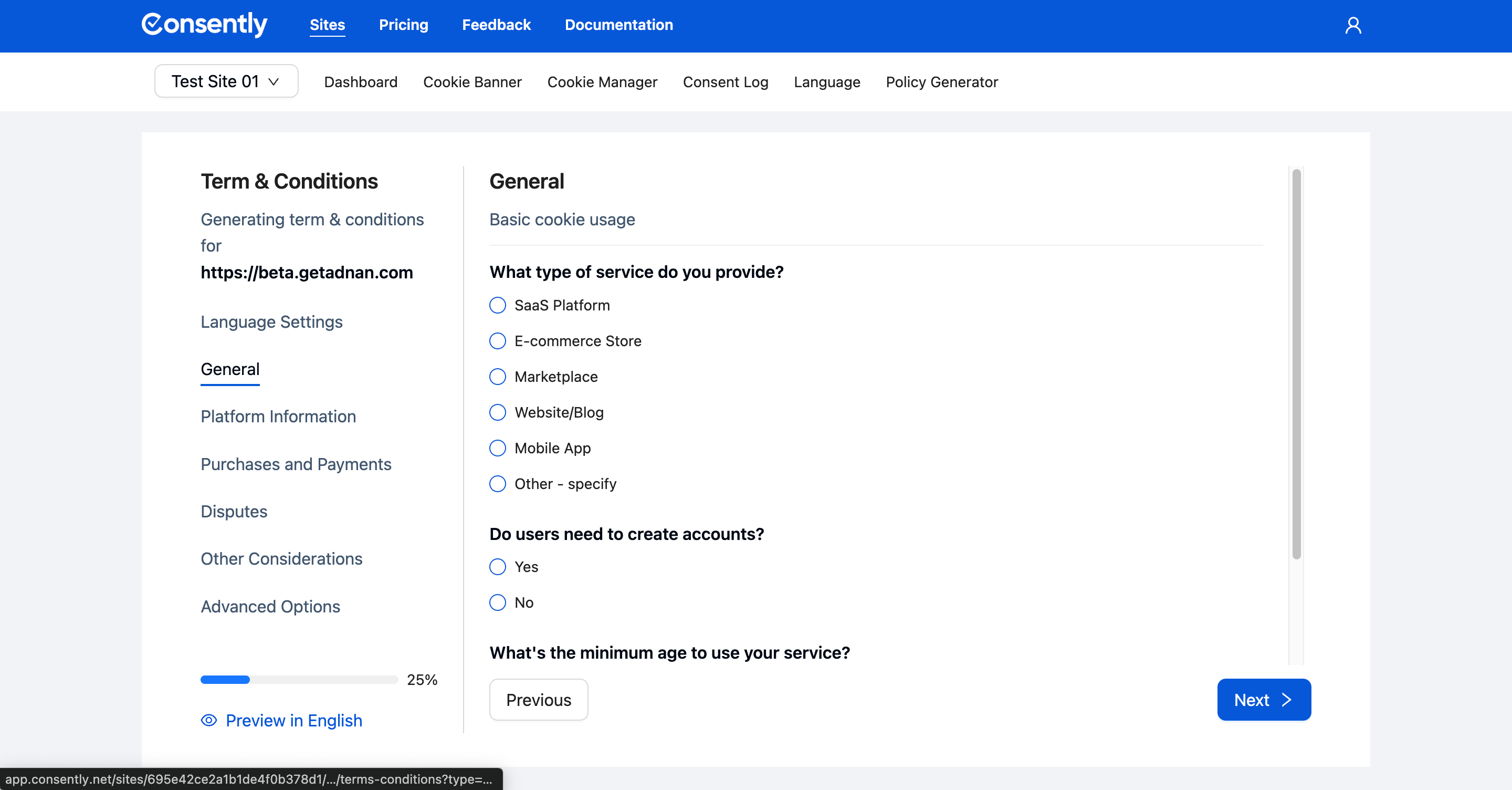
Continue answering all policy configuration questions as you normally would. Your responses apply to all language versions.
Step 5: Generate the policies
Click Next through all sections, and the system creates a document with numbered sections covering all aspects of the policy in multiple languages.
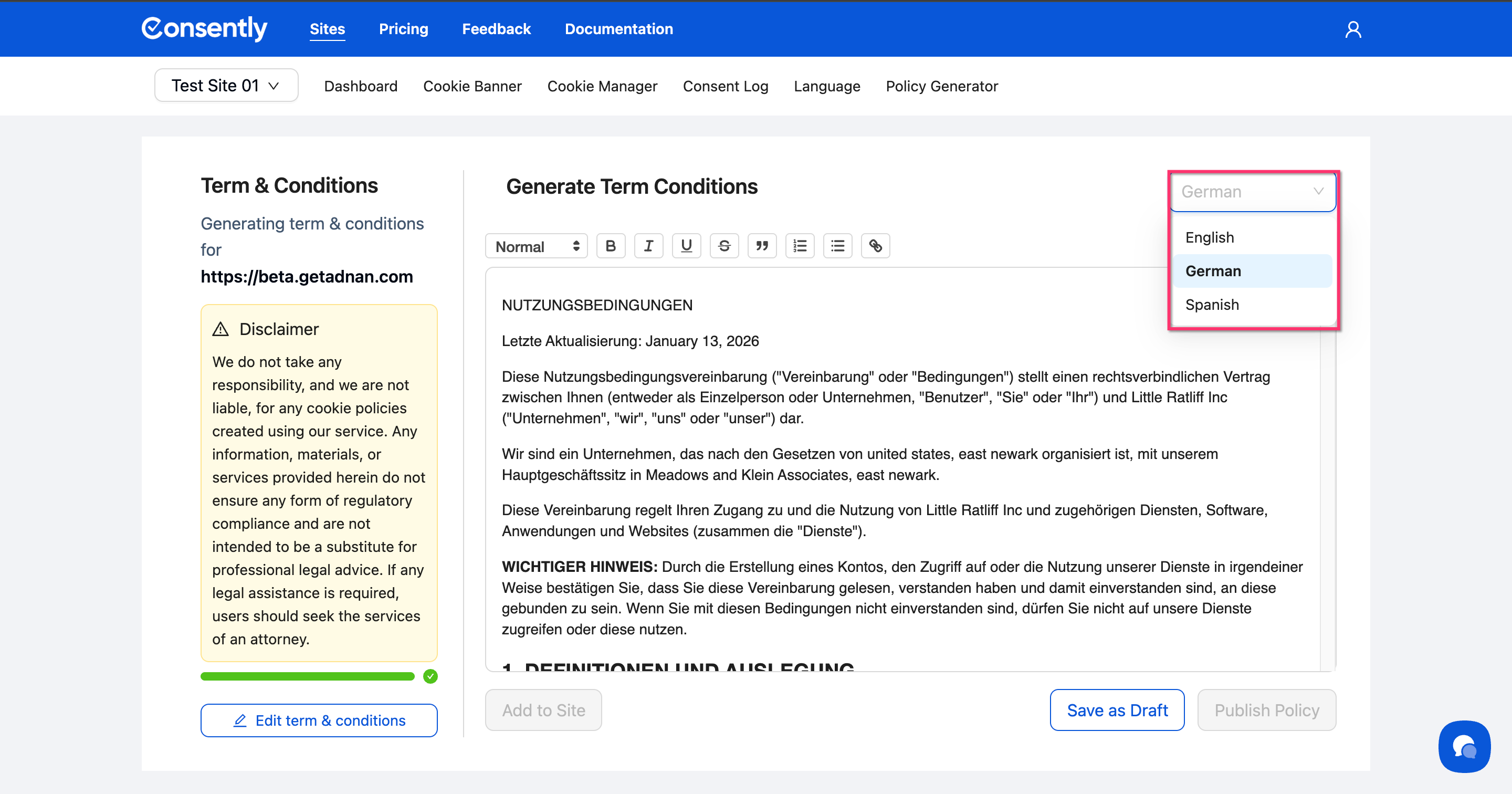
💡 Tip: You can preview any language version before publishing by using the language selector dropdown in the policy editor.
Done!
You now have professional policy documents in multiple languages.
✅ Success indicator: The policy editor displays a language selector showing all generated versions (e.g., "English", "French", "German", "Spanish", "Polish", "Dutch").
Important Notes
Each language version of the policy must be published separately.
The script can be embedded directly into your website.
The displayed policy language will automatically match your website's language settings.
If the website language is not supported, the policy will revert to the designated default language.
How Multi-Language Policies Work
Automatic Translation: Consently generates legally compliant content in each selected language based on your answers to the policy questions.
Consistent Content: All language versions contain the same legal provisions—only the language differs. This ensures compliance across all markets.
Preview Before Publishing: Use the preview feature in the policy editor to review before publishing.
Hosting Multi-Language Policies
Implementation Options:
Separate URLs: Host each language version at a different URL (e.g.,
/privacy-policy-en,/privacy-policy-fr)Language Detection: Use your website's language detection system to serve the appropriate policy automatically
Manual Selection: Provide a language switcher that links to different policy versions
Best Practice: Update the policy links in your banner content to point to language-specific URLs for international audiences.
What's Next
Now that you've generated multi-language policies, you should:
Host your policies on your website
Add languages to your banner to match your policy languages
Troubleshooting
I need a language that's not in the list
Solution: The policy generator currently supports English, French, German, Spanish, Polish and Dutch. For other languages, generate your policy in English, then work with a professional translator to create additional language versions. The English version provides the legal framework for accurate translation.
Can I add more languages later?
Solution: Yes. Return to the Policy Generator, enable additional languages in the Language Settings section, and regenerate your policy. Your existing policy versions remain unchanged.
Related Pages
Multi-Language Overview — How language support works across Consently