

TL;DR: Scan weekly, categorize accurately, write clear descriptions, remove obsolete cookies, and document changes for compliance.
Overview
Effective cookie management keeps your site compliant, maintains visitor trust, and simplifies audits. Following these practices ensures your cookie inventory stays accurate and up-to-date.
Establish a Regular Scanning Schedule
Set up weekly scans
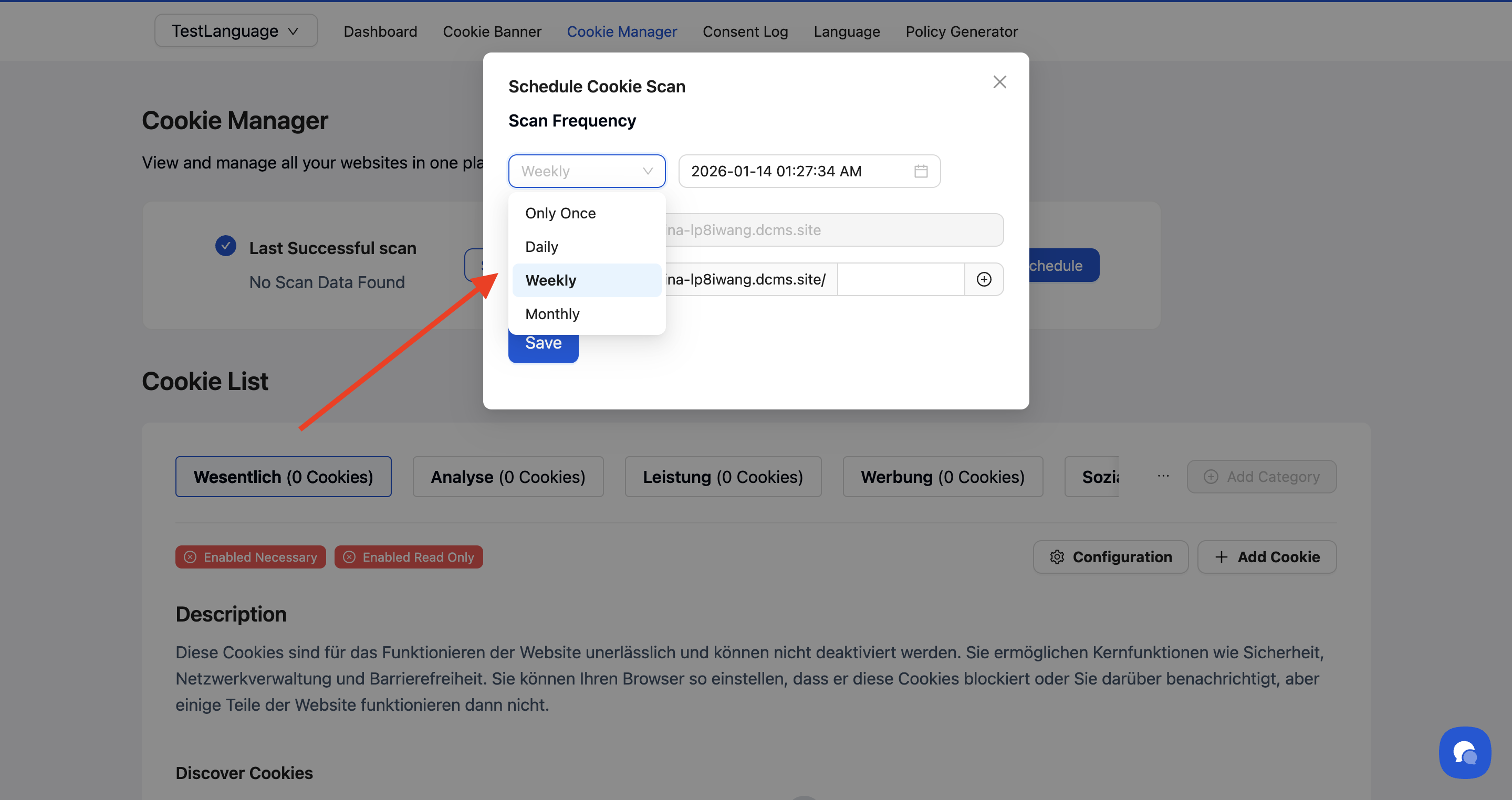
Configure automatic weekly scans to catch new cookies as your site evolves.
Navigate to Cookie Manager → Scan Schedule and select Weekly. This catches cookies added by new features, plugins, or third-party scripts before they accumulate.
💡 Tip: Run an immediate scan after major site updates, new plugin installations, or marketing campaign launches.
Review scan results promptly
Check scan results within 24 hours of completion to identify and categorize new cookies quickly.

Categorize Cookies Accurately
Match categories to actual usage
Assign cookies to categories based on their real function, not assumptions.
Common categorization mistakes:
Marketing pixels labeled as "Analytics"
User preference cookies marked "Essential" (unless truly required for site functionality)
Session cookies miscategorized as "Performance"
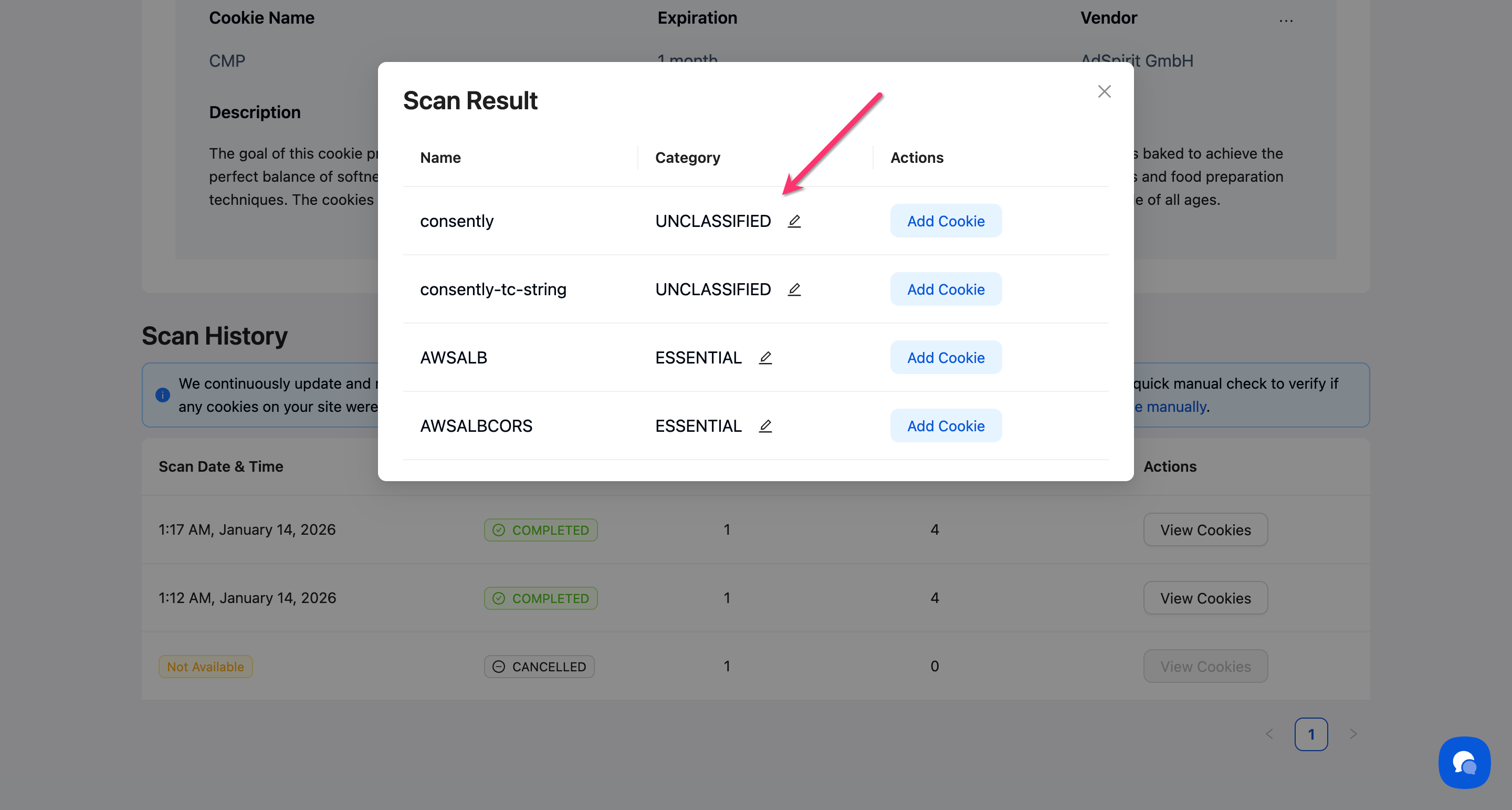
💡 Tip: New cookies appear in the Unclassified category until you assign them. Leaving cookies unclassified creates compliance gaps.
Use the Essential category sparingly
Only mark cookies as Essential if your site genuinely cannot function without them.
Essential cookies include:
Authentication/login session cookies
Shopping cart cookies
Security tokens
Load balancing cookies
Not Essential:
Analytics cookies (even your own)
Chat widget cookies
Personalization preferences
Marketing/advertising cookies
⚠️ Important: Visitors cannot opt out of Essential cookies. Misclassifying non-essential cookies as Essential violates consent regulations.
Write Clear Cookie Descriptions
Use visitor-friendly language
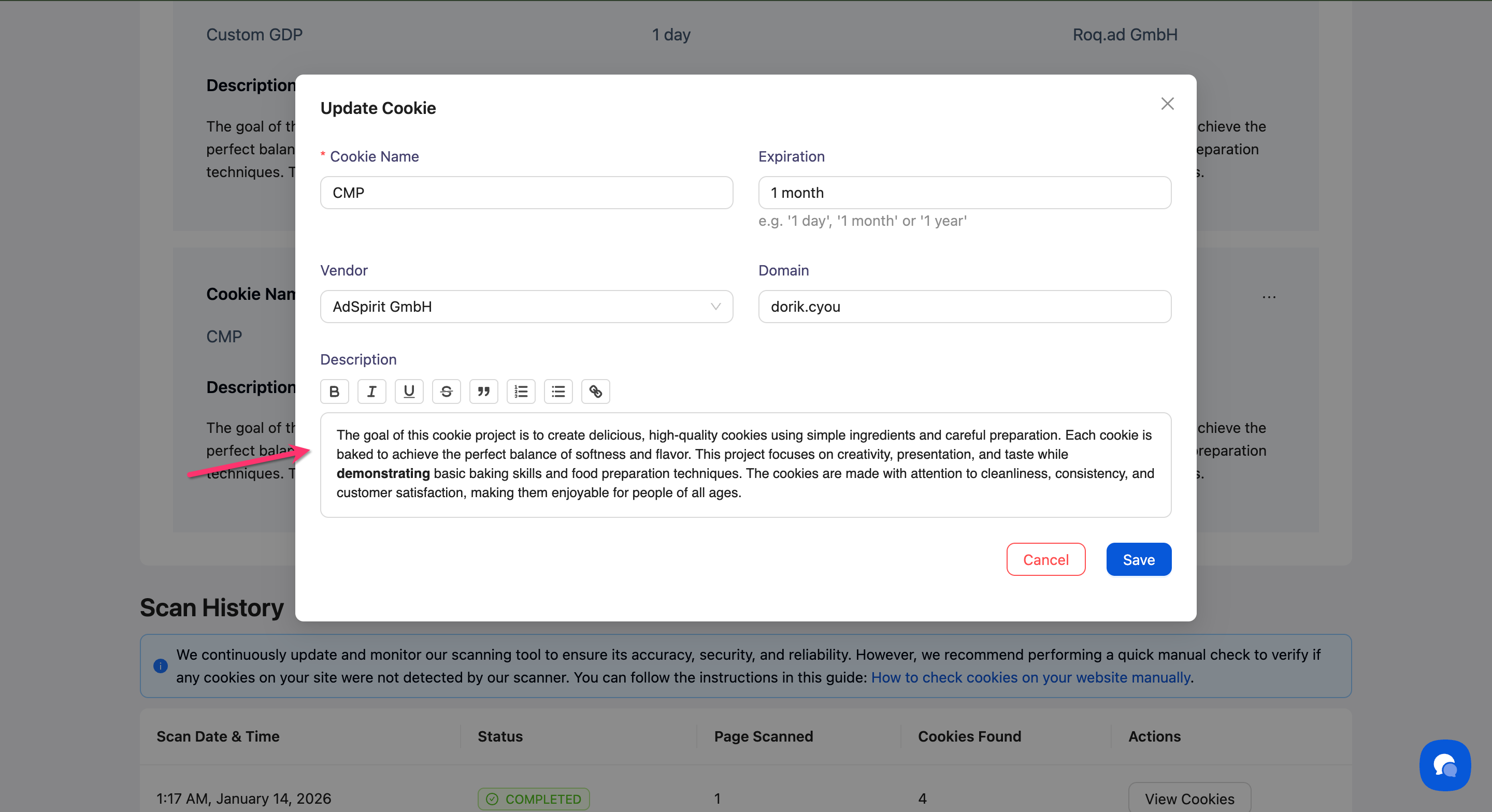
Write descriptions that non-technical visitors can understand while including enough detail for audits.
Good description example: "Remembers your language preference so the site displays in your chosen language on return visits. Expires after 1 year."
Poor description example: "lang_pref cookie stores locale data."
Include key details
Every cookie description should answer:
What does this cookie do?
Why is it necessary?
How long does it last?
Who sets it (first-party or third-party)?
Keep descriptions current
Update descriptions when cookie behavior changes. Outdated descriptions create compliance issues during audits.
Maintain Accurate Vendor Attribution
Identify cookie sources
Use the Vendor dropdown to attribute cookies to their actual source.
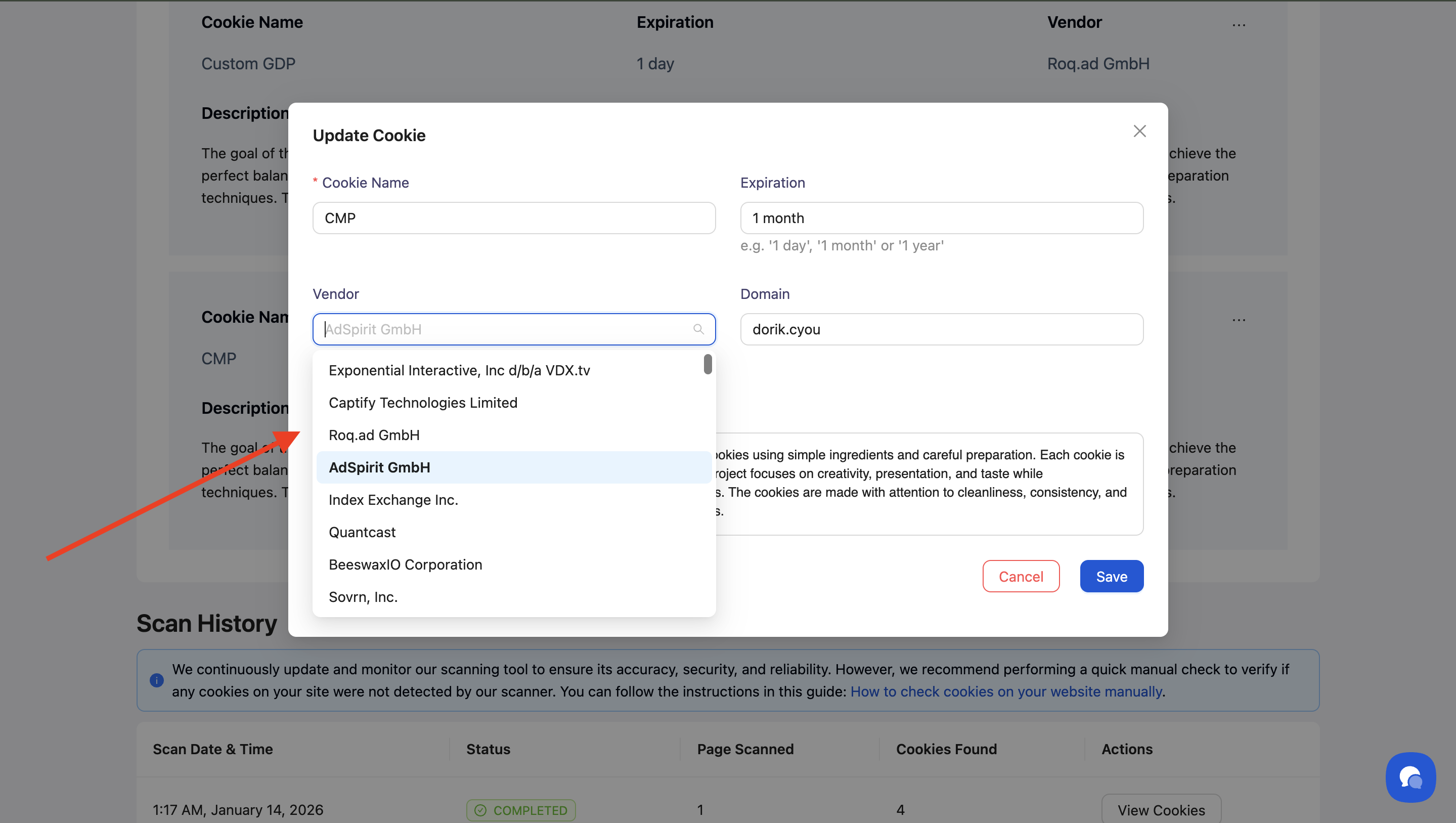
Common vendors to track:
Google (Analytics, Ads, Tag Manager)
Facebook (Pixel, social plugins)
Your own domain (first-party cookies)
CDN providers
Chat/support widgets
Payment processors
Document third-party relationships
For third-party cookies, note the service name and purpose in the description. This transparency is required under GDPR and helps visitors make informed choices.
Remove Obsolete Cookies
Conduct quarterly audits
Every three months, review your cookie list for:
Cookies from removed plugins or services
Expired marketing campaigns
Deprecated tracking codes
Duplicate entries

Clean up test cookies
Remove cookies from development, staging, or testing environments that shouldn't appear in production scans.
Verify before deletion
Before deleting a cookie, confirm it's no longer set by visiting your site and checking browser developer tools (F12 → Application → Cookies).
Document Changes for Audits
Track major updates
Keep a record of significant cookie changes:
New cookies added
Categories changed
Vendor relationships modified
Cookies removed
This documentation proves compliance efforts during regulatory audits.
Use consistent naming
Maintain consistent cookie naming conventions across your organization:
Descriptive names that indicate purpose
Standardized prefixes (e.g.,
_gafor Google Analytics,_fbpfor Facebook Pixel)Clear distinction between environment-specific cookies
Review after policy updates
When you update your Cookie Policy, verify your cookie inventory matches what's documented. Discrepancies undermine trust and compliance.
Coordinate with Development Teams
Notify developers about consent requirements
Share your cookie categorization with developers so they implement cookie auto-blocking correctly.
Request cookie documentation
Ask developers to document any new cookies they add, including:
Purpose
Expiration
Required consent category
Third-party dependencies
Test before production
Scan staging environments before deploying new features to production to catch unexpected cookies early.
What's Next
Now that you understand cookie management best practices, you should:
Related Pages
Compliance Overview — Understanding regulatory requirements