

TL;DR: Dashboard → Sites → ⋮ Menu → Embed Script → Copy. In Squarespace: Settings → Advanced → Code Injection → Header → Paste → Save. Requires Business plan or higher.Overview
Squarespace provides a Code Injection feature that lets you add custom scripts to your site's header or footer. Installing the Consently banner on Squarespace takes just a few minutes using this built-in functionality.
Before You Begin
Make sure you have:
Copied your embed script from the Consently dashboard
A Squarespace Business plan or higher (Code Injection is not available on Personal plans)
Time required: 3 minutes
How to Install Consently on Squarespace
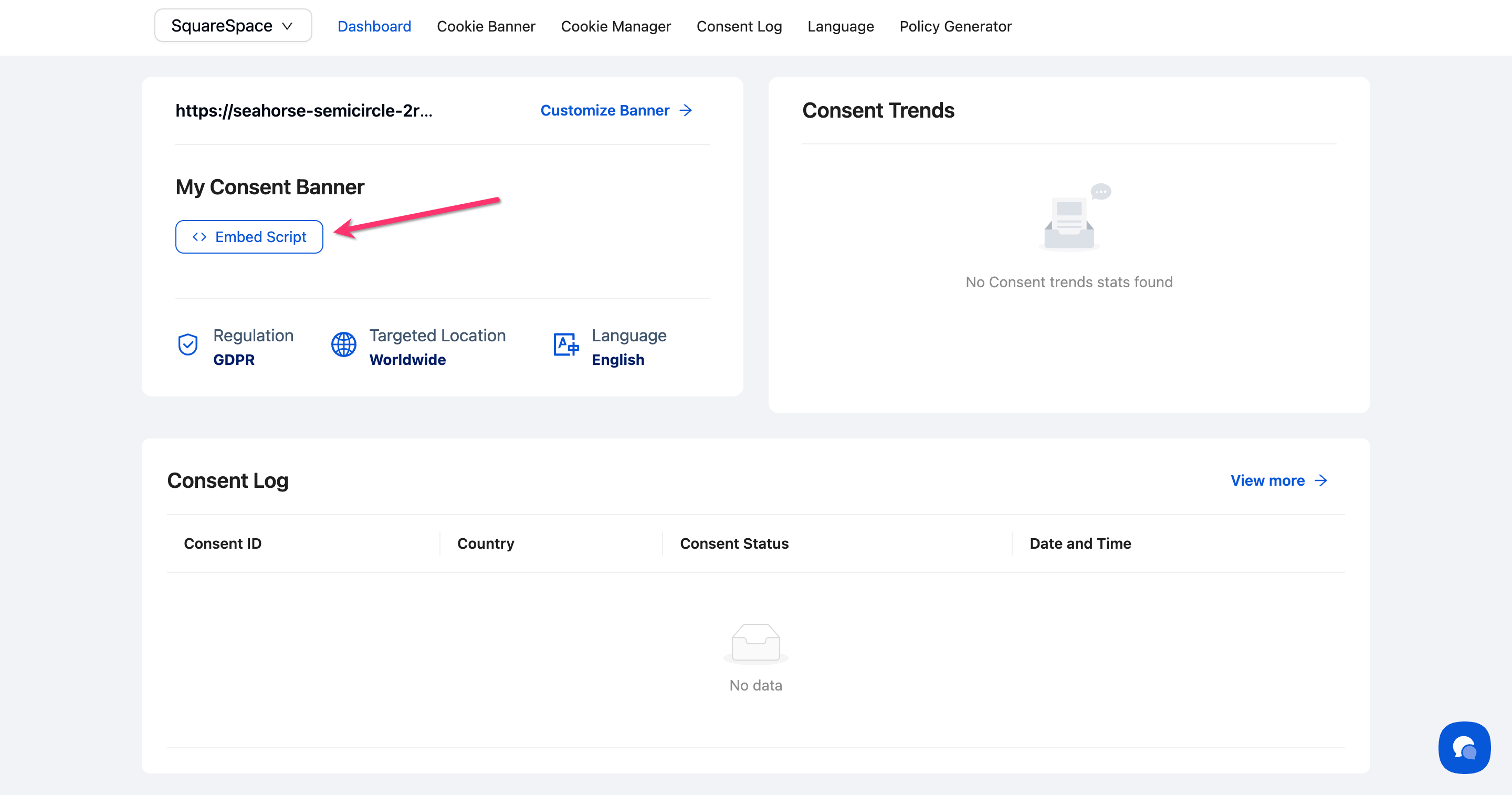
Step 1: Copy your Consently embed script
Access your embed script from the Consently dashboard. For detailed steps, see the Direct HTML Installation.
Step 2: Open Squarespace Settings
In your Squarespace admin panel, click Website in the left sidebar.

Step 3: Navigate to Code Injection
Click Pages in the Settings menu, then click Code Injection inside the Custom code section.

💡 Tip: If you don't see Code Injection, verify that you're on a Business plan or higher. Personal plans don't include this feature.
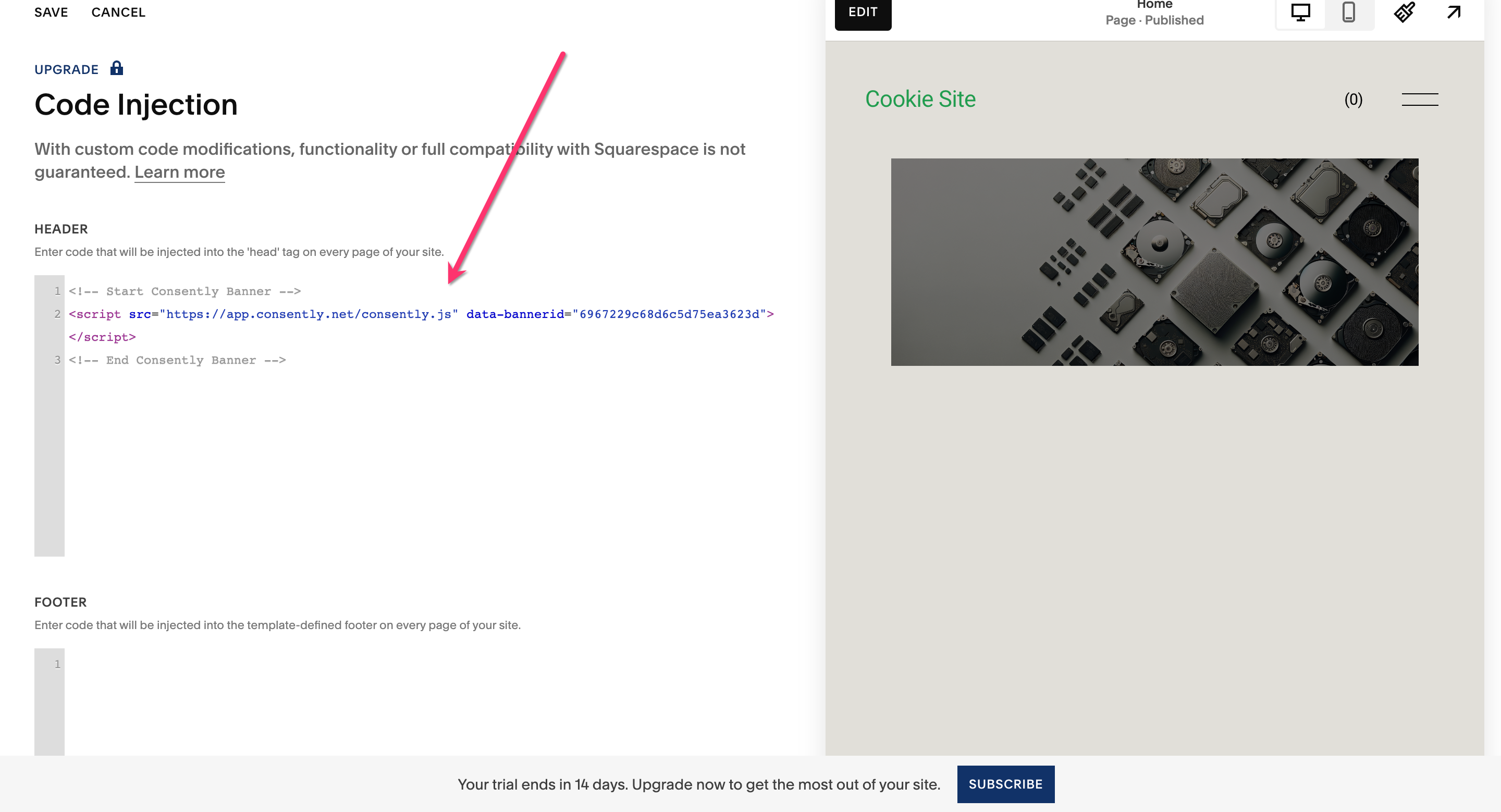
Step 4: Paste the script in the Header section
Find the Header text box at the top of the Code Injection page. Paste your Consently embed script into this box.
⚠️ Important: Use the Header section, not Footer. The banner must load before your page content to properly block cookies.
Step 5: Save changes
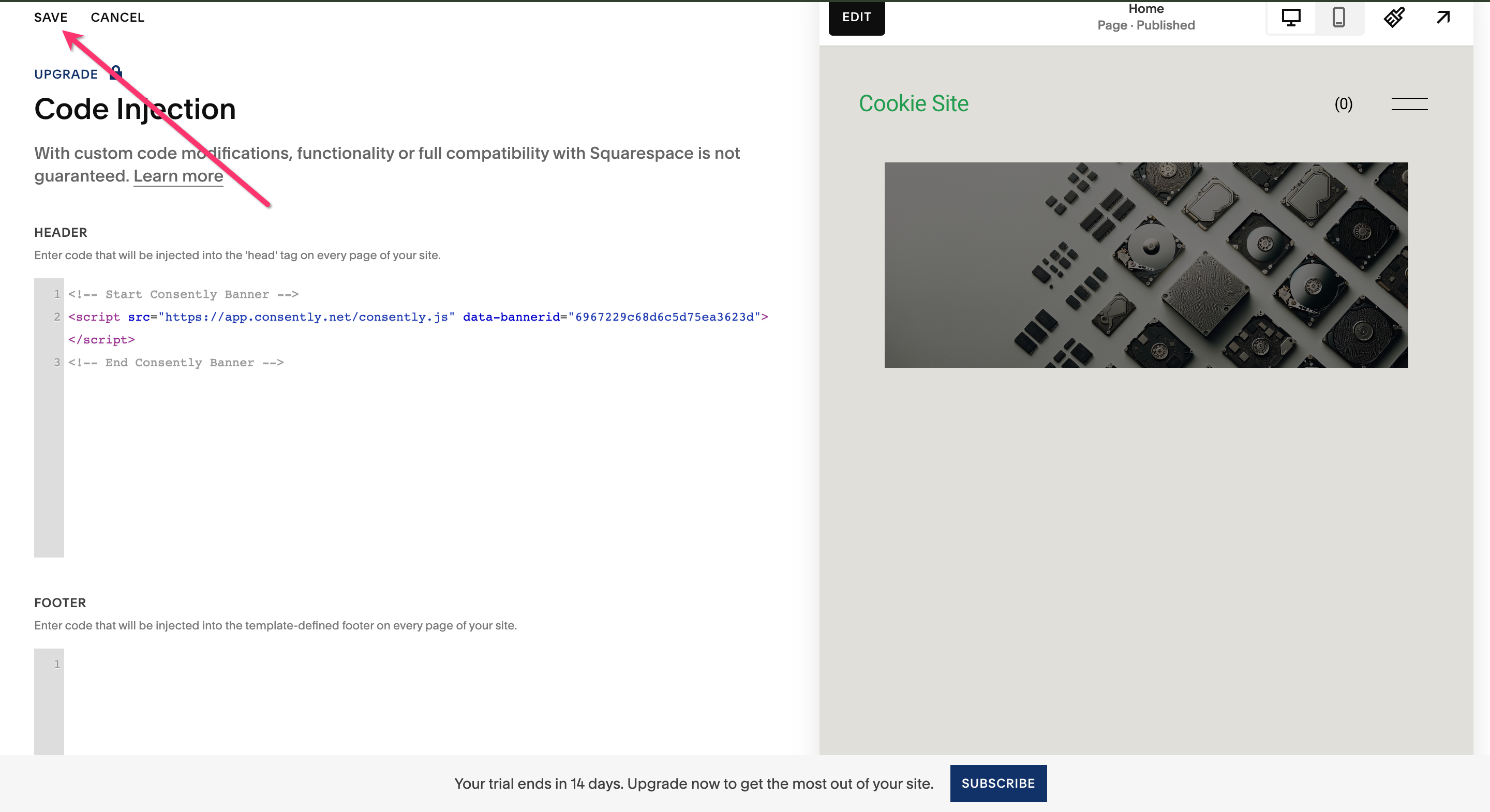
Click Save at the top of the page.
Done!
Your consent banner is now installed on all pages of your Squarespace site.
✅ Success indicator: Visit your live website in an incognito window to see the banner appear.
What's Next
Now that you've installed the script, you should:
Test your installation to verify the banner appears correctly
Check that cookies are being blocked properly until consent is given
Troubleshooting
The Code Injection option is missing
Why this happens: You're on a Squarespace Personal plan, which doesn't include Code Injection.
Solution: Upgrade to a Business plan or higher to access Code Injection.
Banner appears twice on the same page
Why this happens: The script is in both the site-wide Header and the page-specific Header Code Injection.
Solution: Remove the script from one location and keep it in the site-wide Header for consistency across all pages.
The banner doesn't appear after saving
Solution:
Clear your browser cache and reload the page
Try viewing in an incognito/private browsing window
Verify the script is in the Header section, not in the Footer
Check that your Squarespace site is published (not in trial mode)
Related Pages
Platform Compatibility — Compare installation methods across platforms
Embedding the Banner Script — Understanding the script structure