

TL;DR: Cookie Banner → General → GDPR (Opt-in Model) toggle → Save.
Consently automatically blocks non-essential cookies until visitors grant explicit consent, helping align your banner behavior with GDPR consent guidelines for EU and UK audiences.
Overview
The General Data Protection Regulation (GDPR) is the EU's comprehensive privacy law that needs explicit consent before collecting personal data through cookies. Consently's GDPR template implements opt-in consent, granular cookie controls, and documented consent records to ensure compliance for websites serving European visitors.
Before You Begin
Make sure you have:
Time required: About 5 minutes
Understanding GDPR Requirements
What GDPR Covers
GDPR applies to any website that:
Operates in the EU or UK
Targets EU/UK visitors through content, language, or currency
Collects personal data from EU/UK residents
Personal data includes any information that can identify a person, such as names, email addresses, IP addresses, cookie identifiers, location data, and browsing behavior.
Core GDPR Consent Requirements GDPR mandates four consent principles:
Prior Consent: Non-essential cookies cannot load until the visitor actively agrees. Pre-checked boxes, implied consent, and "cookie walls" that block access violate GDPR.
Granular Control: Visitors must be able to accept or reject different cookie categories independently. Bundling all cookies into a single accept/reject choice violates GDPR.
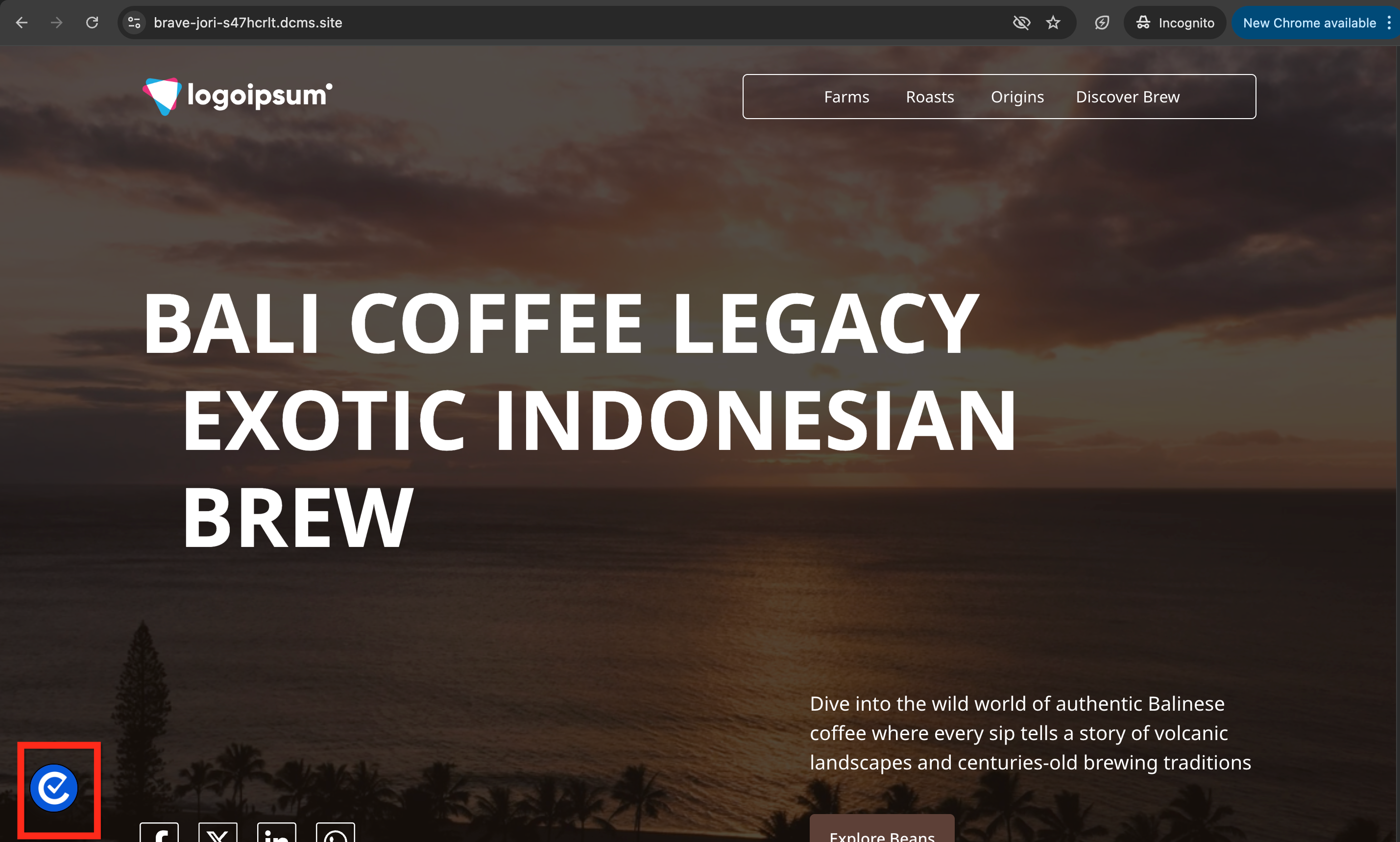
Easy Withdrawal: Visitors must be able to change their consent preferences as easily as they initially gave them. Consently provides a floating icon for this purpose.
Documentation: You must maintain records proving when and how each visitor consented, including what they consented to.
How to Enable GDPR Compliance
Step 1: Select the GDPR template
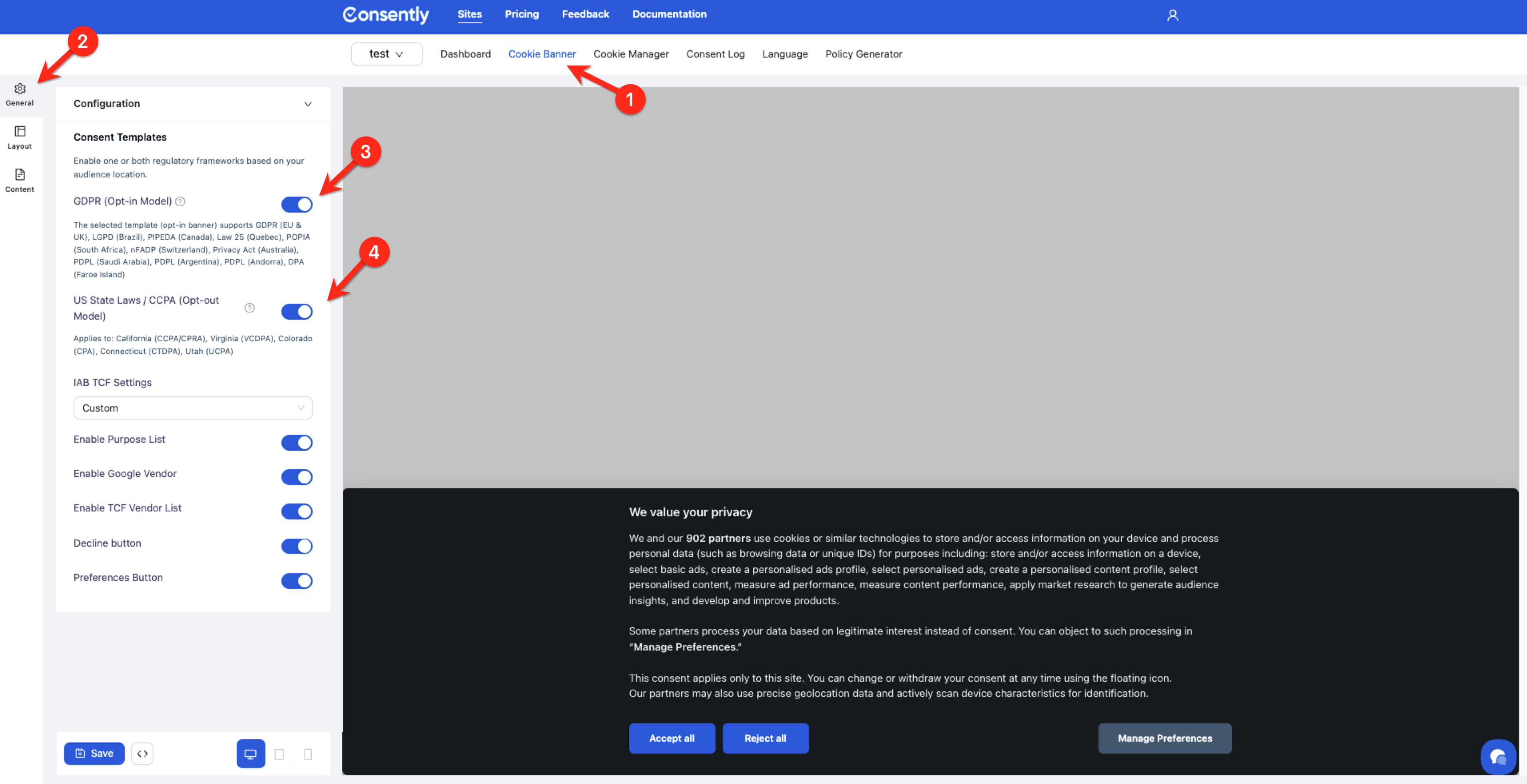
Navigate to Cookie Banner → Configuration → Consent Templates.
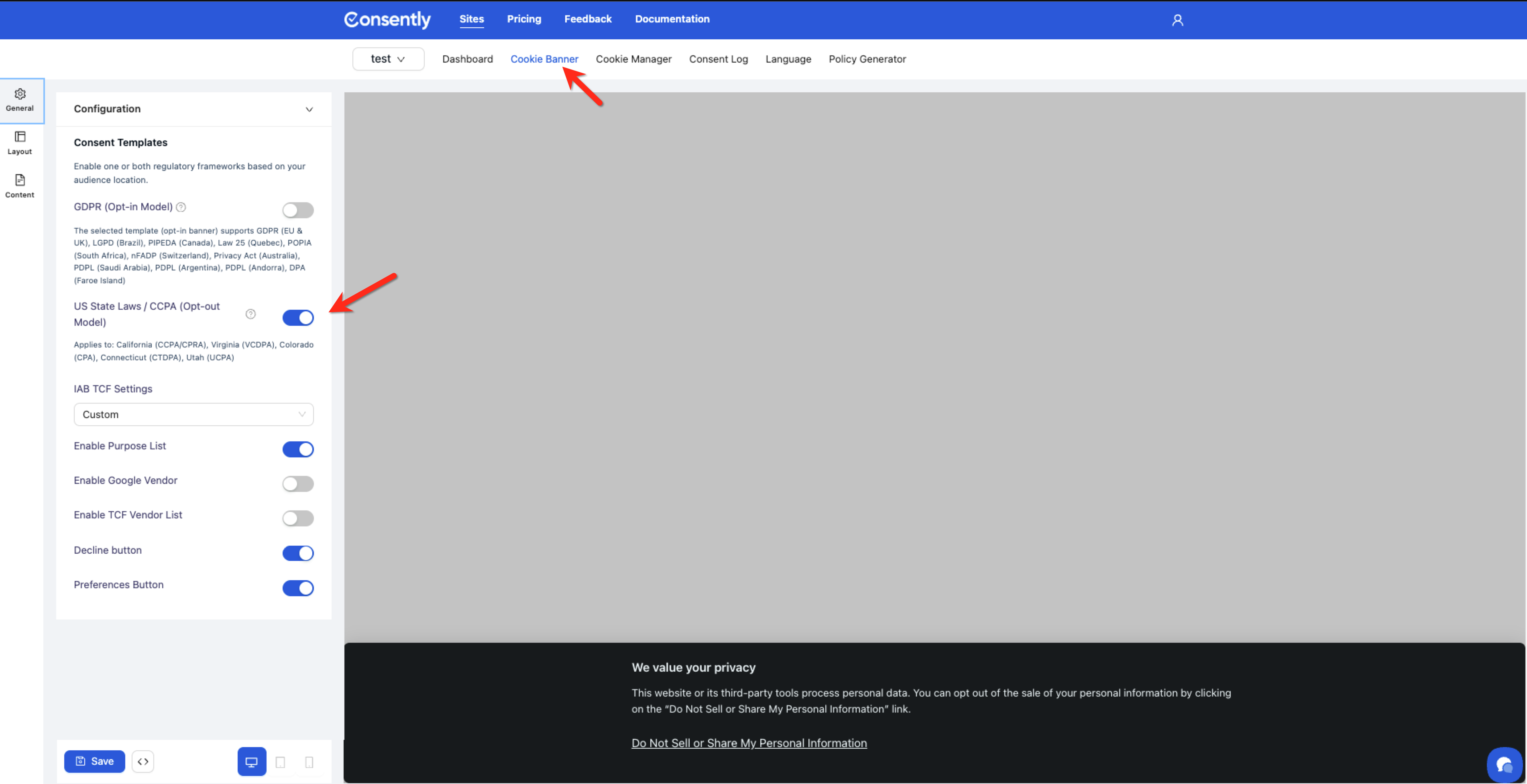
Step 2: Enable GDPR (Opt-in Model)
Toggle GDPR (Opt-in Model) to the ON position.
💡 Tip: You can enable both GDPR and US State Laws templates simultaneously. Consently automatically displays the correct template based on visitor location.
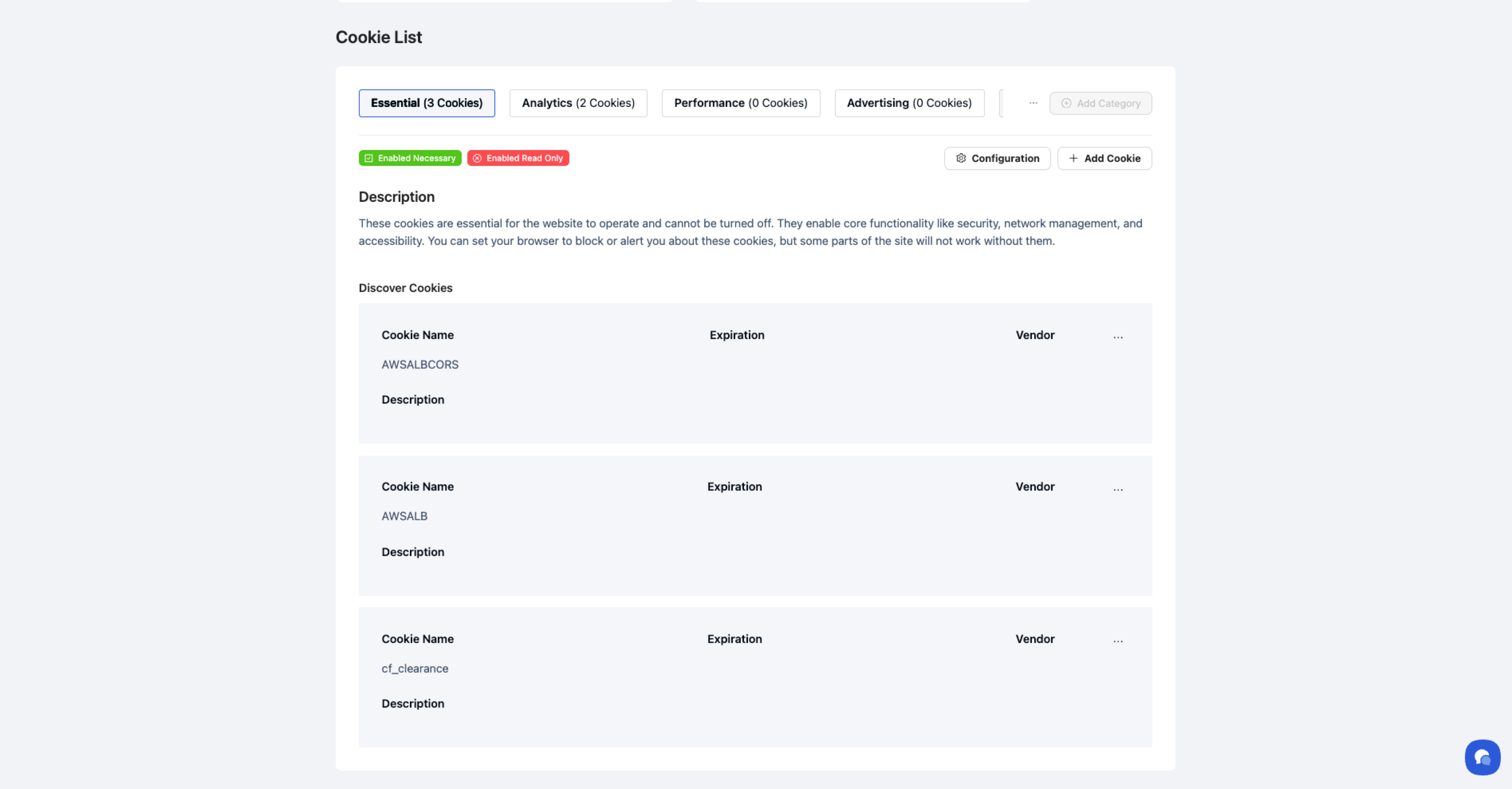
Step 3: Verify cookie categories
Go to Cookie Manager to confirm all non-essential cookies are properly categorized. Essential cookies (needed for site security and basic functionality) can load without consent.
Step 4: Save and test
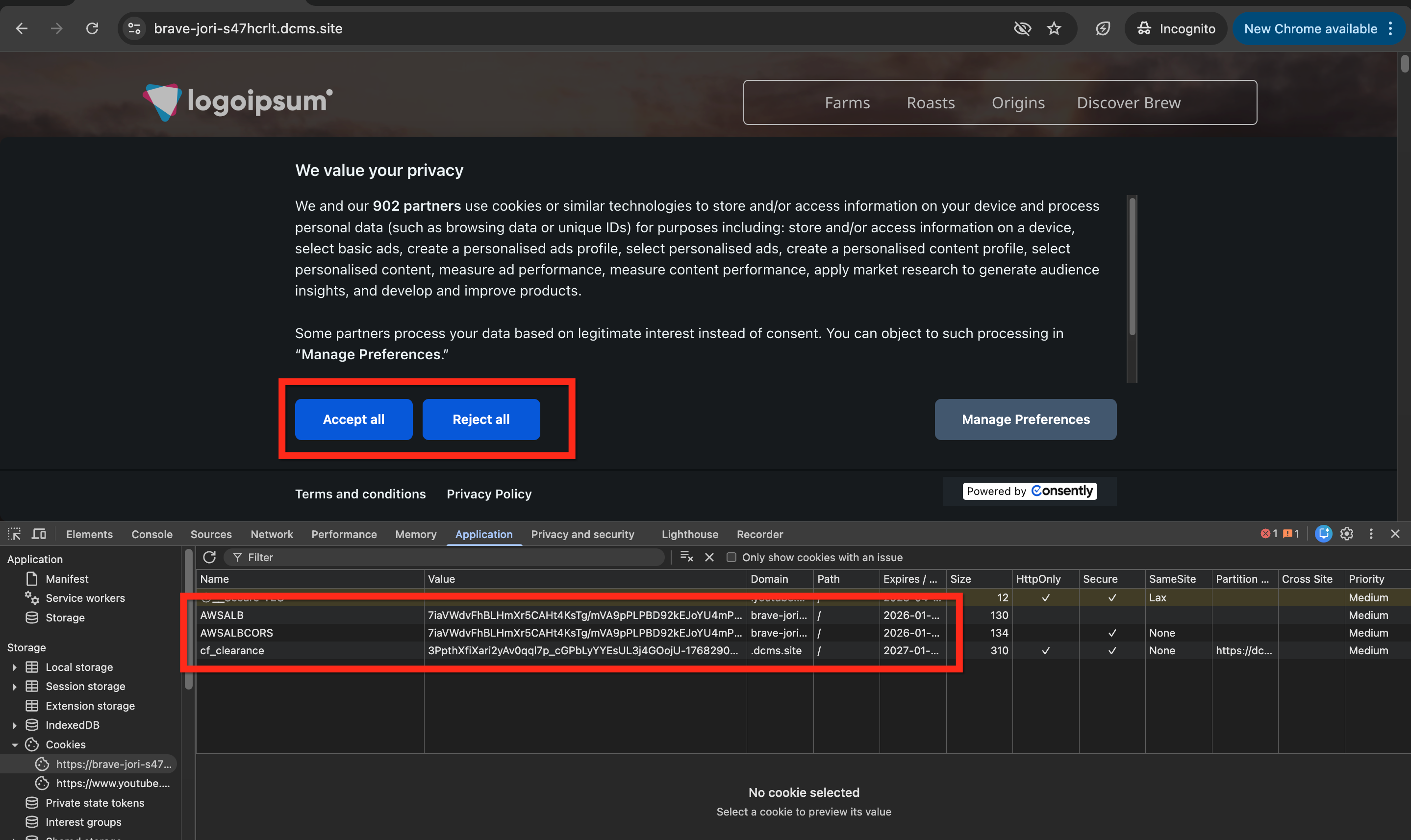
Click Save, then use Preview Modes to verify the banner displays correctly and blocks non-essential cookies until consent is granted.
Done!
Your banner now complies with GDPR consent standards.
✅ Success indicator: Non-essential cookies should not appear in browser developer tools until you grant consent through the banner.
What Consently Does for GDPR Compliance
Opt-In Consent Model
Consently's GDPR template needs active consent before any non-essential cookies load. When visitors arrive at your site, they see the banner immediately with three options:
Accept All — Grants consent for all cookie categories
Reject All — Blocks all non-essential cookies
Manage Preferences — Opens the Preference Center for granular category selection
Cookie Auto-Blocking
Cookie auto-blocking prevents non-essential cookies from activating until the visitor grants permission. Essential cookies are always used to maintain site security, user authentication, and basic site operations.
Consent Logging
Every consent decision is recorded in the Consent Log with:
Unique consent identifier
Timestamp
Visitor country
Chosen preferences (Accepted, Rejected)
These records provide audit-ready proof that you properly obtained consent.
Right to Withdraw Consent
The floating consent icon allows visitors to open the Preference Center at any time and modify their choices. Consent withdrawal takes effect immediately—blocked cookies stop loading on the next page.
Framework Integration
Consently is certified for Google Consent Mode v2 and IAB TCF 2.3, automatically passing consent signals to analytics and advertising platforms so they respect visitor choices without manual configuration.
Supported Regions and Regulations
Primary Coverage
The GDPR template provides full compliance for:
European Union — All 27 member states
United Kingdom — Post-Brexit GDPR (UK GDPR)
European Economic Area — Norway, Iceland, Liechtenstein
Additional Regulations Covered
The same opt-in consent model also satisfies:
LGPD — Brazil
PIPEDA — Canada (federal)
Law 25 — Quebec
POPIA — South Africa
nFADP — Switzerland
Privacy Act — Australia
PDPL — Saudi Arabia, Argentina, Andorra
DPA — Faroe Islands
These regulations share GDPR's core principles: explicit consent, granular controls, and documented records.
What You Still Need to Do
Consently automates consent collection, but you remain responsible for:
Accurate Cookie Categorization: Essential cookies must be genuinely essential to site functionality. Miscategorizing marketing cookies as essential violates GDPR.
Policy Accuracy: Generate your Privacy Policy and Cookie Policy to disclose what data you collect and how you use it. These policies must be accurate and kept up to date.
Honoring Data Rights: The GDPR grants visitors the right to access, correct, delete, and port their personal data. You must respond to these requests outside of Consently's banner system.
Legal Review: Have an attorney familiar with GDPR review your implementation, especially if you process sensitive data or serve vulnerable populations.
What's Next
Now that GDPR compliance is enabled, you should:
Generate your Cookie Policy to disclose your cookie usage
Test your installation to verify that cookies are blocked correctly
Troubleshooting
The banner isn't blocking cookies
Why this happens: Essential cookies may be miscategorized, or the script wasn't installed in the <head> section.
Solution:
Review your Cookie Categories and move marketing/analytics cookies out of the Essential category
Verify the Consently script appears in your page's
<head>section before any other tracking scriptsCheck that Enabled Necessary is OFF for non-essential categories
Visitors from the UK see the US template instead
Why this happens: The US State Laws template is enabled and taking priority.
Solution: Go to Cookie Banner → Configuration and confirm the GDPR toggle is enabled. If both templates are on, Consently should automatically detect UK visitors—try clearing your browser cache and testing again.
Related Topics
Customizing Banner Content — Edit the banner text for GDPR audiences
Cookie Management Best Practices — Tips for accurate cookie categorization