

TL;DR: Your main dashboard displays site status, consent trends, recent consent logs, and quick access to all Consently features. Select your site from the dropdown and navigate using the top tabs.
Overview
The dashboard is your control center for monitoring consent activity and accessing all Consently features. It provides real-time insights into visitor consent patterns and shortcuts to configure your banner, manage cookies, and generate policies.
Dashboard Layout
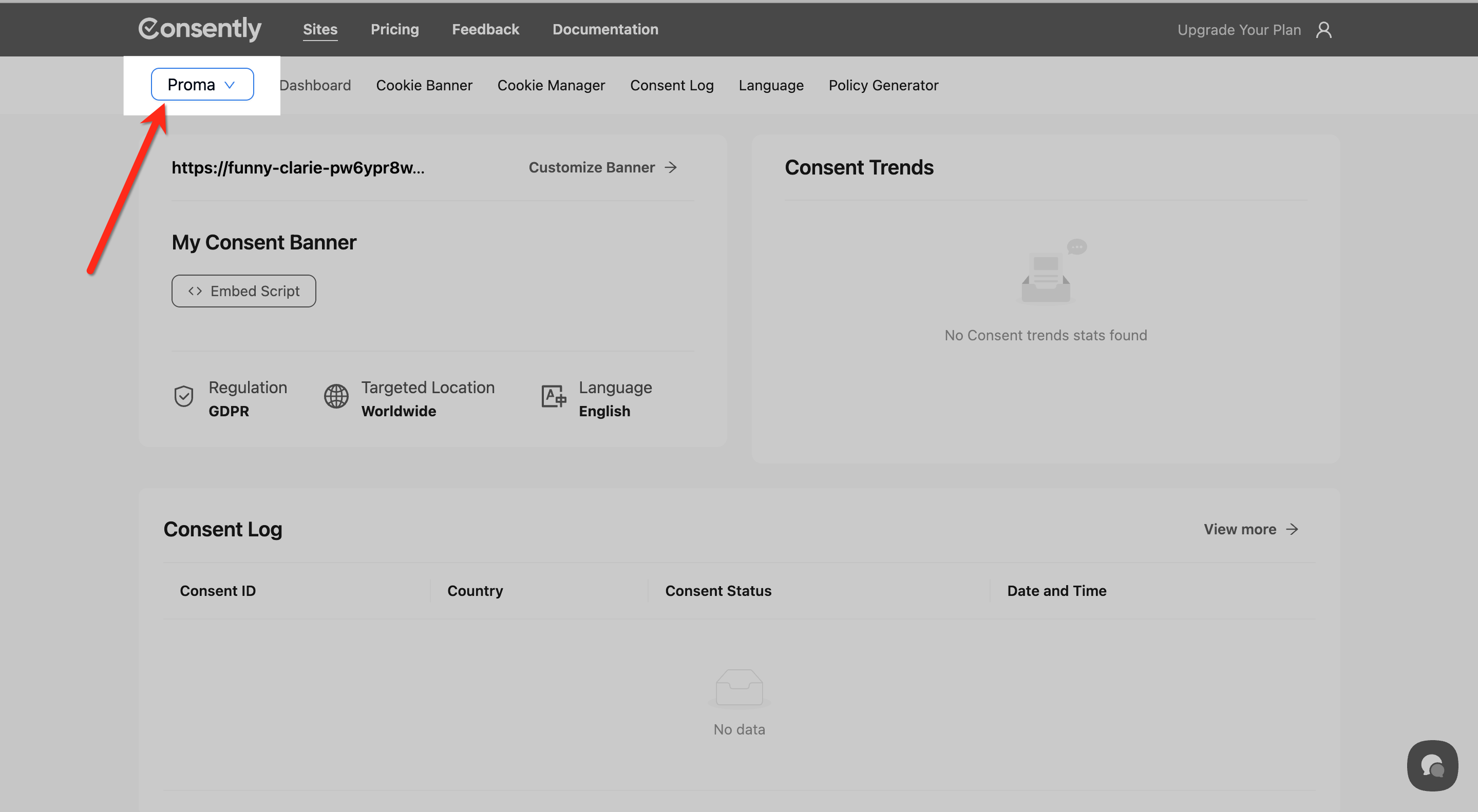
Site Selector
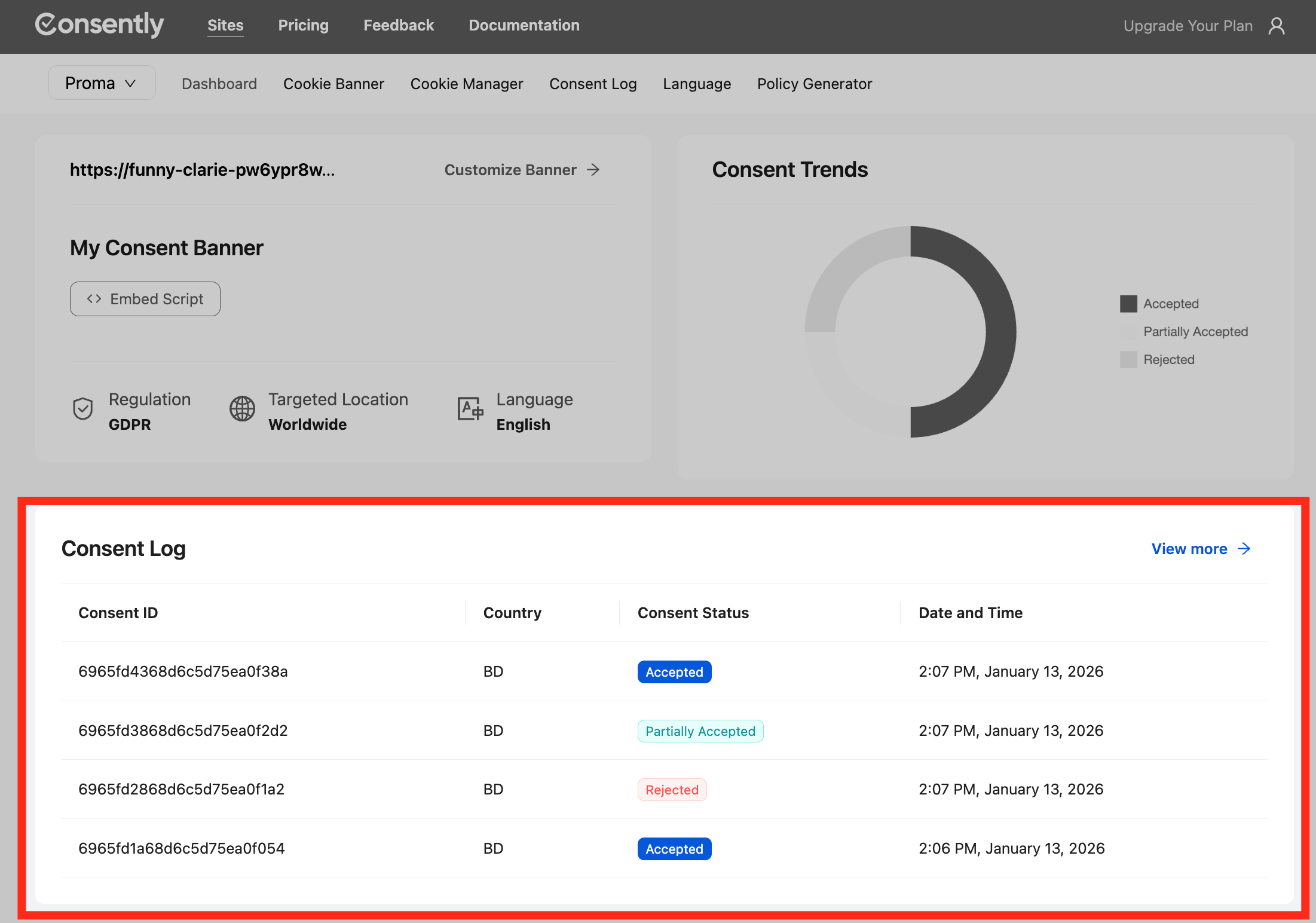
At the top of the page, the site selector dropdown shows your currently active website. Click it to switch between sites if you manage multiple domains.
Navigation Tabs
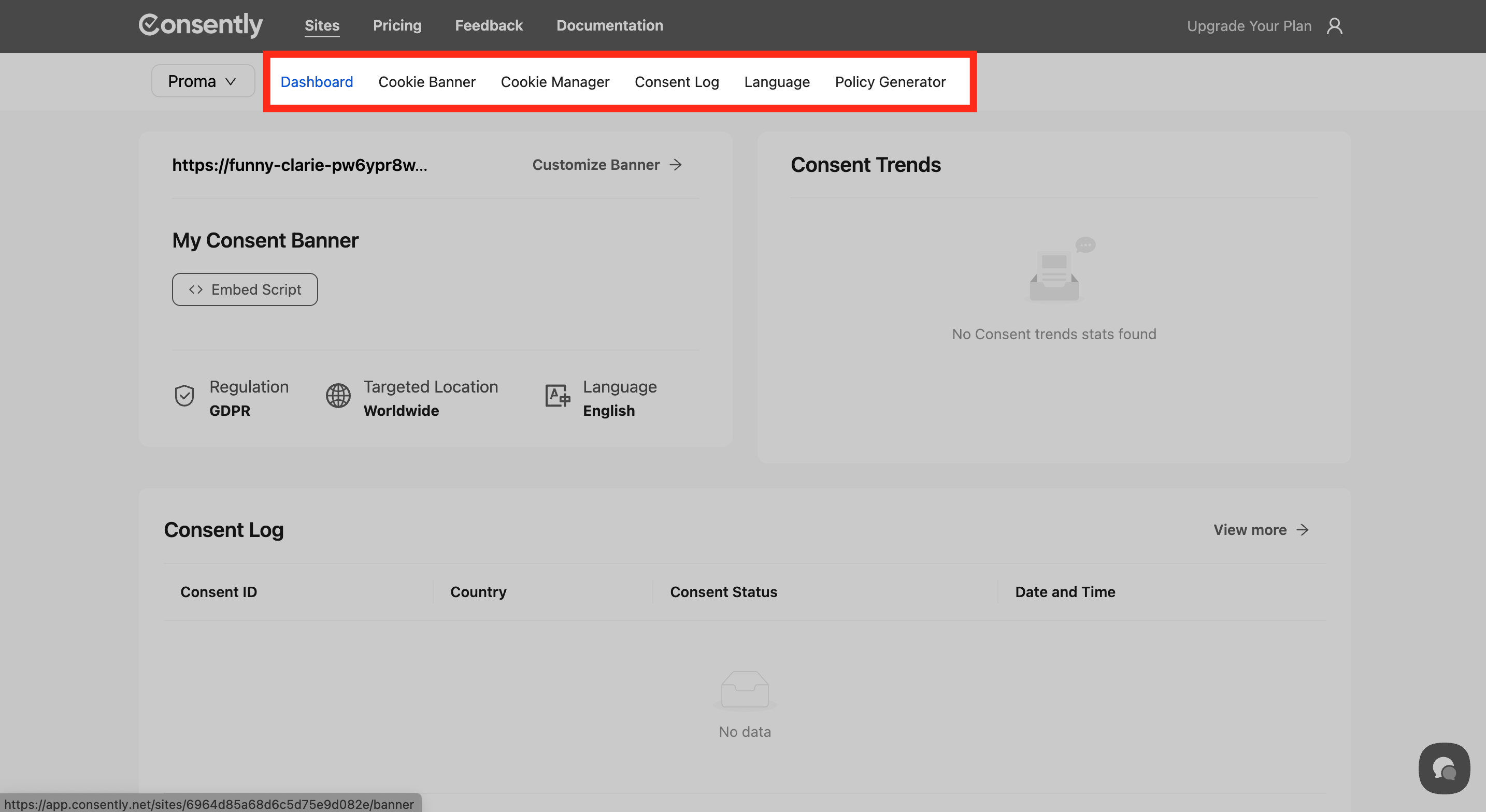
The main navigation bar contains tabs for each Consently feature:
Dashboard — Overview and consent trends
Cookie Banner — Configure banner design and content
Cookie Manager — Scan and categorize cookies
Consent Log — View visitor consent records
Language — Add and manage translations
Policy Generator — Create legal policies
My Consent Banner Section
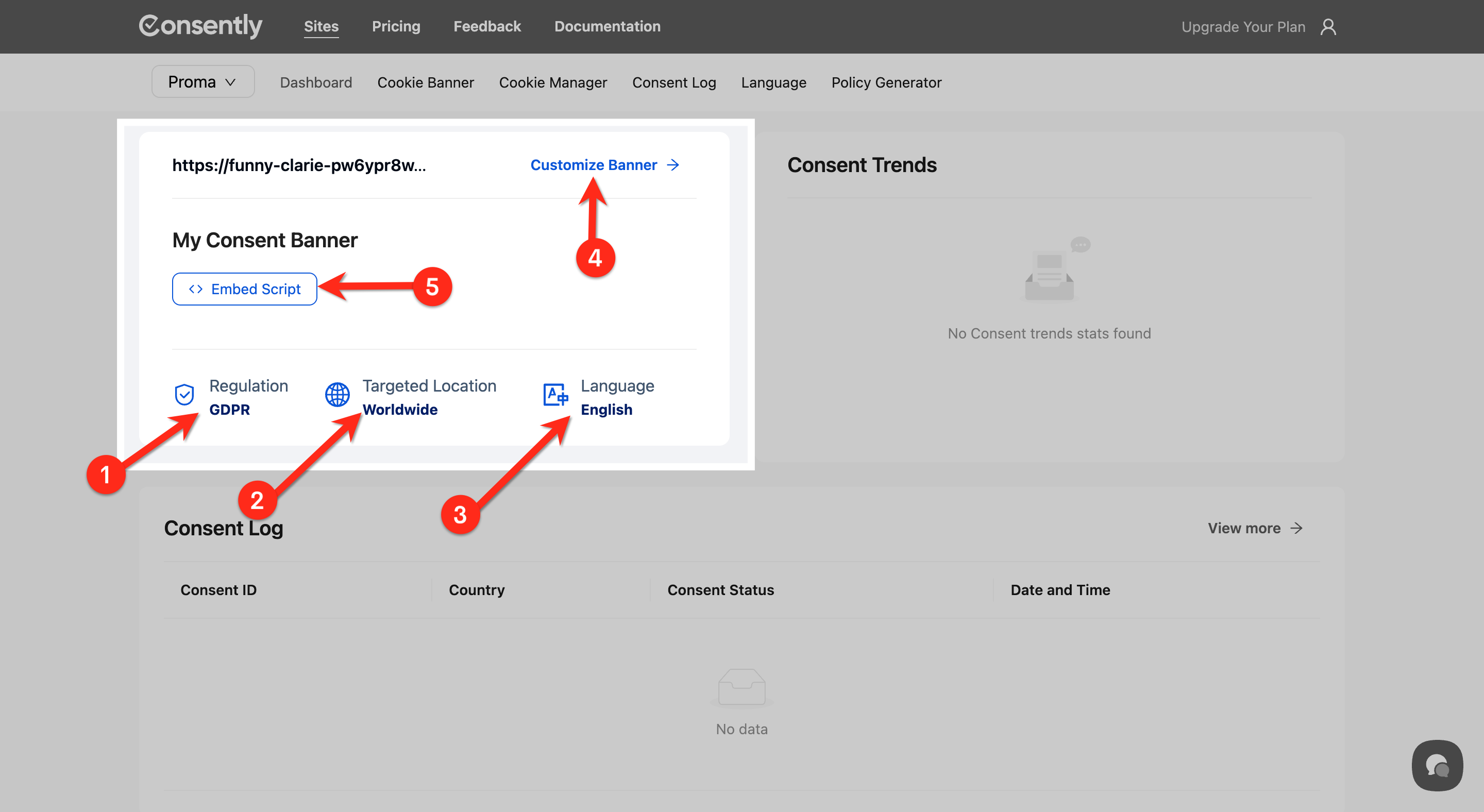
This panel from Dashboard Tab displays your current banner configuration with quick details:
Regulation badge — Shows GDPR or US State Laws template
Targeted Location badge — Displays Worldwide or specific regions
Language badge — Shows active languages
Customize Banner link — Quick access to banner editor
Embed Script button — Copy your installation code
Consent Trends Widget
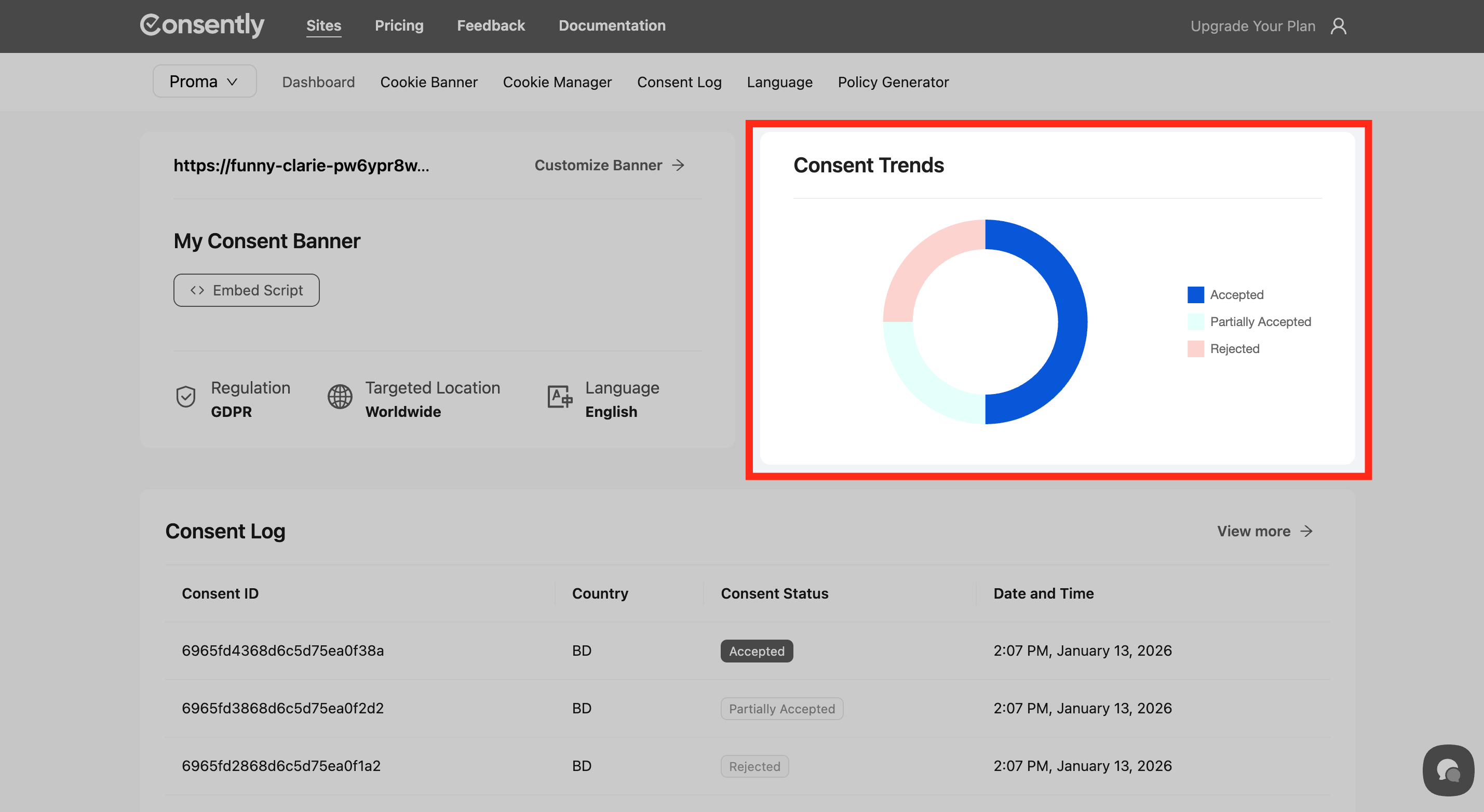
The Consent Trends graph from the Dashboard Tab shows visitor consent activity over time. Track acceptance rates, rejections, and custom preferences to understand compliance patterns.
💡 Tip: New sites display "No Consent trends stats found" until visitors interact with your banner.
Consent Log Preview
Below the trends widget, a preview table shows your most recent consent records with:
Consent ID — Unique identifier for each consent event
Country — Visitor location
Consent Status — Accepted, Rejected, or Partially Accepted
Date and Time — When consent was recorded
Click View more to see the full Consent Log with all records.
Cookie Library
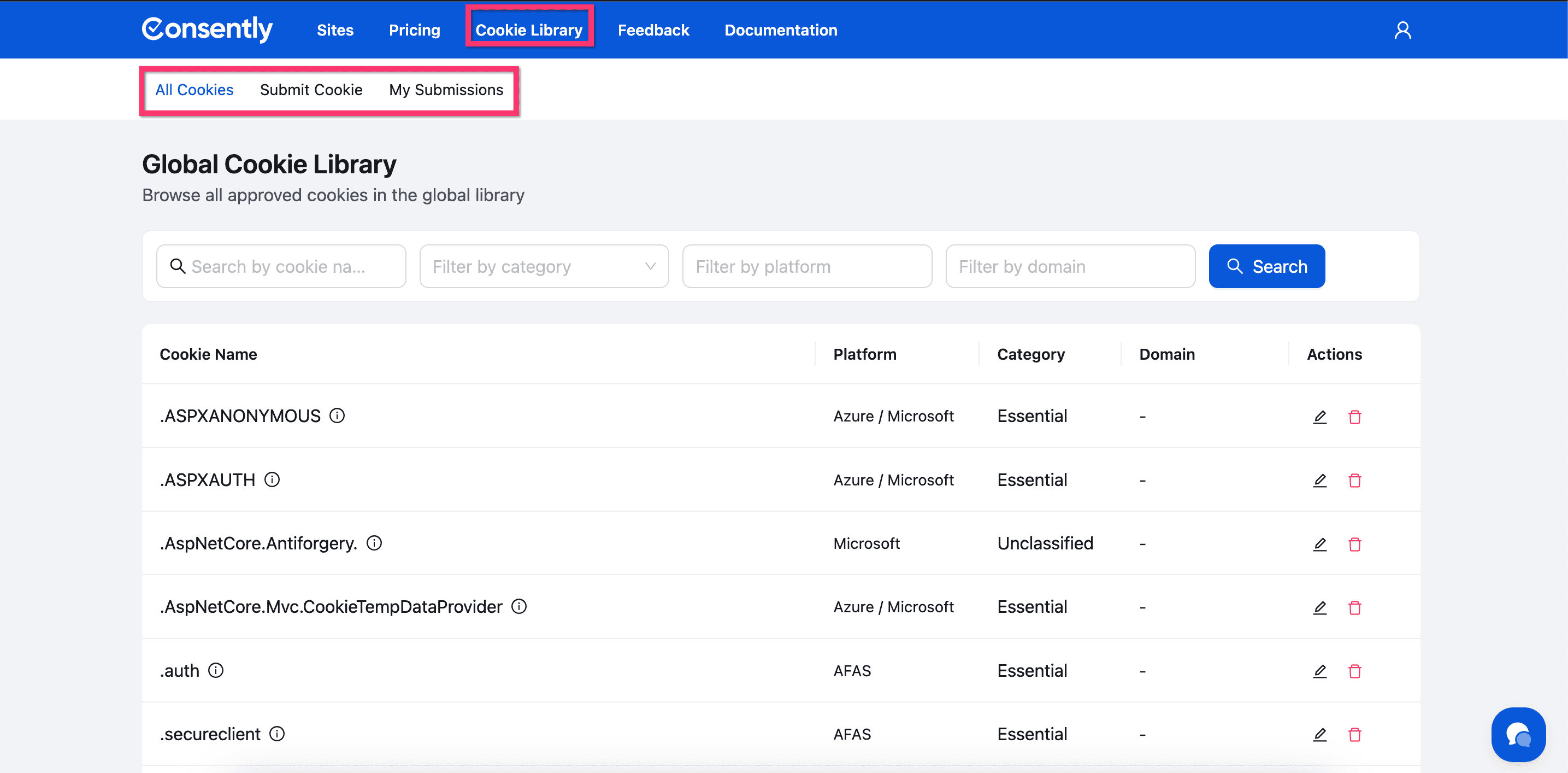
The Cookie Library provides access to a global database of approved cookies from various platforms and vendors. Access it directly from the top navigation bar.
The Cookie Library offers three main functions through dedicated tabs:
All Cookies
Browse the complete library of approved cookies with search and filter options:
Search by cookie name
Filter by category (Analytics, Essential, Advertising, Performance, Social, Unclassified)
Filter by platform (Google, Microsoft, Yahoo, etc.)
Filter by domain
Submit Cookie
Contribute to the global library by submitting cookies you’ve discovered. Fill in the cookie name, category, platform, domain, and description. Your submission will be reviewed by the Consently team before approval.My Submissions
Track the status of cookies you’ve submitted. View pending, approved, or rejected submissions with detailed status information and rejection reasons if applicable.
Feel free to learn more about the Cookie Library.
💡 Tip: Use the Cookie Library to quickly find detailed information about cookies before adding them to your Cookie Manager. You can also submit new cookies to the library.
What's Next
Now that you understand the dashboard layout, you should:
Customize your banner to match your compliance needs
Manage your cookies to ensure proper categorization
Related Pages
Multi-Site Overview — Managing multiple websites from one dashboard