

TL;DR: Google tag gateway serves your Google tag from your own domain. When it is enabled through a one-click CDN integration, the tag is injected at the CDN edge and you no longer control when it loads — so script ordering cannot fix a late consent signal. Use Advanced consent mode (U+C) with Default Consent by Region, move your tags into a GTM container deployed via GTG, or set GTG up manually so you control import order.
Overview
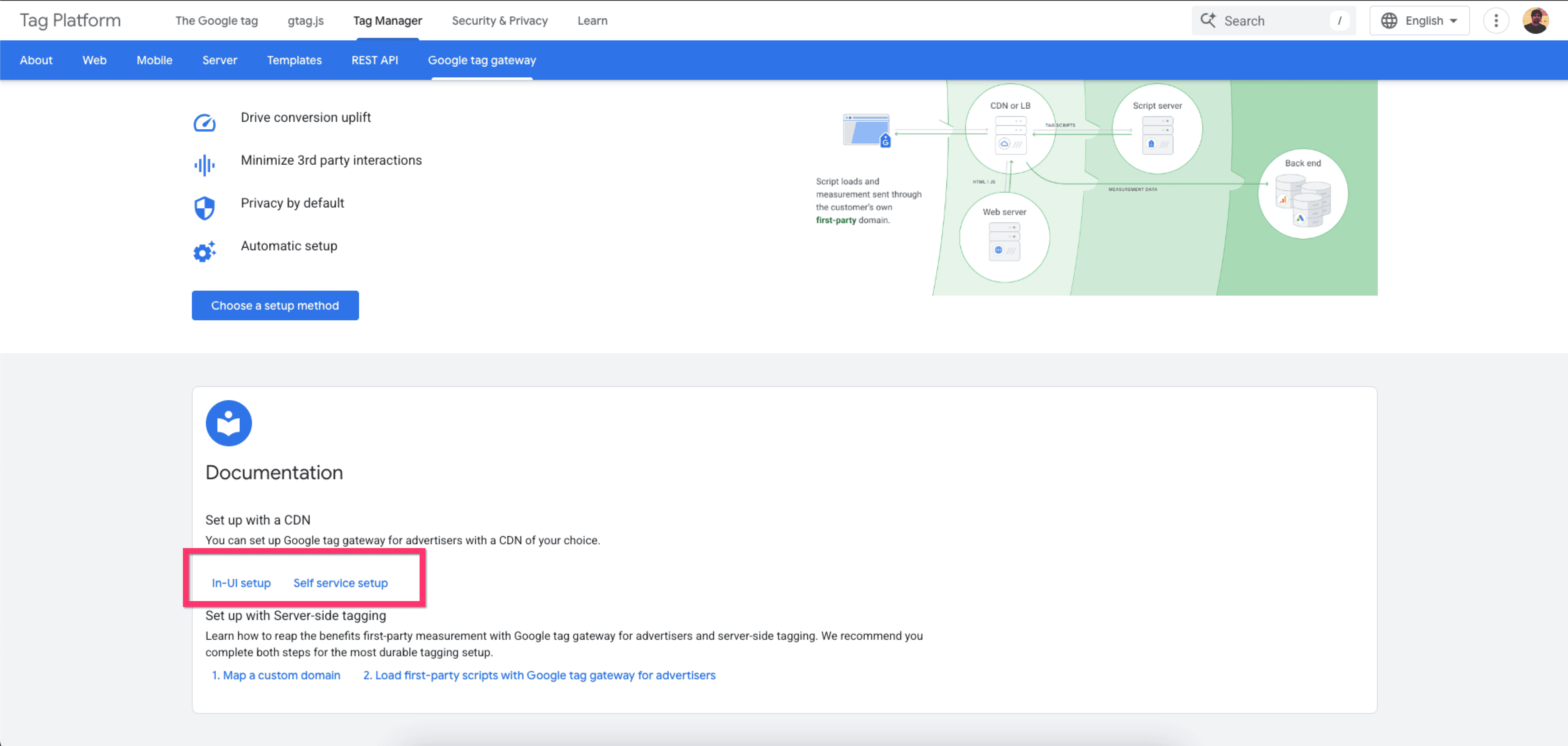
Google tag gateway for advertisers deploys the Google tag using your own first-party infrastructure, hosted on your website's domain, instead of loading it from googletagmanager.com. Measurement events are sent to your domain and forwarded to Google from there.
Google documents two ways to set it up:
In-UI setup — Google configures your CDN for you. With the Cloudflare integration, you sign into Cloudflare from Google Tag Manager, choose your domains, and the tag is served from the CDN edge.
Self service setup — you configure your own CDN, load balancer or web server using the setup guide or the CDN instructions.
Why this affects consent
With a one-click CDN integration the Google tag is injected by the CDN, not by a <script> tag you control in your page. You therefore have no control over its load order. Moving the Consently embed script higher in <head> has no effect, because the tag is no longer being loaded by the markup you edit.
This is the one case where the script-ordering advice in 4.8 Debug Mode & Consent Timing does not apply.
How to Verify Whether a Tag Is Enrolled in GTG
Check in Google Tag Manager:
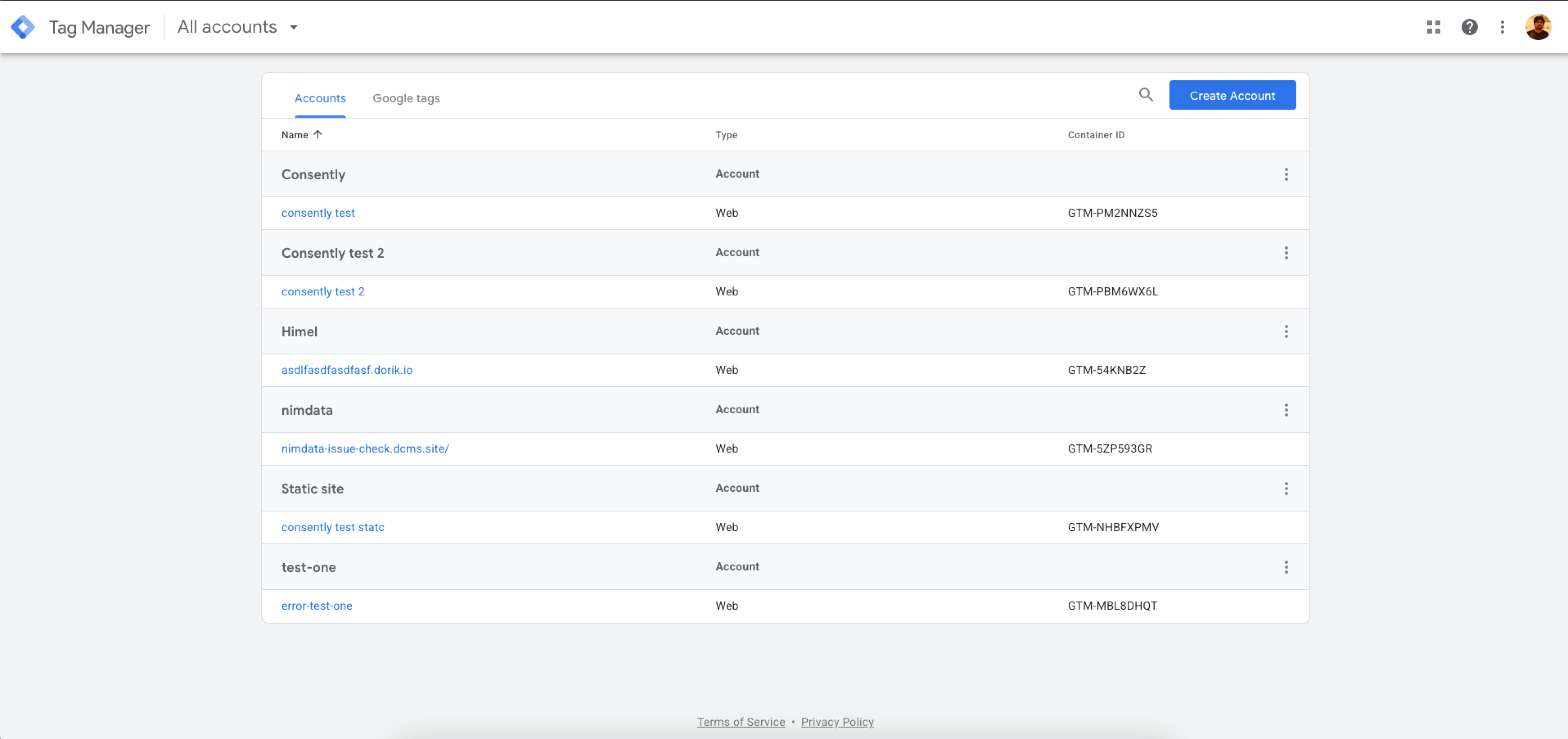
Step 1: Open your container
Go to tagmanager.google.com and select the container for your site.
Step 2: Open Google tag gateway
Navigate to Admin → Google tag gateway.
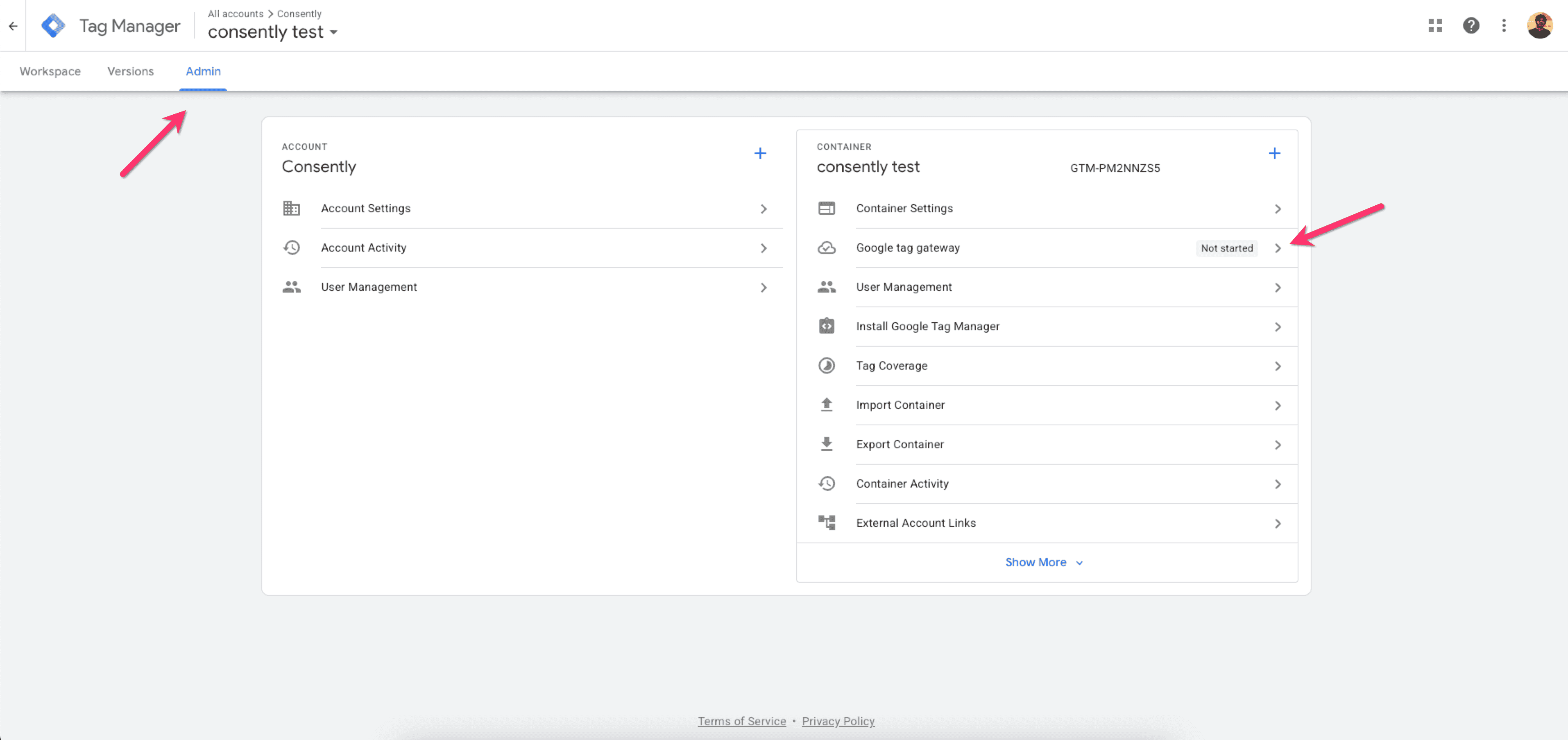
Step 3: Read the status next to each domain
Status | Meaning |
|---|---|
First-party | Google tag gateway is active for this domain |
Pending | Enabled, but diagnostic information has not been received yet |
Not started | Google tag gateway has not been activated |
Paused | Google tag gateway is paused |
Done!
A domain showing First-party is enrolled in GTG.
💡 Tip: You can also confirm from the browser. In DevTools → Network, an enrolled site loads its Google tag from a path on your own domain rather than from https://www.googletagmanager.com/gtag/js.If Consent Is Late and GTG Is Confirmed
If Consently's debug panel reports late consent and you have confirmed the domain shows First-party, choose one of the following.
Option 1 — Advanced consent mode (U+C) with regional defaults · recommended
U+C (Advanced consent mode) is the recommended mechanism for GTG-enabled tags, because it is compatible with manual GTG. In Advanced mode the Google tag is permitted to load and Consently signals the consent state to it, rather than trying to prevent it from loading. Basic mode works by blocking Google tags, which is not dependable when the tag is injected by your CDN outside the page's control.
Set it up in Consently:
Sites → your site → Advanced Settings → set Consent Mode to Advanced → Save Settings
Cookie Banner → General → Default Consent by Region, then set your data transmission controls and global consent defaults according to your needs:
Regions requiring consent — the countries where consent must be collected before measurement
Grant consent for selected regions — off means those regions default to denied and all other regions default to granted; on reverses it
See 4.7 Basic vs. Advanced Google Consent Mode and 2.13 Creating a Google-Compliant Consent Banner.
Option 2 — Move your tags into a GTM container and deploy GTM via GTG
Consolidate your Google tags into a single Google Tag Manager container, install Consently using the Consently CMP template on the Consent Initialization – All Pages trigger, and deploy that container through Google tag gateway.
Google Tag Manager guarantees that Consent Initialization runs before every other tag in the container, so consent defaults are registered first regardless of how the container itself is delivered.
See 8.3 Google Tag Manager Installation.
Option 3 — Set up GTG manually so you control import order
Use Google's Self service setup rather than the one-click CDN integration, configuring your own CDN, load balancer or web server. This returns control of script import order to you, so you can ensure the Consently embed script is requested before the Google tag.
See Google's setup guide.
Verifying the Fix
With debug mode on, clear cookies and reload. In DevTools → Network, filter for collect and check the first request:
gcs=G100before consent — consent defaults registered correctlygcs=G111after the visitor accepts
See the full gcs table in 4.8 Debug Mode & Consent Timing.
✅ Success indicator:gcs=G100on the firstcollectrequest before consent, andgcs=G111after the visitor grants it.
What's Next
Debug Mode & Consent Timing — Reading the debug panel and the
gcsparameterBasic vs. Advanced Google Consent Mode — Why Advanced mode suits GTG-enabled tags
Google Tag Manager Installation — Installing via the Consent Initialization trigger
Troubleshooting
The first request still has no gcs value after switching to Advanced mode
Why this happens: The gateway request is still being made before Consently registers your consent defaults, most often because the CDN injects the tag very early in the response.
Solution: Move to Option 2 or Option 3 above, so that either Google Tag Manager or your own CDN configuration controls the ordering. If neither is possible, contact support@consently.net with a debug panel screenshot and the Network tab entry showing where your Google tag is served from.
My domain shows "Pending" rather than "First-party"
Why this happens: Google tag gateway has been enabled but has not yet received diagnostic information from your domain.
Solution: Allow time for the status to update, then re-check Admin → Google tag gateway. Treat the domain as enrolled once it reads First-party.
💡 Tip : For any issue with consent signals on your site, start with Consently support at support@consently.net . We can inspect your banner configuration directly — Google Support cannot.
Related Pages
Debug Mode & Consent Timing — Diagnosing consent timing problems
Basic vs. Advanced Google Consent Mode — How each mode behaves
Google Tag Manager Installation — Consent Initialization trigger setup
Creating a Google-Compliant Consent Banner — Regional consent defaults
Google Official Documentation — What is Google tag gateway for advertisers?