

TL;DR: Profile icon (top-right) → Language dropdown → Select language. The entire Consently dashboard switches to your chosen language instantly.
Overview
The Consently dashboard supports multiple interface languages, letting you work in your preferred language. Switching the dashboard language translates all navigation labels, page titles, column headers, and button text — it does not affect your banner content or how your consent banner appears to visitors.
How to Switch the Language
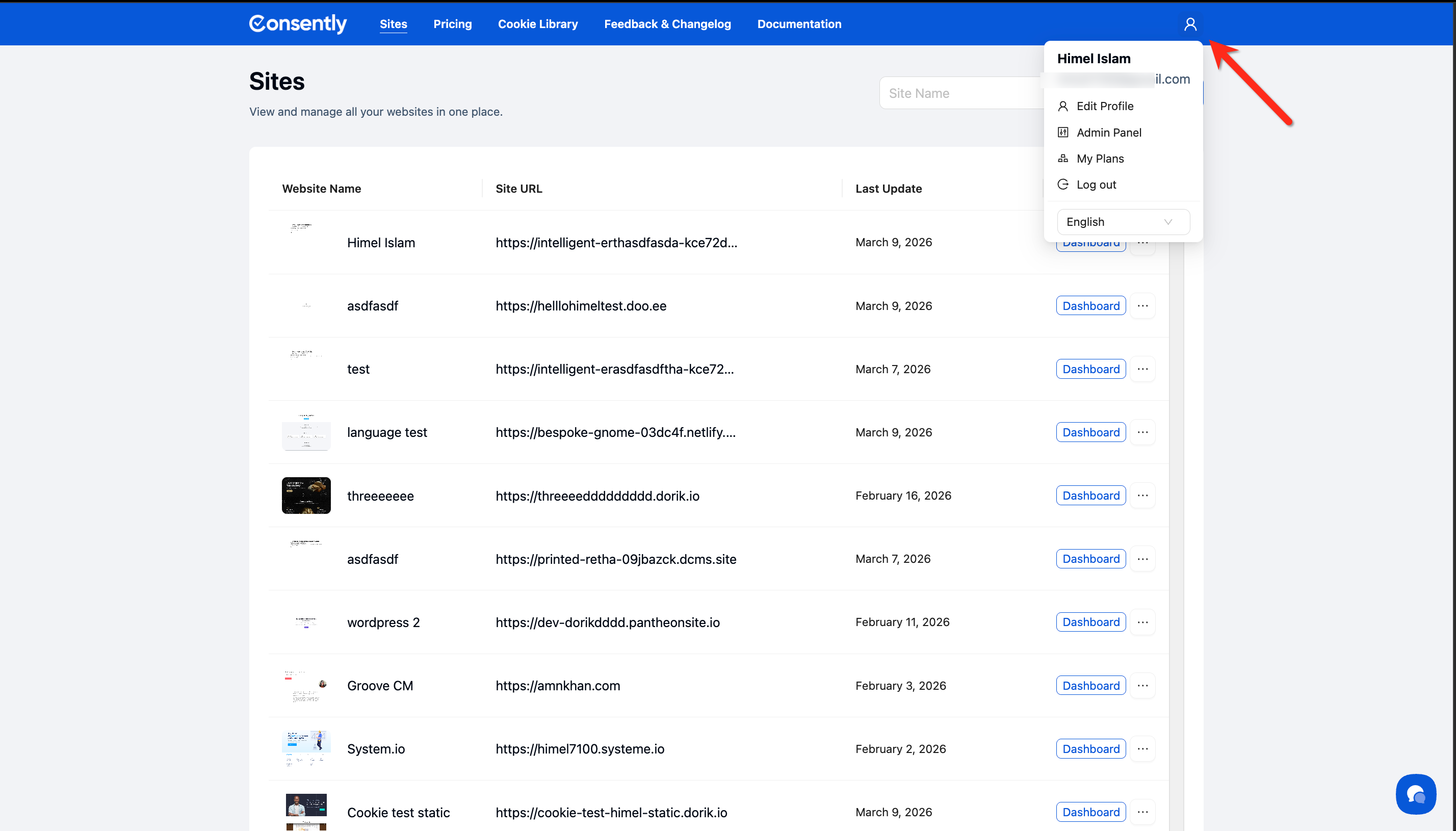
Step 1: Open your profile menu
Click the profile icon in the top-right corner of any page.
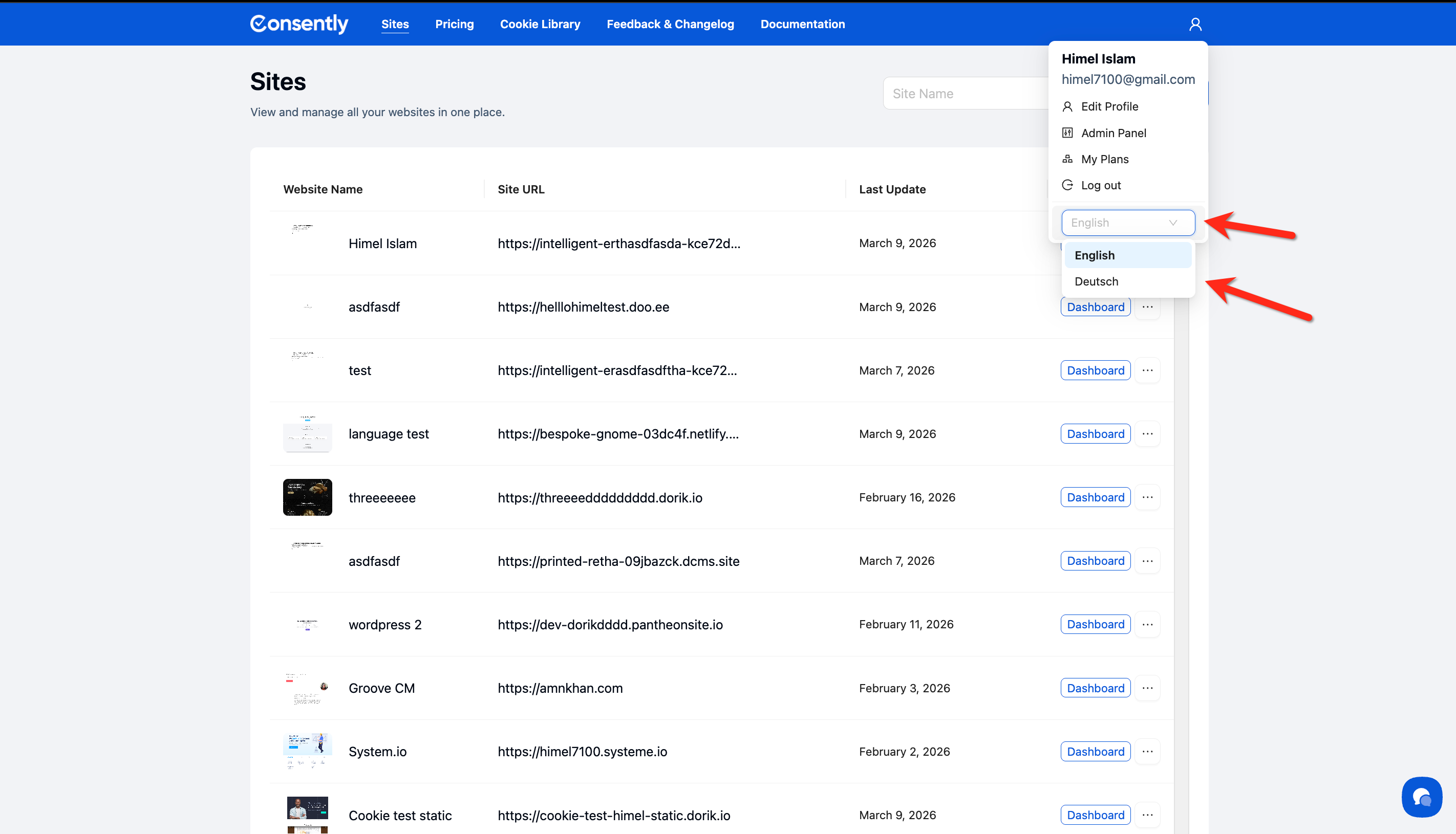
Step 2: Select your language
Click the language dropdown in the profile menu — it shows your currently active language — and choose your preferred language from the list.
Done!
The dashboard reloads in your selected language.
✅ Success indicator: All navigation items, page headings, and UI labels are now displayed in your chosen language.
Available Languages
Currently supported dashboard languages:
English
Deutsch (German)
More languages will be added over time.
What's Next
To manage the languages your consent banner displays to visitors, see:
Related Pages
Multi-Language Overview — How Consently handles banner language detection and multi-language support